Key takeaway
- See how ServiceNow AI agents summarise security incidents, draft closure notes and suggest next steps, and what SOC teams should check before adopting.
ServiceNow AI agents for security operations use generative AI inside the security incident workflow to summarise incidents, draft closure notes and suggest next steps, so analysts spend less time reading records and more time containing threats. ServiceNow's own documentation describes the product, Now Assist for Security Incident Response, as a way to help analysts "triage, investigate, and close security incidents".
This page is for security leaders and SOC managers weighing AI assistance in a ServiceNow environment. It covers the problem, how the workflow runs, where AI agents fit, and what to check first. Background is in our guides to security operations centers (SOCs) and ServiceNow solutions.
What are ServiceNow AI agents in security operations?
They are generative AI skills and agent collections built into ServiceNow's security applications. ServiceNow's documentation lists summarising incident details and generating closure notes as core skills, and a Security Incident Response AI agent collection that lets agents "complete your tasks autonomously". The product was previously named Now Assist for Security Operations and was renamed from version 2.0.1.
Security Operations (SecOps) itself brings IT security practice into IT operations, so security and the wider business do not work in silos. AI assistance sits on top of that process; it does not replace it. See also how this links to IT operations with Now Assist.
What problem does this use case solve?
Security incident data is spread across tools, business units, regions and logs. An analyst opening a ticket often has to read many related records before understanding what happened. That slows triage, lengthens resolution and raises the chance that a real threat waits in the queue.
The end of an incident has its own cost. Closing a case means writing a resolution record of what was done and why. That documentation is necessary for audit and for learning, but it is administrative effort taken from investigation time.
How does the workflow run, step by step?
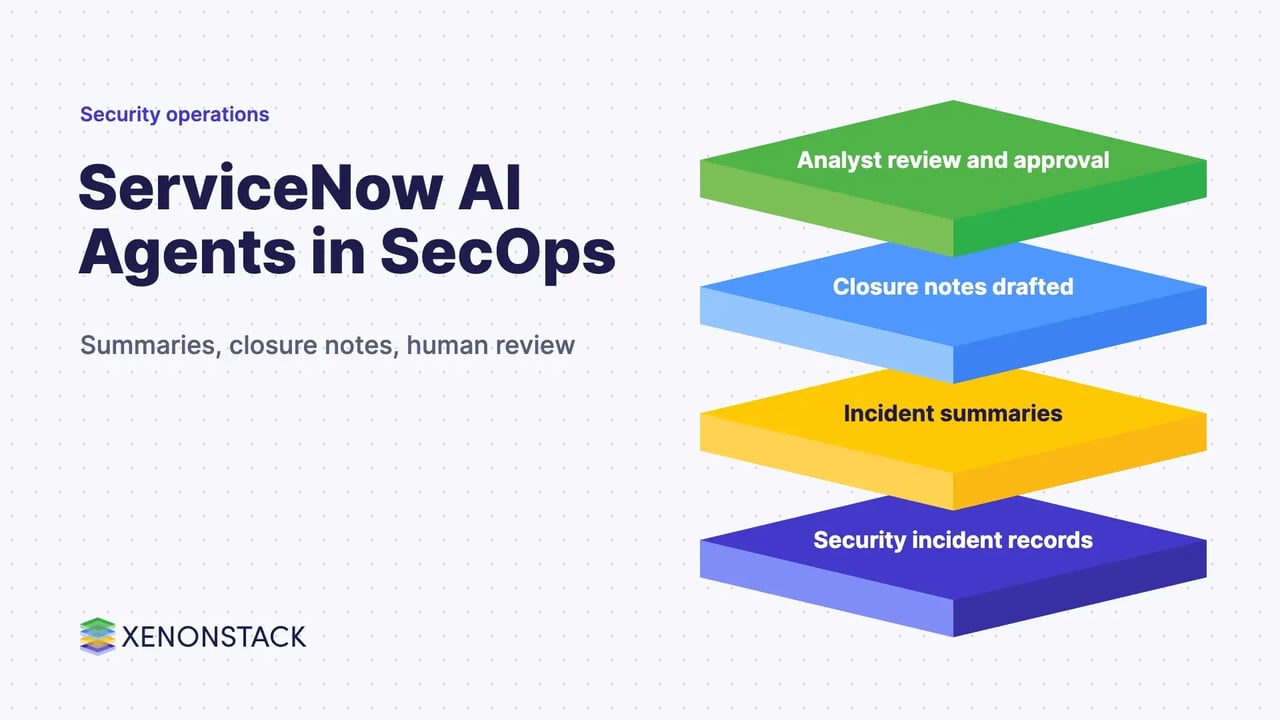
- Summarise. An analyst opens an incident and asks for a summary. The skill condenses the issue, the details, observations from related records and the actions already taken.
- Ask and investigate. The analyst asks questions in natural language about the incident and its context and reviews the answers against the source records.
- Act. The analyst decides on containment and remediation. ServiceNow's community write-up of its November release describes a recommended actions feature that retrieves knowledge base articles and similar closed incidents and suggests steps that can become tasks.
- Close. When the incident moves to closed, the system drafts closure notes from the work recorded. The analyst reviews and edits them before saving. The same release describes a post-incident analysis report covering root cause, impact and learnings, per the ServiceNow community article.
Each step keeps a person in the loop. The documentation warns that the application "may not always produce accurate, complete, or appropriate information" and asks for human oversight, especially in areas such as security.
Where do AI agents fit in a security operations centre?
Agents are most useful on repeatable reading and writing work: condensing records, drafting notes, retrieving similar past cases. Decisions with business impact, such as isolating a system or disabling an account, stay with analysts or follow approved playbooks. For teams that want to build and run their own agents around ServiceNow data, ElixirClaw, XenonStack's AI agents computing platform, is the related platform. Related examples: autonomous incident resolution with Now Assist.
How does AI-assisted triage compare with the manual approach?
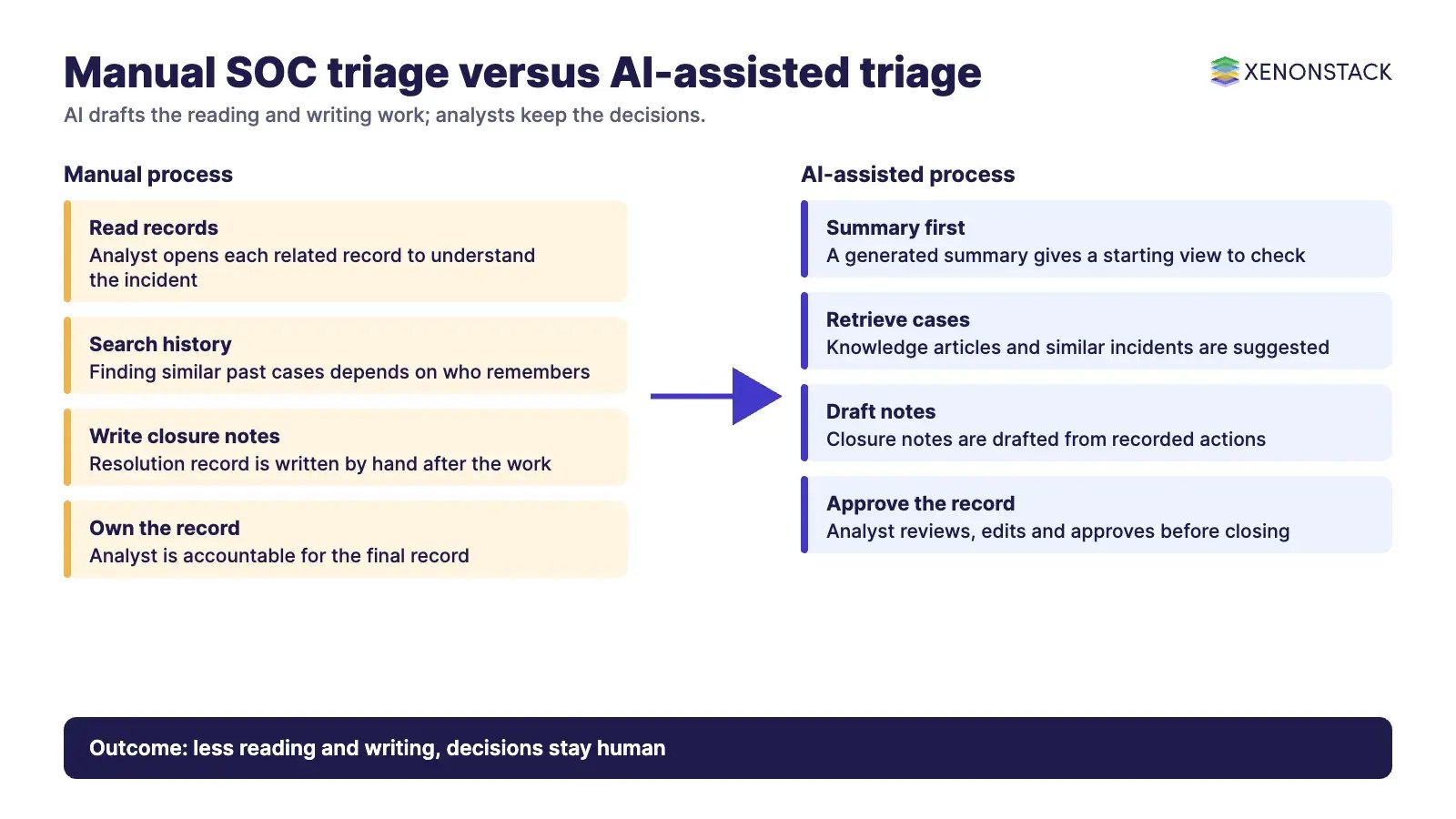
| Area | Manual process | With AI assistance and review |
|---|---|---|
| Understanding an incident | Analyst reads each related record | Summary gives a starting view, checked against the records |
| Closure documentation | Written by hand after the work | Drafted from recorded actions, then edited by the analyst |
| Finding similar cases | Depends on who remembers or searches | Retrieval suggests knowledge articles and past incidents |
| Accountability | Analyst owns the record | Analyst still owns the record and must approve it |
What should you check before adopting it?
- Availability. ServiceNow notes that some features and model providers are unavailable in certain regions, in-country SKUs and regulated environments.
- Data handling. The documentation says data moves from your instance to a centralised ServiceNow environment, and that inputs, outputs and edits may be collected, with an option to opt out.
- Testing. ServiceNow states there is no guarantee the application is fully trained or tested for your use case, so run your own evaluation on real incident types.
- Review rules. Decide who must approve AI-drafted notes before an incident is closed.
- Measures. Pick the measures you will track, such as time to triage and time to close, and set a baseline first. Do not rely on vendor figures for your own environment.
More ServiceNow use cases: HR service delivery, banking and IT service management. You can also explore the ServiceNow AI Platform.
To map one decision your security agents make, and the data and policy it depends on, book a Context Workshop. See what happens in the workshop.
Frequently asked questions
What is Now Assist for Security Incident Response?
It is ServiceNow's application that uses generative AI skills to help security analysts triage, investigate and close security incidents, including summarising incident details and generating closure notes.
Does it replace SOC analysts?
No. ServiceNow's documentation asks for human oversight and warns against relying solely on AI output for decisions, especially in security. Analysts review and own the result.
Can the AI generate incident closure notes?
Yes. It drafts closure notes from the work recorded on the incident, and the analyst reviews and edits them before saving.
What should we test before rollout?
Test summaries and drafted notes on your own incident types, confirm regional availability and data handling terms, and set a baseline for triage and closure times.
Where does XenonStack fit?
XenonStack offers ElixirClaw, an AI agents computing platform, for teams building agents around enterprise workflows such as this one.
Ready to put AI agents to work? See an ElixirClaw demo: the agentic OS to build, orchestrate and govern AI agents across your enterprise systems.
Explore the XenonStack platform family: ElixirData · ElixirClaw · ElixirHub · NexaStack · MetaSecure · Neural AI · AgentGRC · AgentSRE · AgentAnalyst · AgentInstruct · AgentRAI · AgentScrum · AgentSearch · AgentForce · AI Aviator · SAIF Aviator · CohortIQ · XenonStack AI · XenonStack UAE