Key takeaway
- Kubernetes Deployment explained: rollout and rollback, production best practices, security controls and which tools are still maintained in 2026.
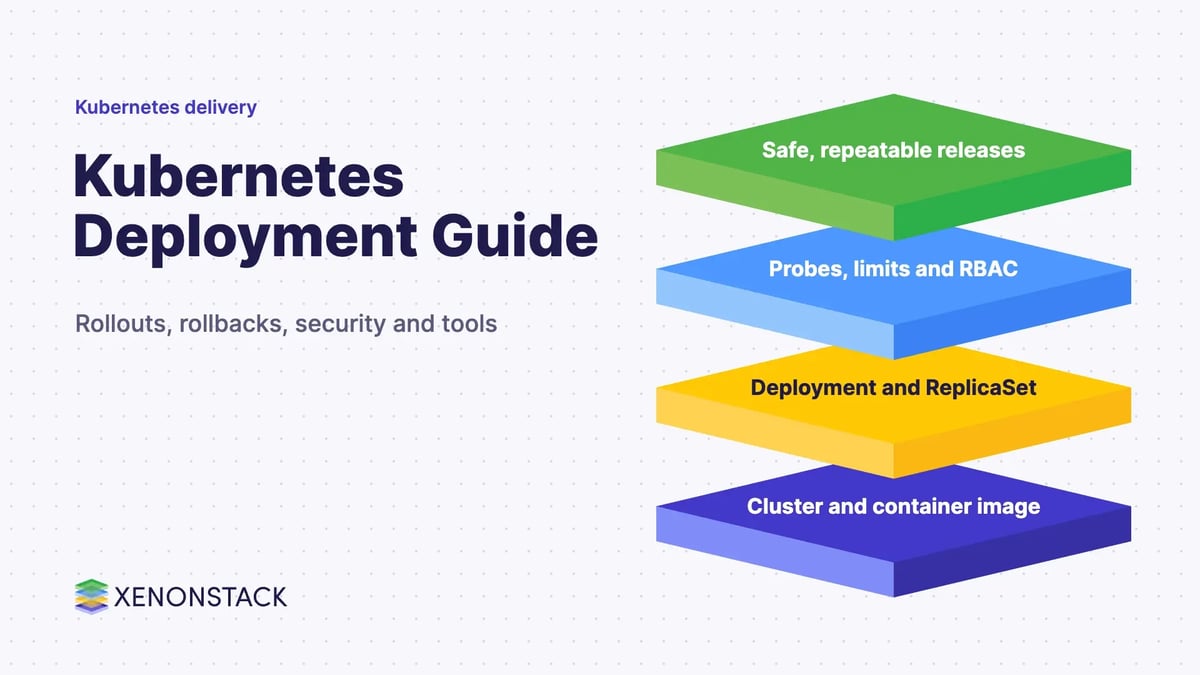
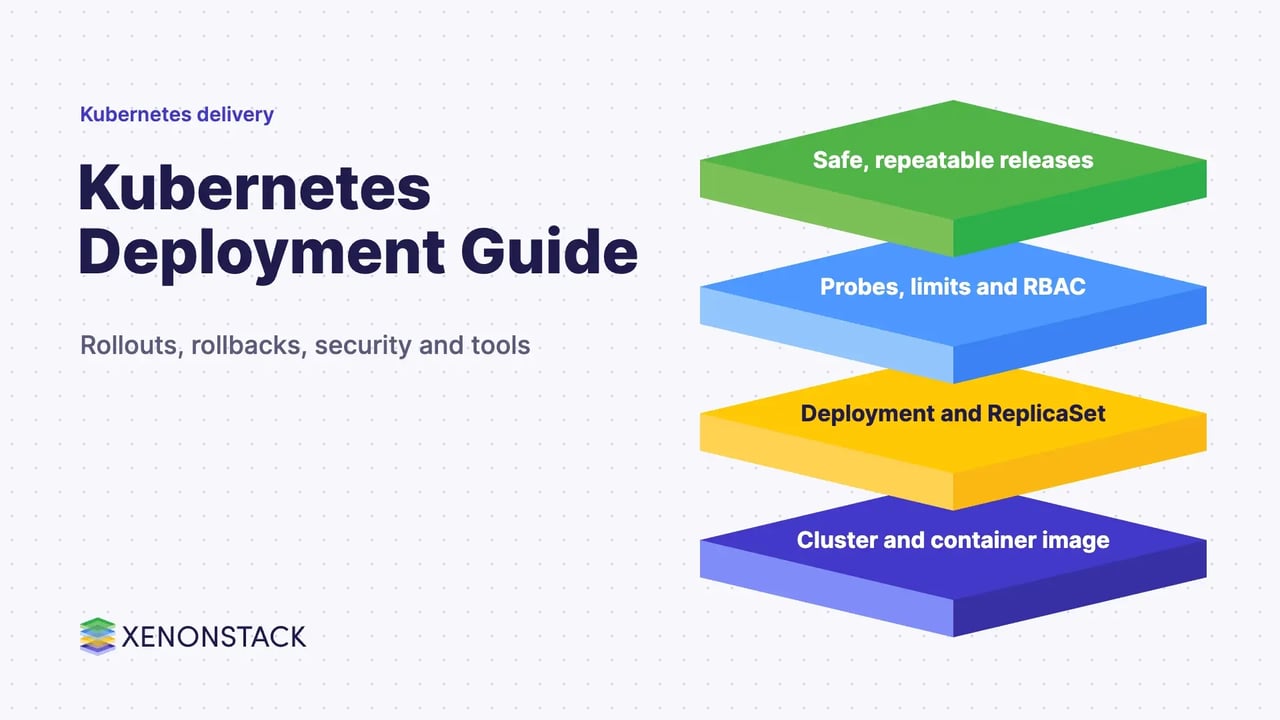
A Kubernetes Deployment is the object that keeps a stateless application running at the version and replica count you declare, and replaces Pods gradually when you change it. According to the Kubernetes documentation, "a Deployment manages a set of Pods to run an application workload, usually one that doesn't maintain state." For an enterprise team, the Deployment is the unit of release: it decides how a new version rolls out, how fast, and how you go back.
This guide covers how a Deployment works, the practices that matter in production, which tools are still worth using in 2026, and the security and cost questions a CTO or platform lead should settle first. For the cluster internals behind it, see our guide to Kubernetes architecture and components.
What is Kubernetes and what does a Deployment add?
Kubernetes is, in the project's words, "a portable, extensible, open source platform for managing containerized workloads and services". The documentation says Google open sourced the project in 2014. Its feature list includes service discovery and load balancing, storage orchestration, automated rollouts and rollbacks, automatic bin packing, self-healing, secret and configuration management, batch execution and horizontal scaling (source: kubernetes.io overview).
A Deployment sits on top of Pods and ReplicaSets. You describe the desired state in YAML (image, replicas, ports, probes), apply it, and the controllers move the cluster towards that state. This is why a Deployment is the normal choice for web services and APIs, while databases and other stateful workloads usually need different objects.
How does a Kubernetes Deployment roll out and roll back?
The Deployment strategy is either RollingUpdate, which is the default, or Recreate. With Recreate, all existing Pods are killed before new ones are created. With a rolling update, old ReplicaSets scale down while the new one scales up. The documentation gives a default of 25% for both maxSurge and maxUnavailable, and a default revisionHistoryLimit of 10 (source: Deployments).
| Decision | What the documentation says | What it means for you |
|---|---|---|
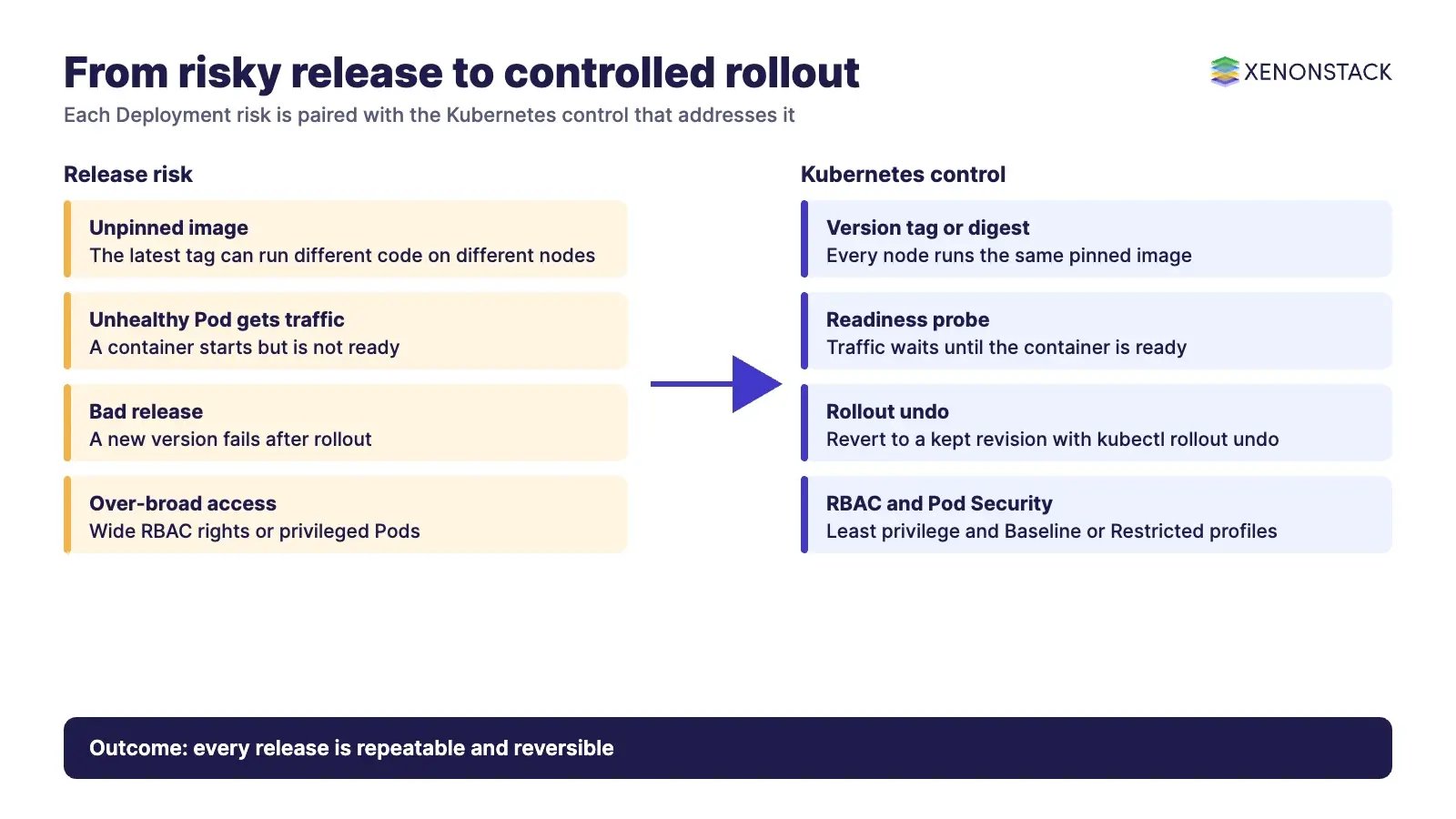
| Roll back | kubectl rollout undo deployment/<name>, optionally with --to-revision | Rollback depends on kept revisions, so do not set revisionHistoryLimit to zero by habit |
| Record the reason | The kubernetes.io/change-cause annotation is copied to each revision; the --record flag is deprecated | Set the annotation in your pipeline instead of using --record |
| Canary release | Create multiple Deployments, one per release, following the canary pattern | Plain Deployments give you canary by hand; use a progressive delivery tool if you need automated traffic shifting |
| Selectors | Do not overlap labels or selectors with other controllers | Overlapping selectors can make controllers conflict and behave unexpectedly |
For a zero-downtime release pattern with two parallel environments, read our guide to blue-green deployment in Kubernetes.
Which components decide where and how a Deployment runs?
Older write-ups call the control plane the "master". Current documentation uses control plane and nodes. These are the components a deployment touches, in the words of the components page.
| Component | Official one-line description | Role in a deployment |
|---|---|---|
| kube-apiserver | "The core component server that exposes the Kubernetes HTTP API." | Every kubectl apply and every controller action goes through it |
| etcd | "Consistent and highly-available key value store for all API server data." | Holds the desired state your Deployment declares |
| kube-scheduler | "Looks for Pods not yet bound to a node, and assigns each Pod to a suitable node." | Uses Pod resource requests to place new Pods |
| kube-controller-manager | "Runs controllers to implement Kubernetes API behavior." | Runs the controllers that keep replicas at the declared count |
| cloud-controller-manager | "Integrates with underlying cloud provider(s)." | Connects load balancers and nodes to your cloud |
| kubelet | "Ensures that Pods are running, including their containers." | Starts, probes and stops containers on each node |
| kube-proxy | "Maintains network rules on nodes to implement Services." | Routes Service traffic to Pods |
What are the Kubernetes deployment best practices for production?
These practices come from the Kubernetes documentation. Treat them as a baseline checklist for every team that ships to your clusters.
| Practice | Why it matters | Source |
|---|---|---|
Pin image versions, avoid :latest | The docs say to avoid the latest tag in production and to use a meaningful tag and/or a digest, so every node runs the same code | Images |
| Add readiness, liveness and startup probes | Readiness decides when a container accepts traffic, liveness decides when to restart it, startup checks that the application has started. The docs warn that incorrect liveness probes can lead to cascading failures | Probes |
| Set resource requests and limits | The scheduler uses requests to place Pods; the kubelet and kernel enforce limits. CPU limits are a hard ceiling | Resource management |
| Allow Pods to terminate gracefully | The default terminationGracePeriodSeconds is 30. The kubelet runs any preStop hook, sends SIGTERM, then SIGKILL when the period ends | Pod lifecycle |
| Use namespaces and labels | Separate teams and environments, and give selectors something precise to match | Namespaces |
| Pull private images with imagePullSecrets | The docs call this the recommended approach for images in private registries | Images |
| Expose services deliberately | Service types are ClusterIP, NodePort and LoadBalancer. For public access the docs point to an Ingress or a Gateway, and to Gateway API implementations over external IPs | Service |
Sidecar containers are defined as init containers with restartPolicy: Always, which keeps them running for the Pod's lifetime (see sidecar containers). For wider patterns, see our guide to Kubernetes container design patterns.
How do you secure a Kubernetes deployment?
Security belongs in the Deployment manifest and the cluster policy, not in a later review. Three controls from the documentation carry most of the weight.
| Control | What the documentation says | Action |
|---|---|---|
| RBAC least privilege | "Ideally, minimal RBAC rights should be assigned to users and service accounts." Avoid wildcard permissions, and do not use cluster-admin except where specifically needed. Get, list and watch on Secrets can all reveal their contents | Grant namespace-level roles, review bindings, restrict Secrets access |
| Pod Security Standards | Three profiles: Privileged (unrestricted), Baseline (prevents known privilege escalations) and Restricted (follows current Pod hardening best practices) | Enforce Baseline as a minimum and Restricted for new workloads, using Pod Security Admission namespace labels |
| Network policies | NetworkPolicies control traffic at IP and port level, but need a network plugin that implements them; without one they have no effect | Confirm your CNI enforces them, then default-deny per namespace |
Sources: RBAC good practices, Pod Security Standards and Network Policies. Common practice, such as running as a non-root user and using a read-only root file system, is expressed in the Restricted profile and the Pod securityContext. For automation of these checks, see Kubernetes security automation. Teams running autonomous agents on clusters can also use AgentGRC, which keeps autonomous agent actions inside policy, with the audit trail risk teams need.
Which Kubernetes deployment tools are still worth using?
Several tools named in older articles have changed status. Check each against its own page before standardising.
| Tool | What it does | Current status (as read on its own page) |
|---|---|---|
| kubectl | The command-line tool for the Kubernetes API | Core tool; see the kubectl reference |
| kubeadm | Provides kubeadm init and kubeadm join as best-practice fast paths for creating clusters | Maintained by the project; kubeadm docs |
| Helm | Describes itself as the package manager for Kubernetes; charts define, install and upgrade applications | Active; helm.sh announces Helm 4. See helm.sh and our Helm guide |
| Kompose | Helps users familiar with docker-compose move to Kubernetes | Active repository; Kompose. Review its output before use, it is a starting point |
| Kubespray | Deploys a production-ready Kubernetes cluster on AWS, GCE, Azure, OpenStack, vSphere, Oracle Cloud Infrastructure (experimental) or bare metal | Active; requires Ansible on the machine that runs it. Kubespray |
| Kubernetes Dashboard | Web UI for clusters | Archived by its owner on 21 January 2026; its README suggests Headlamp. Repository |
| KubeFed | Federation of multiple clusters | Repository archived and no longer in active development. Repository |
The Ingress NGINX controller has also been retired: the Kubernetes project said best-effort maintenance would continue until March 2026, with no further releases or security fixes afterwards, and recommended migrating to Gateway API (source: Kubernetes blog). If you still run it, plan the migration now. For CI/CD on clusters, see Jenkins on Kubernetes and Kubernetes Operators.
How do you deploy an application to Kubernetes step by step?
This is the shortest path from source code to a running Deployment. Each step maps to a control you can automate.
- Create a cluster. Use a managed service from your cloud provider, or kubeadm or Kubespray for self-managed clusters.
- Build and push an image. Write a Dockerfile, build the image, tag it with a version or digest and push it to a registry.
- Connect with kubectl. Point kubectl at the cluster with credentials that follow least privilege.
- Handle private registries. Create a Secret of type
kubernetes.io/dockerconfigjsonand reference it with imagePullSecrets. - Write the Deployment manifest. Set replicas, image tag, ports, probes, resource requests and limits, and the change-cause annotation.
- Apply and watch the rollout. Run
kubectl apply, thenkubectl rollout status; usekubectl rollout undoif the new version fails. - Automate it. Put the manifests in version control and let a CI/CD pipeline build, test and apply them, so every release is repeatable.
What are the main Kubernetes adoption challenges?
| Challenge | What to decide | Where to start |
|---|---|---|
| Security | Who can change what, and which workloads may run privileged | RBAC, Pod Security Standards, default-deny network policy |
| Networking | How traffic enters the cluster and moves between services | Gateway API or Ingress, NetworkPolicies |
| Storage | Which workloads keep state and where it lives | Keep stateless services in Deployments; review persistent storage separately |
| Observability | How you see failures before users do | Metrics, logs and traces per service, plus probes that reflect real health |
| Cost | Whether requests and limits match real use | Set requests from measured use and review them regularly |
What has changed in Kubernetes deployment in 2026?
| Item | Status | Source |
|---|---|---|
| Supported versions | The project maintains release branches for the most recent three minor releases; the releases page lists 1.37, 1.36 and 1.35, with roughly one year of patch support per release | kubernetes.io/releases |
| The --record flag | Deprecated; use the change-cause annotation | Deployments |
| Kubernetes Dashboard | Archived 21 January 2026 | GitHub |
| KubeFed | Archived | GitHub |
| Ingress NGINX | Best-effort maintenance until March 2026, then no further releases | Kubernetes blog |
Confirm the current supported versions on the releases page before you plan an upgrade, because they change several times a year.
How should an enterprise sequence Kubernetes adoption, and when is it not the right choice?
Start with one stateless service and a baseline of probes, requests and limits, RBAC and Pod Security. Add a pipeline and a rollback test next. Extend to more teams only when the baseline is enforced by policy and not by review. Kubernetes is a poor fit when a single small application runs on one server, or when the team has no capacity to operate a cluster; a managed container service can be simpler. The trade-off is control and portability against operational effort.
As teams add AI agents that deploy and change workloads, the harder question becomes which agent may take which action, under which policy. ElixirClaw is an agentic OS platform to build, orchestrate and govern AI agents and automation workflows while keeping humans in control, and ElixirData Context OS keeps governed context, versioned policy and decision traces in one decision layer above AI agents.
To map one deployment decision your agents or pipelines make, and the context and policy it depends on, book a Context Workshop. See what happens in the workshop.
What should you plan for in 2027?
Kubernetes release branches have fixed end of life dates, so schedule upgrades against them. The project's releases page gives these dates for the supported minor versions.
- 28 February 2027: end of life for version 1.35 (kubernetes.io/releases).
- 28 June 2027: end of life for version 1.36 (kubernetes.io/releases).
- 28 October 2027: end of life for version 1.37 (kubernetes.io/releases).
Clusters on 1.35 or 1.36 need an upgrade path early in the year. Check the page again before you plan, as supported versions change several times a year.
Frequently asked questions
What is a Kubernetes Deployment?
A Deployment manages a set of Pods to run an application workload, usually one that does not maintain state. You declare the desired state and Kubernetes moves the cluster towards it.
How do you roll back a Kubernetes Deployment?
Run kubectl rollout undo deployment/<name>, optionally with --to-revision to pick a specific revision. The default revisionHistoryLimit is 10.
What is the default Kubernetes Deployment strategy?
RollingUpdate. Both maxSurge and maxUnavailable default to 25%. The alternative, Recreate, kills all existing Pods before creating new ones.
Should I use the latest image tag in Kubernetes?
No. The Kubernetes documentation says to avoid the latest tag in production and to use a meaningful version tag or an image digest.
Is the --record flag still used?
No. The flag is deprecated. Set the kubernetes.io/change-cause annotation on the Deployment instead.
Which Kubernetes tools have been archived?
The Kubernetes Dashboard repository was archived on 21 January 2026 and KubeFed is archived. Check each project page for current status.
Explore the XenonStack platform family: ElixirData · ElixirClaw · ElixirHub · NexaStack · MetaSecure · Neural AI · AgentGRC · AgentSRE · AgentAnalyst · AgentInstruct · AgentRAI · AgentScrum · AgentSearch · AgentForce · AI Aviator · SAIF Aviator · CohortIQ · XenonStack AI · XenonStack UAE