Key takeaway
- Apache Storm has no authentication by default. See how to enable Kerberos, secure ZooKeeper and the UI, and review the defaults that stay open.
Apache Storm security is the set of settings that adds authentication and authorisation controls to a Storm cluster, and Kerberos is the usual way to authenticate its daemons and users. The Storm documentation states that by default all authentication and authorisation is disabled but can be turned on as needed, so a new cluster is open until you configure it.
This guide is for data engineers and platform teams who run Storm for streaming workloads and need to secure Nimbus, supervisors, ZooKeeper and the UI. It follows the current Apache Storm security documentation (version 3.2.0 when read) and links to our guides on big data architecture and Hadoop security with Kerberos.
What is Apache Storm?
The Apache Storm home page describes Storm as a free and open source distributed realtime computation system for processing unbounded data streams. Its concepts documentation defines a topology as a graph of spouts and bolts connected with stream groupings. A spout is a source of streams, and all processing is done in bolts, which handle tasks such as filtering, aggregation, joins and database access. A topology keeps running until it is killed. If you are comparing engines, our guides to Apache Spark optimisation, RDDs in Spark and Spark SQL and security cover the batch side.
Which Storm components need protecting?
The cluster setup page says Storm uses ZooKeeper to coordinate the cluster, Nimbus is the master daemon, and each worker machine runs a supervisor that starts and stops worker processes. The security page lists the default ports below, so each is a surface to restrict.
| Component | Role | Default port (security page) |
|---|---|---|
| Nimbus | Master daemon: receives topologies and distributes jars and configuration | 6627 (nimbus.thrift.port) |
| Supervisor | Starts and stops worker processes on each machine | 6628 (supervisor.thrift.port) |
| ZooKeeper | Coordinates the cluster | 2181 (storm.zookeeper.port) |
| Storm UI | Web view of the cluster, including state-changing operations | 8080 (ui.port) |
| Logviewer and DRPC | Log access and distributed remote procedure calls | 8000 (logviewer.port); 3772 to 3774 (DRPC) |
How do you secure Apache Storm with Kerberos?
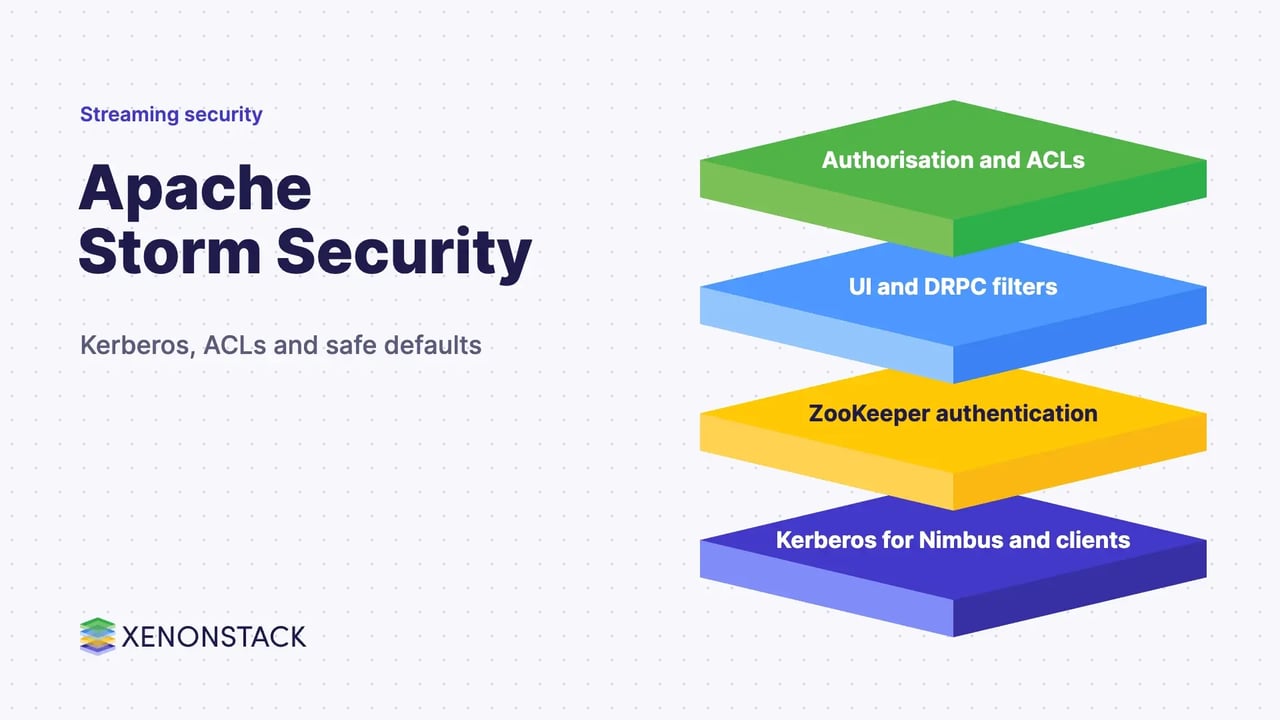
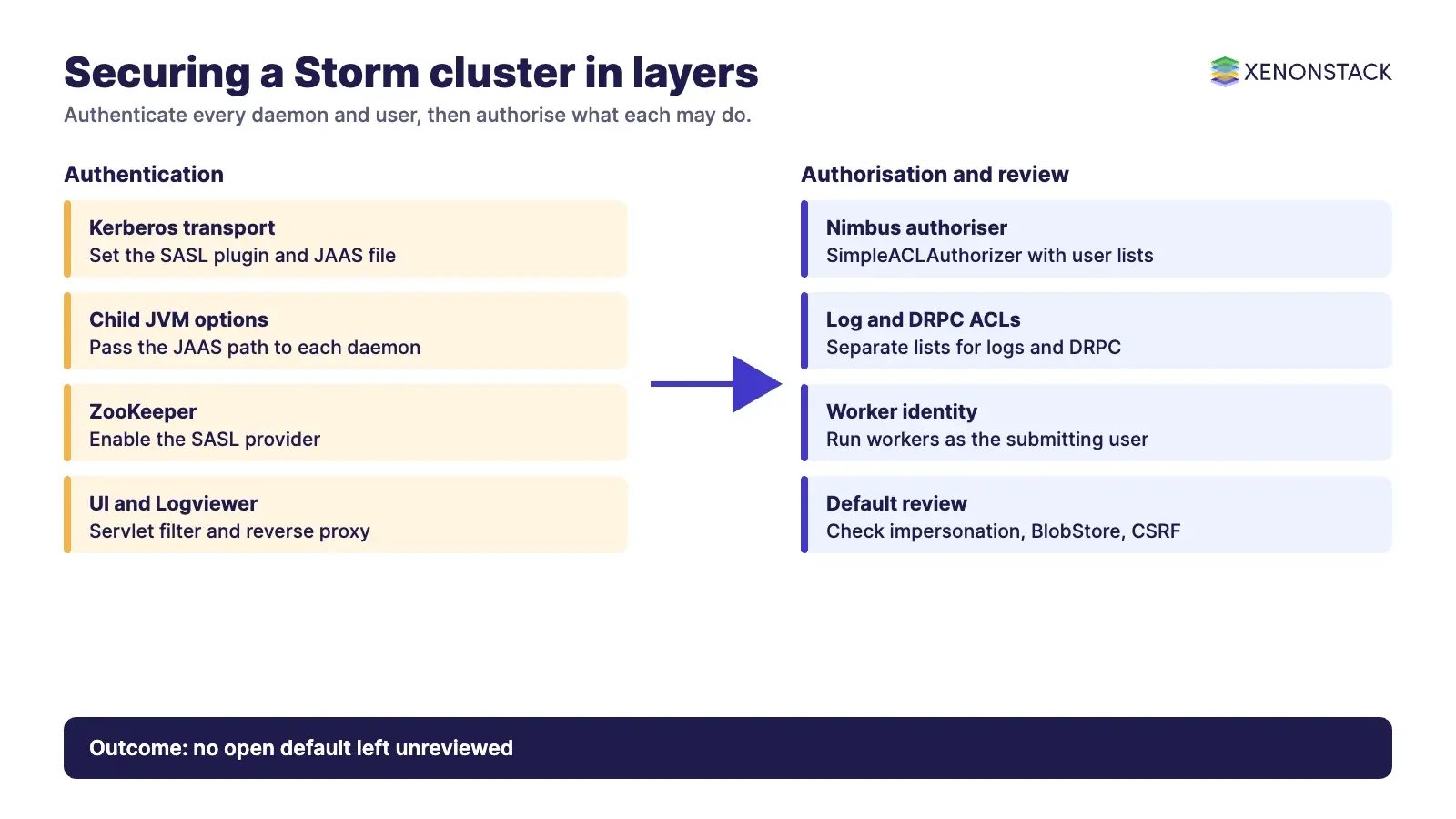
MIT describes Kerberos as a network authentication protocol that uses secret-key cryptography to authenticate client and server applications. In Storm, the security documentation sets Kerberos up in three parts. First, select the Kerberos transport plugin and point Storm at a JAAS file in storm.yaml:
storm.thrift.transport: "org.apache.storm.security.auth.kerberos.KerberosSaslTransportPlugin"
java.security.auth.login.config: "/path/to/jaas.conf"
Second, pass the same JAAS path to the child processes through their JVM options, for example in nimbus.childopts, ui.childopts and supervisor.childopts, using -Djava.security.auth.login.config=/path/to/jaas.conf. Third, define the JAAS sections. The documentation names four:
| JAAS section | Used by |
|---|---|
| StormServer | Nimbus and DRPC |
| StormClient | Clients talking to Nimbus |
| Client | Access to ZooKeeper |
| Server | ZooKeeper servers |
The documentation also recommends setting storm.principal.tolocal to org.apache.storm.security.auth.KerberosPrincipalToLocal on Nimbus so a principal maps to a local user, and storm.zookeeper.superACL to sasl:${nimbus-user} for the Nimbus user. For gateway machines, a JAAS section with useTicketCache=true lets users authenticate with kinit alone. File locations and keytab paths depend on your distribution and environment, so take them from your platform documentation rather than copying an example.
How do you protect ZooKeeper, the UI and authorisation?
For ZooKeeper, the documentation recommends enabling the SASL authentication provider and starting ZooKeeper with its own JAAS file. For the UI and Logviewer, it describes servlet filters set through ui.filter, with a Hadoop authentication filter using Kerberos (SPNEGO) as one option. The UI principal must be named HTTP/{hostname}. Because the UI exposes state-changing operations, the page recommends a reverse proxy in production.
Authorisation is separate from authentication. The documentation describes enabling nimbus.authorizer with SimpleACLAuthorizer, restricting who can deploy or query the cluster with nimbus.users and nimbus.groups, controlling log access with logs.users and logs.groups, and using DRPCSimpleACLAuthorizer for DRPC. Multi-tenant clusters can use the multitenant scheduler, which depends on authentication to identify users.
What is still not secure by default in Storm?
The security page lists several defaults to review even after Kerberos is on:
- Authentication and authorisation are disabled.
- Workers run under the same OS account as the supervisor unless
supervisor.run.worker.as.useris set and the worker launcher is configured. - Impersonation authorisation is disabled, so an authenticated user can impersonate others with doAsUser unless an impersonation authoriser is set.
- BlobStore ACL validation and ZooKeeper SSL hostname verification are off.
- The UI has no built-in CSRF protection and sets no security response headers.
Re-read the page for your Storm version, because defaults and options change between releases. For the topics around Storm, see our overview of Apache Gobblin and our real-time analytics services.
How do AI agents change streaming security?
Streams processed by Storm increasingly feed models and AI agents that decide or act on events. That makes access to the stream, and to the topologies that shape it, part of the control surface for those agents. Each agent should read only the streams it needs, and each decision should be traceable to the data and policy behind it. XenonStack describes ElixirData as its Context OS, the layer where governed context and policy for data and agents are managed. Authentication and authorisation on the cluster remain the foundation either way.
What should you do first?
- Inventory the Storm ports above and block access to anything that does not need it.
- Enable Kerberos authentication for Nimbus, supervisors, clients and ZooKeeper in a test cluster.
- Turn on
SimpleACLAuthorizerand set the admin, user and group lists. - Put the UI and DRPC behind authentication and a reverse proxy.
- Review each default in the "not secure by default" list and record your decision.
To map one decision your streaming agents make, and the data and policy it depends on, book a Context Workshop. See what happens in the workshop.
Frequently asked questions
Is Apache Storm secure by default?
No. The Storm documentation says that by default all authentication and authorisation is disabled but can be turned on as needed.
How do you enable Kerberos authentication in Storm?
Set storm.thrift.transport to the Kerberos SASL transport plugin, set java.security.auth.login.config to a JAAS file, and pass the JAAS path to Nimbus, UI and supervisor JVM options.
Which JAAS sections does Storm use?
StormServer for Nimbus and DRPC, StormClient for clients talking to Nimbus, Client for ZooKeeper access, and Server for ZooKeeper servers.
Does Kerberos also provide authorisation?
No. Kerberos authenticates users. Storm authorisation is configured separately, for example with SimpleACLAuthorizer and the nimbus.users and nimbus.groups settings.
How should the Storm UI be protected in production?
Use a servlet authentication filter, such as Kerberos with SPNEGO, and place a reverse proxy in front, because the UI exposes state-changing operations.
Ready to put AI agents to work? See an ElixirClaw demo: the agentic OS to build, orchestrate and govern AI agents across your enterprise systems.
Explore the XenonStack platform family: ElixirData · ElixirClaw · ElixirHub · NexaStack · MetaSecure · Neural AI · AgentGRC · AgentSRE · AgentAnalyst · AgentInstruct · AgentRAI · AgentScrum · AgentSearch · AgentForce · AI Aviator · SAIF Aviator · CohortIQ · XenonStack AI · XenonStack UAE