Key takeaway
- Rook is an open-source storage orchestrator that runs Ceph on Kubernetes. See how it works, how to set it up, its best practices and when to use it.
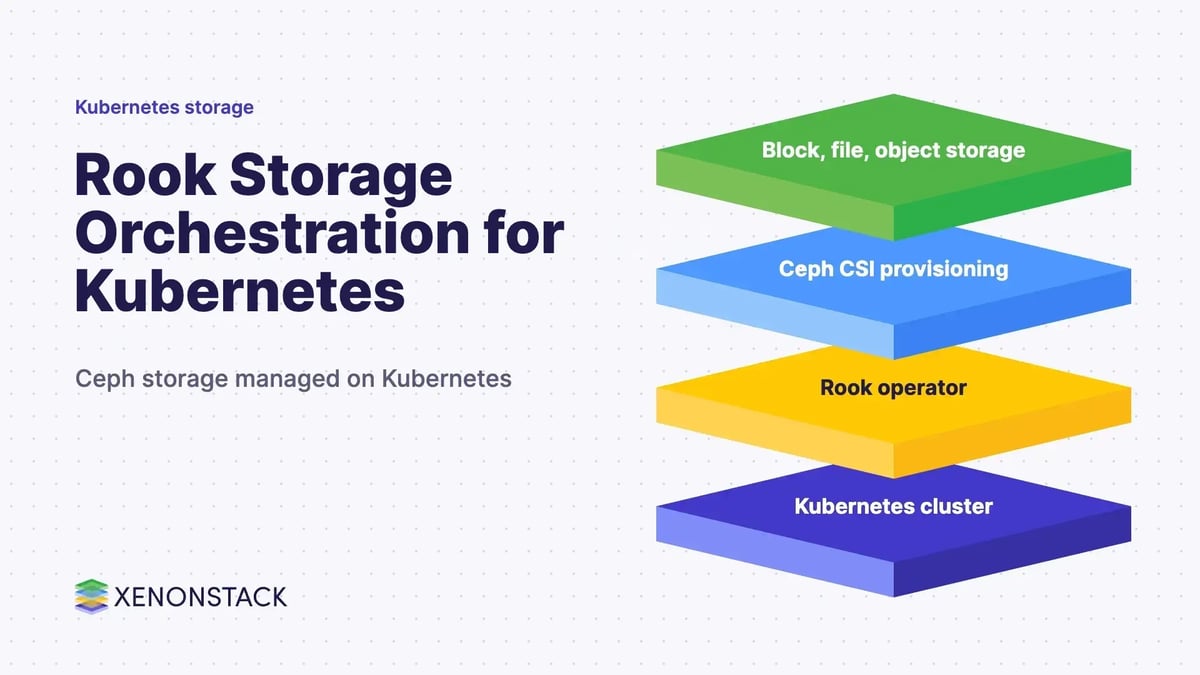
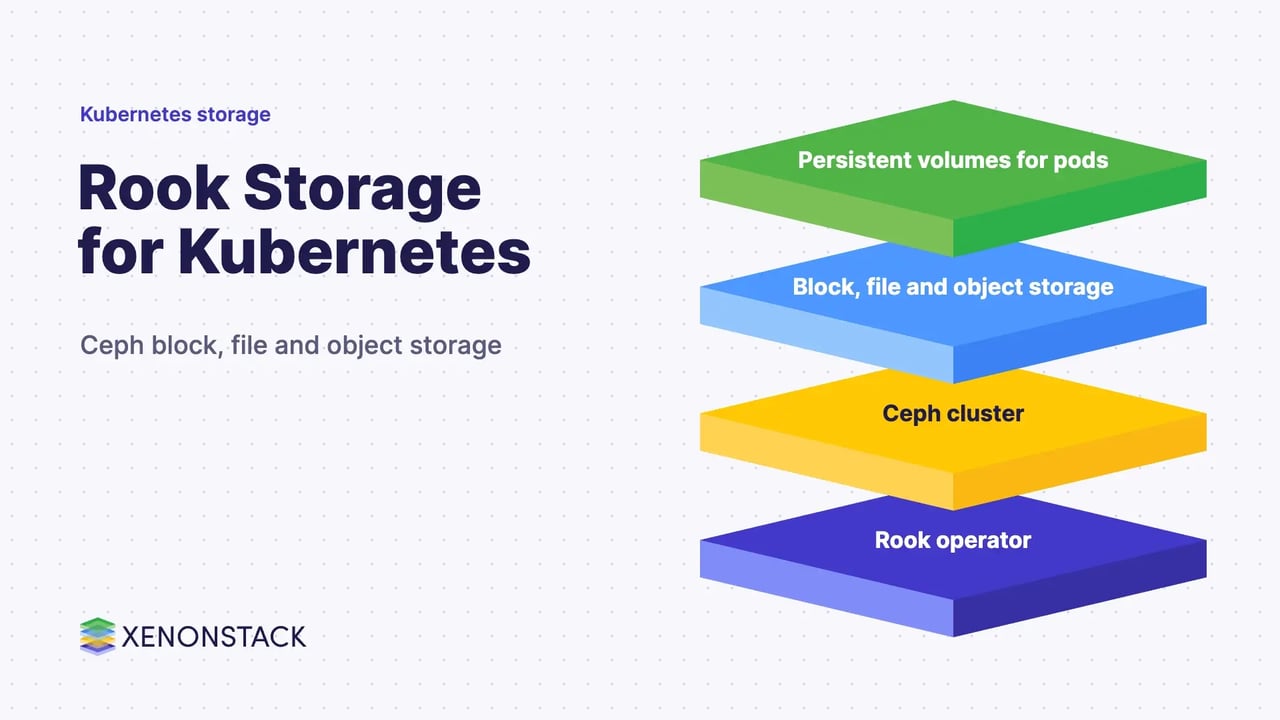
Rook is an open-source storage orchestrator that runs Ceph inside Kubernetes, so block, file and object storage can be deployed and managed like any other cluster workload. It is a CNCF graduated project, and it is built to give stateful containers persistent storage without a separate storage platform.
This guide is for platform and infrastructure teams running stateful workloads on Kubernetes. It covers what Rook does, how it works with Ceph, the order of a typical setup, operating practices, and where it fits beside other cloud native storage solutions and software-defined data centre designs.
What is Rook storage?
The Rook documentation describes Rook as an open-source cloud-native storage orchestrator that provides the framework for Ceph storage to run in Kubernetes. The project is hosted by the Cloud Native Computing Foundation at the graduated level, and the docs record that the Ceph operator was declared stable in December 2018 with Rook v0.9.
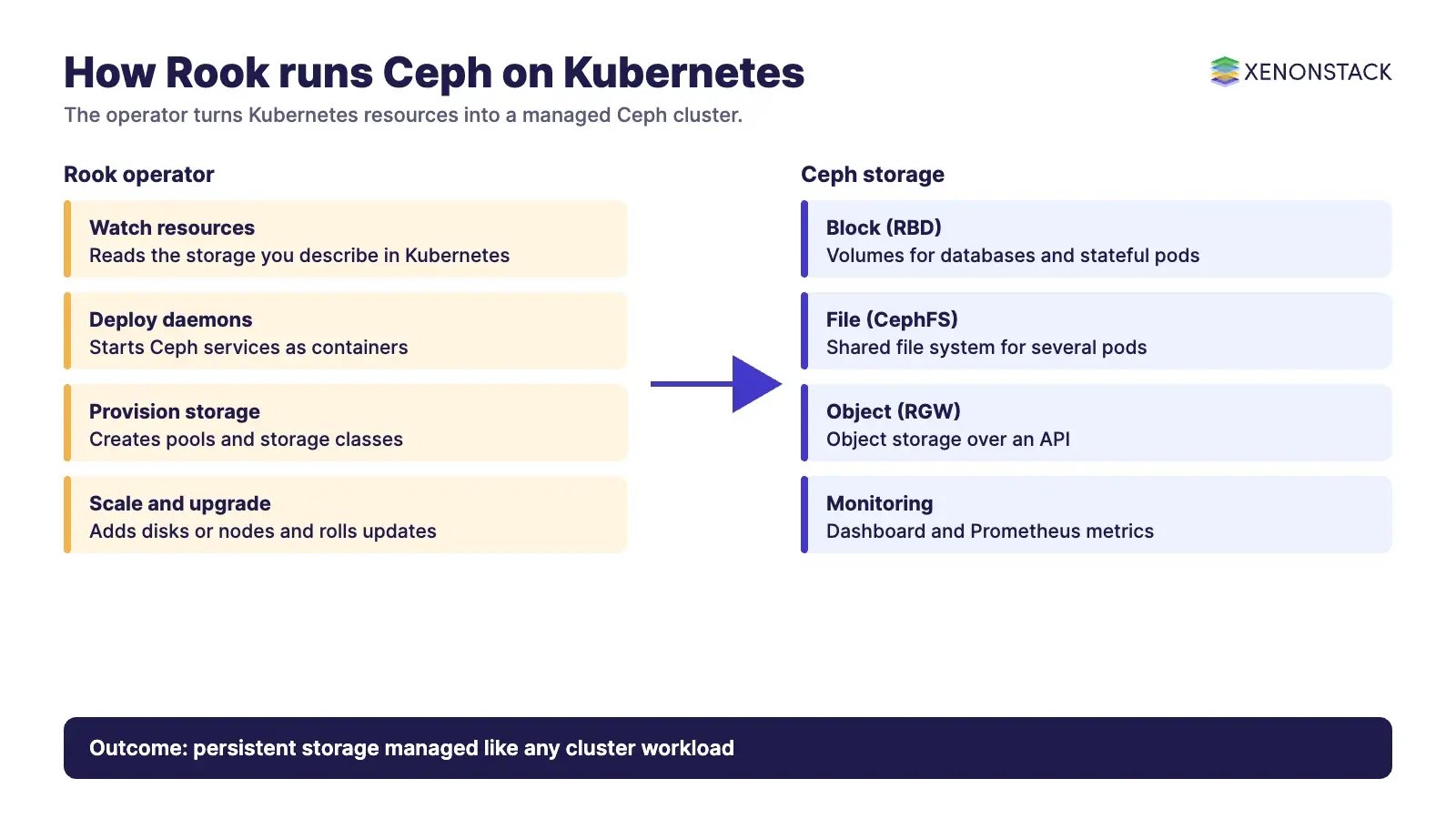
Ceph, in the same documentation, is "a distributed storage system that provides file, block and object storage". Rook does not replace Ceph. It deploys, configures and watches Ceph so that Kubernetes does the day-to-day work. This is what people mean by software-defined storage: the storage software is separated from the hardware it runs on and managed through code and APIs.
How does Rook work with Kubernetes and Ceph?
Rook is built around the operator pattern. According to its documentation, the operator builds on Kubernetes resources to deploy, configure, provision, scale, upgrade and monitor Ceph, with the aim of storage that is self-managing, self-scaling and self-healing.
You describe the storage you want as Kubernetes resources. The operator then starts the Ceph daemons as containers: monitors, managers, OSDs that manage the disks, and, where you ask for them, metadata servers for file storage and object gateways for object storage. Applications request volumes through storage classes and persistent volume claims, the same way they would with any other provisioner.
Which storage types does Rook provide?
| Storage type | Ceph component | What applications use it for |
|---|---|---|
| Block | RBD | Volumes mounted by a single pod, such as databases |
| Shared file system | CephFS | A file system several pods can mount at once |
| Object | RGW (object gateway) | Object storage reached over an API from inside or outside the cluster |
The Rook site lists these three as separate sections. Where an application needs fast storage, you can build pools on faster disks and expose them through their own storage class; slower disks can back bulk data and backups. Check the current docs for how to define pools and classes for your release.
How do you set up Rook on Kubernetes?
The order of work is stable even though commands change between releases. Always follow the quickstart for the Rook version you install.
- Build or choose a Kubernetes cluster with spare raw disks or partitions on the nodes that will host storage.
- Deploy the Rook operator.
- Create the Ceph cluster resource, and wait for the daemons to become healthy.
- Create a storage class for block storage, and test it with a small persistent volume claim.
- Create a shared file system or object store if you need them, and test each one.
- Point real workloads at the storage classes once the tests pass.
Many walkthroughs, including older XenonStack guidance, were written against Ubuntu 22.04, Docker 20.10, RKE 1.3.14, Kubernetes 1.24 and Helm 3.11. Those versions are dated, and early minimum requirements such as Kubernetes 1.8 are no longer a reliable guide. Check the Rook documentation for the Kubernetes versions supported by the release you choose.
What are the best practices for running Rook?
- Monitor cluster health: use the Ceph dashboard and the metrics Rook exposes to Prometheus.
- Keep a debugging toolbox: Rook provides a toolbox container with Ceph client tools for troubleshooting.
- Separate pools by performance need: do not put latency-sensitive databases and backups on the same disks.
- Plan capacity and failure domains: adding disks or nodes grows the cluster, but replication needs enough independent hosts.
- Practise upgrades and recovery: rehearse them in a test cluster before production.
- Choose the deployment style deliberately: running storage on the same nodes as applications uses resources well, while dedicated storage nodes isolate them.
How does Rook compare with other storage approaches?
| Approach | Where storage runs | Fit |
|---|---|---|
| Rook with Ceph | Inside the Kubernetes cluster, managed by an operator | Teams that want one cluster-native platform for block, file and object storage |
| Cloud provider volumes | In the provider's managed storage service | Teams that prefer to hand storage operations to the cloud provider |
| Standalone object store such as MinIO | Separate service for object data only | Teams that mainly need object storage, see our block and object storage guide |
If you are weighing hyper-converged designs, read our guide to hyper-converged infrastructure.
How do AI agents change storage operations?
Agents bring data needs to storage: model checkpoints, vector indexes, logs and working files all need durable volumes. They can also watch the storage layer, flagging a degraded pool or a full disk and drafting the fix. Both uses make access and retention rules important: someone should decide which agent may provision, resize or delete volumes. For the data and governance side of agent workloads, see ElixirData, XenonStack's Context OS.
What should you do first?
- List the stateful workloads that need persistent storage and which type each needs.
- Check the Rook release notes against your Kubernetes version.
- Stand up a small test cluster and run the quickstart end to end.
- Define storage classes by performance need, then test failure and recovery.
- Wire up monitoring before real data lands on it.
Related reading: why cloud native applications, cloud-native network traffic management, cloud native architecture design and patterns, cloud native DevOps and our cloud native development services.
To map one decision your agents make, and the data and policy it depends on, book a Context Workshop. See what happens in the workshop.
Frequently asked questions
What is Rook in Kubernetes?
Rook is an open-source, CNCF graduated storage orchestrator that runs Ceph in Kubernetes, automating deployment, configuration, scaling, upgrades and monitoring of the storage cluster.
What is the difference between Rook and Ceph?
Ceph is the distributed storage system that provides file, block and object storage. Rook is the orchestrator that deploys and manages Ceph on Kubernetes.
Does Rook support block, file and object storage?
Yes, through Ceph: block storage with RBD, shared file systems with CephFS and object storage with the RGW object gateway.
Which Kubernetes version does Rook need?
It depends on the Rook release. Check the documentation for the release you plan to install, because older minimum versions are out of date.
Is Rook only for Ceph?
The current getting-started documentation covers Ceph as the storage provider, so plan around Ceph when you adopt Rook.
Ready to put AI agents to work? See an ElixirClaw demo: the agentic OS to build, orchestrate and govern AI agents across your enterprise systems.
Explore the XenonStack platform family: ElixirData · ElixirClaw · ElixirHub · NexaStack · MetaSecure · Neural AI · AgentGRC · AgentSRE · AgentAnalyst · AgentInstruct · AgentRAI · AgentScrum · AgentSearch · AgentForce · AI Aviator · SAIF Aviator · CohortIQ · XenonStack AI · XenonStack UAE