Key takeaway
- Azure Cosmos DB for enterprise leaders: APIs, five consistency levels, partitioning, RU limits, availability, cost controls and where AI agents fit.
Azure Cosmos DB is Microsoft's fully managed NoSQL and vector database for operational workloads that need low latency, elastic scale and multi-region availability. For enterprise teams the useful question is not what it can do, but which workloads justify it, and how consistency, partitioning and throughput choices shape cost and risk.
This guide covers the resource model, the five consistency levels, partitioning, the documented limits, the available APIs, availability and cost controls. It sits alongside our guides to NoSQL databases, SQL vs NoSQL vs NewSQL and Azure serverless computing. Figures come from Microsoft Learn, read on 13 November 2026; confirm limits and pricing on the linked pages before you design.
What is Azure Cosmos DB?
According to Microsoft Learn, Azure Cosmos DB is a fully managed NoSQL and vector database that handles patching, updates and capacity management, with serverless and autoscale options. It supports document, vector, key-value, graph and table data models, deploys across Azure regions, and automatically indexes data without manual index maintenance for most workloads.
Three features matter most to architects. Multi-region writes and automatic failover carry a 99.999% availability SLA for multi-region accounts. Change feed supports event-driven designs. Integrated vector and hybrid search (DiskANN) lets embeddings sit beside operational data for retrieval and agent workloads.
When does Azure Cosmos DB fit, and when does it not?
| Workload | Fit | Why, according to Microsoft Learn |
|---|---|---|
| Latency-sensitive personalisation | Good | Designed for single-digit millisecond responses at any scale |
| Highly elastic traffic such as ticketing or booking | Good | Autoscale and serverless match capacity to demand |
| High-throughput device state and logs | Good | Horizontal scale-out with change feed for downstream processing |
| Customer-facing, mission-critical apps | Good | Multi-region writes, automatic failover, SLA-backed availability |
| Analytical (OLAP) workloads | Poor | Microsoft suggests Microsoft Fabric instead |
| Highly relational applications | Poor | Microsoft suggests Azure SQL or Azure Database for MySQL instead |
If you need MongoDB aggregation depth or portability across clouds, Microsoft positions Azure DocumentDB (vCore) as the alternative. Its own comparison lists a 99.995% availability SLA for DocumentDB against 99.999% for multi-region Azure Cosmos DB, and a scale-up rather than scale-out model. For a broader view of how document stores differ from other engines, see our FoundationDB architecture guide.
How do the five consistency levels trade off?
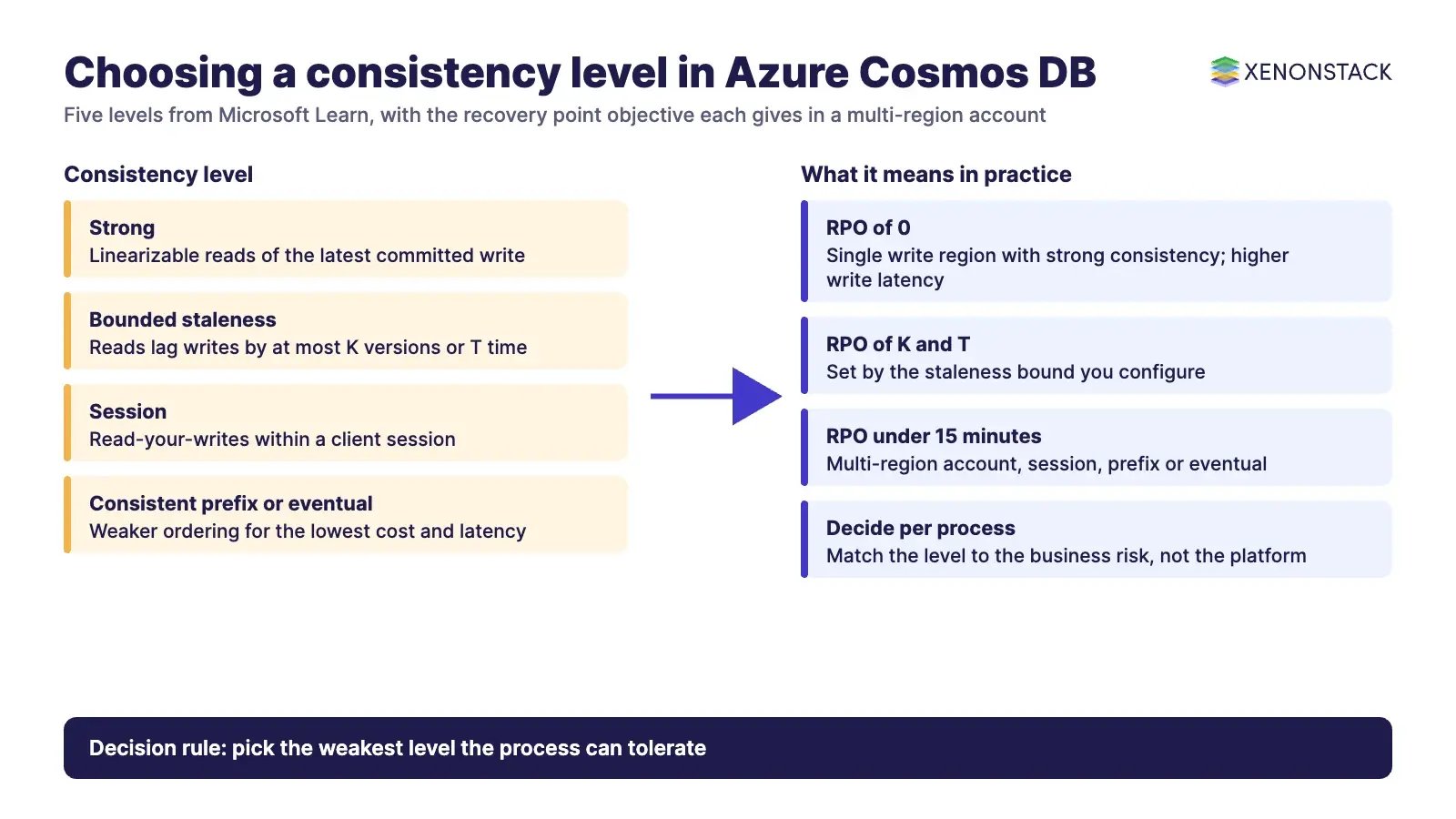
Microsoft Learn describes five levels, from strongest to weakest. Read and write latency is guaranteed under 10 ms at the 99th percentile for all levels, with multi-region strong consistency as the exception, where write latency depends on round-trip time between regions.
| Level | What you get | Trade-off |
|---|---|---|
| Strong | Linearizable reads of the latest committed write | Higher write latency across regions; reads cost about twice the RUs of weaker levels; not available with multiple write regions |
| Bounded staleness | Reads lag writes by at most K versions or T time | Best with single-write-region accounts of two or more regions; writes throttle if lag exceeds the bound |
| Session | Read-your-writes within a client session | Described as the most widely used level; client must keep its session token |
| Consistent prefix | Reads never see out-of-order writes | Single-document writes behave as eventual |
| Eventual | Lowest cost and latency, no ordering guarantee | Reads can be stale |
The level also sets data durability in a regional outage. For accounts with more than one region and a single write region, strong consistency gives an RPO of 0, while session, consistent prefix and eventual give an RPO under 15 minutes. Decide the level per business process, not per platform.
How do partitioning and request units work?
Items are grouped into logical partitions by partition key and spread across physical partitions by hashing, as Microsoft Learn explains. You cannot change a partition key in place; you move data to a new container. Choose a key with high cardinality, an unchanging value and an even spread of requests. Low-cardinality keys such as status or country risk hot partitions, and a random GUID that queries never filter on turns most reads into cross-partition queries. Hierarchical partition keys allow up to three levels and avoid the 20 GB logical partition ceiling.
Documented defaults from the service quotas page, which you should confirm before sizing:
| Limit | Documented value |
|---|---|
| Storage per logical partition | 20 GB |
| Throughput per partition (logical and physical) | 10,000 RU/s |
| Maximum RU/s per container or database | 1,000,000 (raise by support ticket) |
| Minimum throughput, manual, per container | 400 RU/s |
| Minimum autoscale max RU/s per container | 1,000 RU/s |
| Maximum item size | 2 MB (16 MB for the MongoDB API with enablement) |
| Operations in a transactional batch | 100, within one partition key |
| Databases and containers per account | 500 combined |
| Serverless regions per account | 1 |
Which APIs are available, and which should a new project use?
Azure Cosmos DB offers the native API for NoSQL plus wire-compatible APIs for MongoDB, Apache Cassandra, Apache Gremlin and Table. Each API needs its own account, and Microsoft advises preferring the native API for NoSQL for most new applications that can choose their drivers, because it has the fastest feature delivery and turnkey global distribution. The Cassandra overview page itself points high-scale users to the API for NoSQL and lift-and-shift Cassandra migrations to Azure Managed Instance for Apache Cassandra. Confirm current feature support for the Gremlin, Table and MongoDB APIs on Microsoft Learn before committing.
How is availability and cost controlled?
Microsoft describes three capacity choices. Provisioned throughput can be manual or autoscale; autoscale scales between 10% and 100% of the maximum RU/s you set and bills hourly on the highest level reached. Serverless bills by consumption and suits spiky or sporadic traffic, though it is limited to one region. Reserved capacity is documented at up to 63% off, and a lifetime free tier gives 1,000 RU/s and 25 GB. Check current prices on the Azure pricing page, and see our guide to FinOps for Azure for allocation and review practice. Continuous backup with point-in-time restore protects against accidental deletes.
Where do AI agents fit?
Agents need fast operational state, retrieval over embeddings and a record of what they did. Azure Cosmos DB can hold state and vectors together, but the database does not decide what an agent may do. ElixirClaw is an agentic OS platform to build, orchestrate and govern AI agents and automation workflows while keeping humans in control, and ElixirData keeps governed context, versioned policy and decision traces in one decision layer above AI agents. For the audit trail risk teams need, AgentGRC keeps autonomous agent actions inside policy.
What is a sensible adoption sequence?
- Pick one workload from the fit table and write down its access patterns before choosing a partition key.
- Choose the consistency level per process and record the RPO it implies.
- Load test with realistic RU consumption, then choose autoscale, manual or serverless.
- Set alerts on logical partition size and throttling, and plan multi-region only where the SLA need justifies the cost.
- Review cost and partition health each quarter.
To map one decision your agents should make against this data layer, and the context and policy it depends on, book a Context Workshop. See what happens in the workshop.
Frequently asked questions
Is Azure Cosmos DB SQL or NoSQL?
It is a NoSQL database. Its native API for NoSQL stores JSON documents and is queried with a SQL-like language, and Microsoft also offers wire-compatible APIs for MongoDB, Apache Cassandra, Apache Gremlin and Table.
What is a partition key in Azure Cosmos DB?
It is the item property that decides which logical partition an item belongs to. According to Microsoft Learn it cannot be changed in place, each logical partition holds up to 20 GB, and a good key has high cardinality and spreads requests evenly.
What are request units (RU/s)?
Request units are the currency for throughput. Each operation consumes RUs, and you provision capacity, or let autoscale or serverless handle it, in RU/s. Microsoft Learn sets the manual minimum at 400 RU/s per container.
Which consistency levels does Azure Cosmos DB offer?
Five, from strongest to weakest: strong, bounded staleness, session, consistent prefix and eventual. Session is described by Microsoft as the most widely used level.
When is Azure Cosmos DB a poor fit?
Microsoft Learn lists analytical (OLAP) workloads and highly relational applications as poor fits, and points to Microsoft Fabric and Azure SQL or Azure Database for MySQL respectively.
Explore the XenonStack platform family: ElixirData · ElixirClaw · ElixirHub · NexaStack · MetaSecure · Neural AI · AgentGRC · AgentSRE · AgentAnalyst · AgentInstruct · AgentRAI · AgentScrum · AgentSearch · AgentForce · AI Aviator · SAIF Aviator · CohortIQ · XenonStack AI · XenonStack UAE