Key takeaway
- FinOps for Azure explained: map Cost Management, tags, budgets, Advisor, savings plans and reservations to the Inform, Optimize, Operate cycle.
FinOps for Azure means running the FinOps cycle of Inform, Optimize and Operate on Microsoft's own cost toolchain: Microsoft Cost Management for analysis, budgets and anomaly alerts, tags and cost allocation rules for ownership, Azure Advisor for waste, and savings plans, reservations and Azure Hybrid Benefit for rates. This guide is the Azure-native view. For the AWS equivalent read FinOps for AWS, and for cost data that spans providers read FinOps across clouds with FOCUS.
Cloud billing is variable, so overspend usually comes from missing ownership, late visibility and commitments bought on guesses, not from a single bad service. Microsoft describes Cost Management as a suite of FinOps tools to analyse, monitor and optimise Microsoft Cloud costs. The sections below show which tool answers which question, what each one cannot do, and the order to adopt them. Our broader FinOps services page covers how we help teams run this in practice.
What is FinOps and how does it apply to Azure?
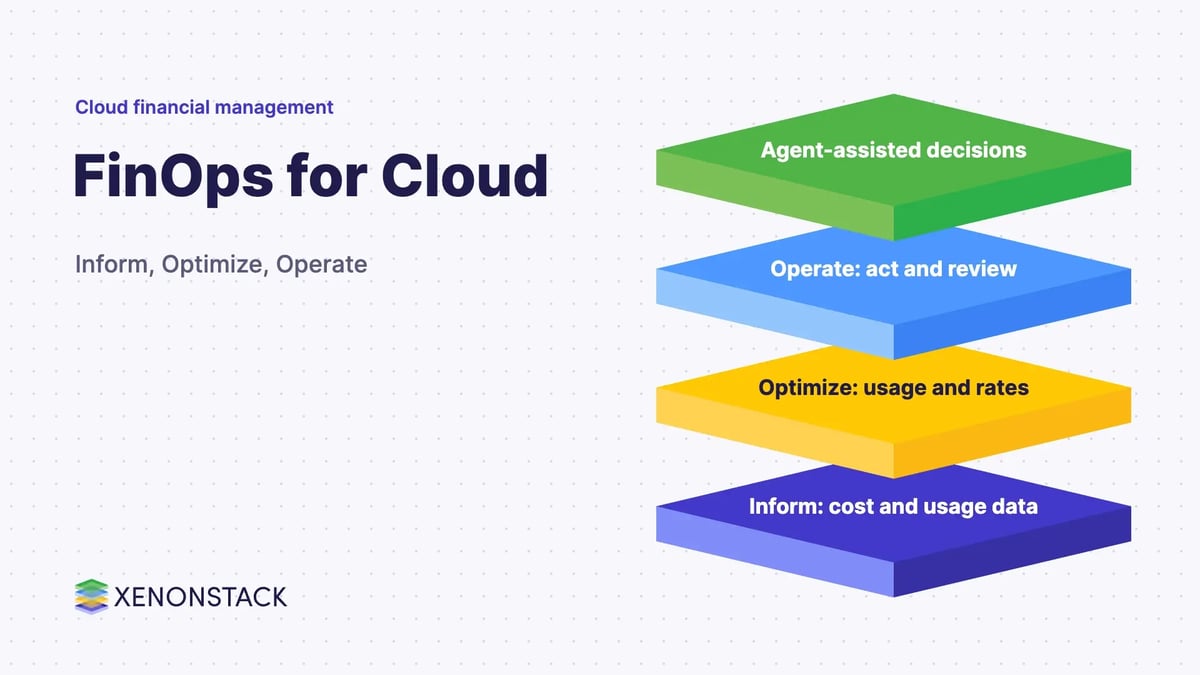
The FinOps Foundation defines FinOps as an operational framework and cultural practice that maximises the business value of technology, enables timely data-driven decision making and creates financial accountability through collaboration between engineering, finance and business teams (FinOps Foundation). Its framework works in three repeating phases: Inform, Optimize and Operate (phases).
The six FinOps principles are tool-neutral. The table below is our own mapping of each principle to the Azure feature that most directly supports it, using Microsoft Learn pages cited later in this post.
| FinOps principle | What it asks for | Azure feature that supports it (our mapping) |
|---|---|---|
| Teams need to collaborate | Finance, technology, product and leadership work together | Budget and scheduled alerts sent to engineering and finance recipients |
| Business value drives technology decisions | Unit-cost and value metrics, not spend alone | Cost Analysis and exports joined with your own business data |
| Everyone takes ownership for their usage | Engineers accountable for cost from design to operation | Subscriptions, resource groups, tags and tag inheritance |
| Data should be accessible, timely and accurate | Cost data shared as soon as available | Cost Analysis, anomaly alerts, scheduled exports |
| FinOps should be enabled centrally | One function handles rates, commitments and discounts | Central purchase and management of savings plans, reservations and Hybrid Benefit |
| Use the variable cost model of the cloud | Just-in-time capacity, proactive design | Advisor shutdown and resize recommendations, commitments on stable usage only |
Which Azure-native tools support each FinOps job?
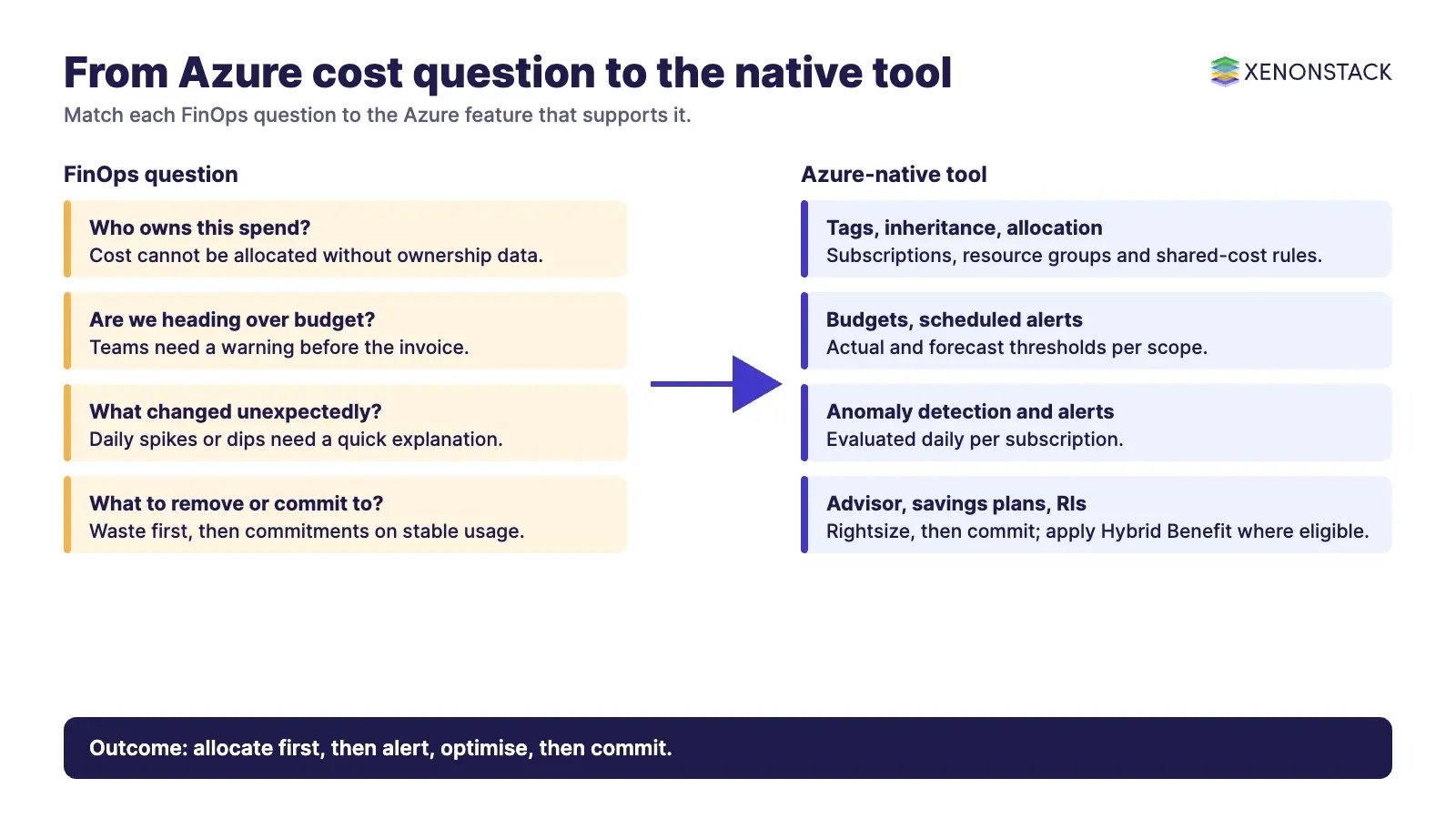
Start by matching the job to the tool. Most of these are included in the Azure portal; Microsoft states there is no charge to use Cost Management and Billing features for Azure subscriptions (Microsoft Learn).
| FinOps job | Azure tool | When it fits | Current status and limits |
|---|---|---|---|
| Analyse and report cost | Cost Analysis, Power BI, exports and the Cost Details API | Ad-hoc questions in Cost Analysis; large or cross-scope reporting through exports | Portal experiences show the last 13 months; older data comes through the Exports REST API |
| Allocate to owners | Management groups, subscriptions, resource groups, tags, tag inheritance, cost allocation rules | Chargeback or showback by business unit, product or environment | Inherited tags apply to usage records in Cost Management, not to the resources themselves |
| Alert before overspend | Budget alerts, scheduled alerts | Actual and forecast thresholds per scope | Budgets notify; they do not stop consumption unless an action group does the work |
| Detect surprises | Anomaly detection and anomaly alerts | Subscription-level daily spikes or dips | Subscriptions only, Azure public cloud only, five anomaly alert rules per subscription |
| Remove waste | Azure Advisor cost recommendations | Idle or oversized virtual machines and scale sets | Savings use retail rates and ignore existing commitments |
| Lower the rate | Savings plans, reservations, Azure Hybrid Benefit | Stable, predictable usage | Commitments carry terms; see the comparison table below |
| Build a custom FinOps platform | FinOps toolkit: hubs, Power BI reports, workbooks, Azure Optimization Engine | Larger estates needing multi-tenant or longer-history reporting | Open-source toolkit; starter templates meant to be customised |
How do you allocate Azure cost to owners?
Microsoft's own guidance is that how you organise and allocate costs shapes how well people can manage them, and that the strategy should be revisited yearly (Cost Management overview). The building blocks, from coarse to fine:
- Billing structure. MCA billing profiles and invoice sections, or EA departments and enrollment accounts, group subscriptions into invoices.
- Management groups. They group subscriptions, inherit access downwards and can carry Azure Policy rules. They are not included in cost details.
- Subscriptions and resource groups. The lowest level for organising workloads. Not every charge has a resource group or subscription attached.
- Tags. The only way to add your own business context, such as application, owner or environment, to cost details.
- Tag inheritance and cost allocation rules. Tag inheritance copies subscription and resource group tags onto child usage records, so you do not need to tag every resource. Allocation rules move or split shared costs between subscriptions, resource groups or tags without changing the invoice.
Two caveats matter for accountability. Tag inheritance takes about 8 to 24 hours to update usage records after you change the setting, and a reservation purchase may be tied to a billing subscription different from the subscriptions that use the benefit. Our post on cloud cost allocation and tracking covers the operating model behind this.
How do you monitor Azure spend and catch anomalies early?
What do budgets do, and what do they not do?
Budgets can be set at management group, subscription and resource group scope (and at billing scopes for EA and MCA), with monthly, quarterly or annual resets. You can set actual and forecast alerts, up to five thresholds and five email addresses per budget. Cost data typically appears within 8 to 24 hours and budgets are evaluated every 24 hours, so an alert is a daily signal, not a real-time one. Microsoft states that when a threshold is met, resources are not affected and consumption is not stopped (budget tutorial). To act automatically, subscription and resource group budgets can call an action group.
How does anomaly detection work?
Anomalies are evaluated daily per subscription. The model compares the day's normalised usage with a forecast built from the previous 60 days, and it runs 36 hours after the end of the day (UTC). Anomaly alerts are emailed once at detection. They cannot be created at management group scope. Microsoft documents patterns for routing alert emails into Azure Logic Apps, Microsoft Sentinel, IT service management tools or custom copilots built on Azure OpenAI Service (Microsoft Learn). Treat any automated response as a governed workflow with an owner and an approval path, not an unattended shut-off.
How do savings plans, reservations and Hybrid Benefit compare?
All three lower the rate rather than the usage, so use them after you have removed waste. Microsoft publishes the headline ranges: savings plans up to 65% and reservations up to 72% below pay-as-you-go prices (Cost Management overview). Actual discounts vary by product, term and agreement, so model your own usage before you buy.
| Option | How it works | When it fits | Watch for |
|---|---|---|---|
| Savings plan (compute or databases) | Fixed hourly spend for one or three years; applies across eligible services and regions | Changing or dynamic workloads on a stable spending floor | Unused hourly commitment expires; purchases cannot be cancelled or refunded; compute plans exclude software, networking and storage |
| Reservation | One- or three-year commitment to a specific resource, size and region (scope is adjustable) | Stable, predictable usage of one resource type | Exchange allowed; refunds capped at $50,000 USD in a rolling 12 months; covers compute or capacity only, not software |
| Azure Hybrid Benefit | Apply eligible Windows Server, SQL Server or Linux licences or subscriptions to Azure | You already hold licences with Software Assurance or qualifying subscriptions | Licence-term dependent; centrally managed SQL Server benefit is not available for Windows Server |
Microsoft says Advisor, the purchase experience and the Benefit Recommendation APIs can suggest commitment amounts from your eligible on-demand usage. Our posts on using savings plans effectively and the capacity reservation model cover the planning discipline across providers.
How do you find and remove waste on Azure?
Azure Advisor is Microsoft's starting point for existing resources. For virtual machines and scale sets it recommends shutting down unused instances, resizing to a cheaper SKU, or moving to burstable SKUs, using CPU, memory and outbound network metrics over a lookback you can set from 7 to 90 days.
| Advisor action | Trigger Microsoft documents | Do not apply blindly when |
|---|---|---|
| Shut down | Little or no use over the lookback (for example CPU and outbound network below 2 to 3%) | The machine is provisioned for upcoming traffic or serves disaster recovery |
| Resize | A cheaper SKU keeps CPU, memory and network within the stated targets | You hold reservations or savings plans for the current SKU family |
| Burstable SKU | Low average CPU with occasional spikes | Accelerated networking is enabled on the current SKU |
Microsoft notes that listed savings are based on retail rates and ignore reservations and savings plans, so cross-series resizes can raise cost. Dismiss or postpone a recommendation when there is a reason. For the wider operating routine, see reducing cloud waste with FinOps.
What has changed in Azure FinOps tooling?
- FOCUS exports. Cost Management exports can produce cost and usage details in the open FOCUS format, combining actual and amortised cost. The management group scope is not supported for FOCUS exports (exports tutorial). The FinOps Foundation lists Microsoft Azure as producing FOCUS v1.2 data, while the current specification is v1.4 (focus.finops.org). Check the column set before you build reports across providers.
- FinOps toolkit. Microsoft's open-source toolkit offers FinOps hubs, Power BI reports, workbooks, an optimisation engine and PowerShell and Bicep modules (overview).
- Power BI connector. Microsoft says support for the Cost Management connector is kept for backwards compatibility and is not recommended; it recommends exports instead (Power BI reports).
- Savings plans. Savings plans come in two types, compute and databases, and eligible reservations can be traded in for a savings plan.
What are the trade-offs, and when should you not use a tool?
- Do not commit before you allocate. A commitment bought on unowned, unrightsized usage locks in waste.
- Do not rely on budgets as a brake. They alert; enforcement needs an action group, Azure Policy or a human decision.
- Do not treat Advisor output as a work order. Check dependencies, disaster recovery roles and existing commitments first.
- Check scope support. Classic Cloud Solution Provider and sponsorship subscriptions are not supported in Cost Management, and some features differ between EA, MCA and partner agreements.
- Keep custom platforms proportionate. Start with Cost Analysis and exports; move to FinOps hubs when volume, tenants or history outgrow them.
What adoption sequence works for Azure?
- Inform. Agree the subscription and management group structure, a mandatory tag set and tag inheritance. Turn on Cost Analysis views for each owner.
- Alert. Create budgets with forecast thresholds, an anomaly alert per subscription and scheduled alerts for finance.
- Optimise. Work through Advisor recommendations by owner, with a record of dismissals and reasons.
- Commit. Buy savings plans or reservations for the stable floor only, and apply Hybrid Benefit where licences allow.
- Operate. Export FOCUS or actual and amortised data to your reporting layer, review monthly, and revisit allocation yearly.
How does agentic AI fit into Azure FinOps?
Most Azure cost decisions are routine: which alert goes to whom, whether an idle machine can be stopped, whether a commitment is covered. Agents can prepare these decisions faster than a monthly review, but only if they work from governed context: the owner, the policy and the approval path. In our view that is the gap to close before adding automation to the anomaly and Advisor workflows above. ElixirData keeps governed context, versioned policy and decision traces in one decision layer above AI agents, and AgentAnalyst lets teams ask questions of enterprise data in plain language and get real-time insights, which suits cost-and-usage questions once the data is allocated. Our post on FinOps for AI engineering covers the cost side of AI workloads themselves.
To map one Azure cost decision your agents should make, and the context and policy it depends on, book a Context Workshop. See what happens in the workshop.
Frequently asked questions
Is Microsoft Cost Management free to use?
Microsoft states there is no charge to use Cost Management and Billing features for Azure subscriptions. Resources you buy, and any storage you use for exports, are charged as normal.
Do Azure budgets stop spending when the limit is reached?
No. Budgets notify recipients when thresholds are met and do not stop consumption. For subscription and resource group scopes a budget can call an action group, which can run automation you design.
What is the difference between a savings plan and a reservation?
A savings plan is a fixed hourly spend commitment for one or three years that applies across eligible services and regions. A reservation commits to a specific resource, size and region and offers deeper discounts when usage is stable.
How does Azure detect cost anomalies?
Anomaly detection runs daily per subscription, comparing the day's normalised usage with a forecast based on the previous 60 days. You can create an anomaly alert rule at subscription scope to be emailed when one is detected.
Can I export Azure cost data in the FOCUS format?
Yes. Cost Management exports include a cost and usage details (FOCUS) option that combines actual and amortised cost. It is not supported at management group scope, and the FinOps Foundation lists Azure at FOCUS v1.2 while the current specification is v1.4.
Where should an Azure FinOps programme start?
Start with ownership: subscription structure, tags and tag inheritance. Then add budgets and anomaly alerts, work through Advisor waste, and only then commit with savings plans or reservations.
Follow XenonStack on LinkedIn: XenonStack on LinkedIn for new guides on agentic AI, data and platform engineering.
Ready to put AI agents to work? Explore ElixirClaw, the agentic OS platform to build, orchestrate and govern AI agents.
Explore the XenonStack platform family: ElixirData · ElixirClaw · ElixirHub · NexaStack · MetaSecure · Neural AI · AgentGRC · AgentSRE · AgentAnalyst · AgentInstruct · AgentRAI · AgentScrum · AgentSearch · AgentForce · AI Aviator · SAIF Aviator · CohortIQ · XenonStack AI · XenonStack UAE