Key takeaway
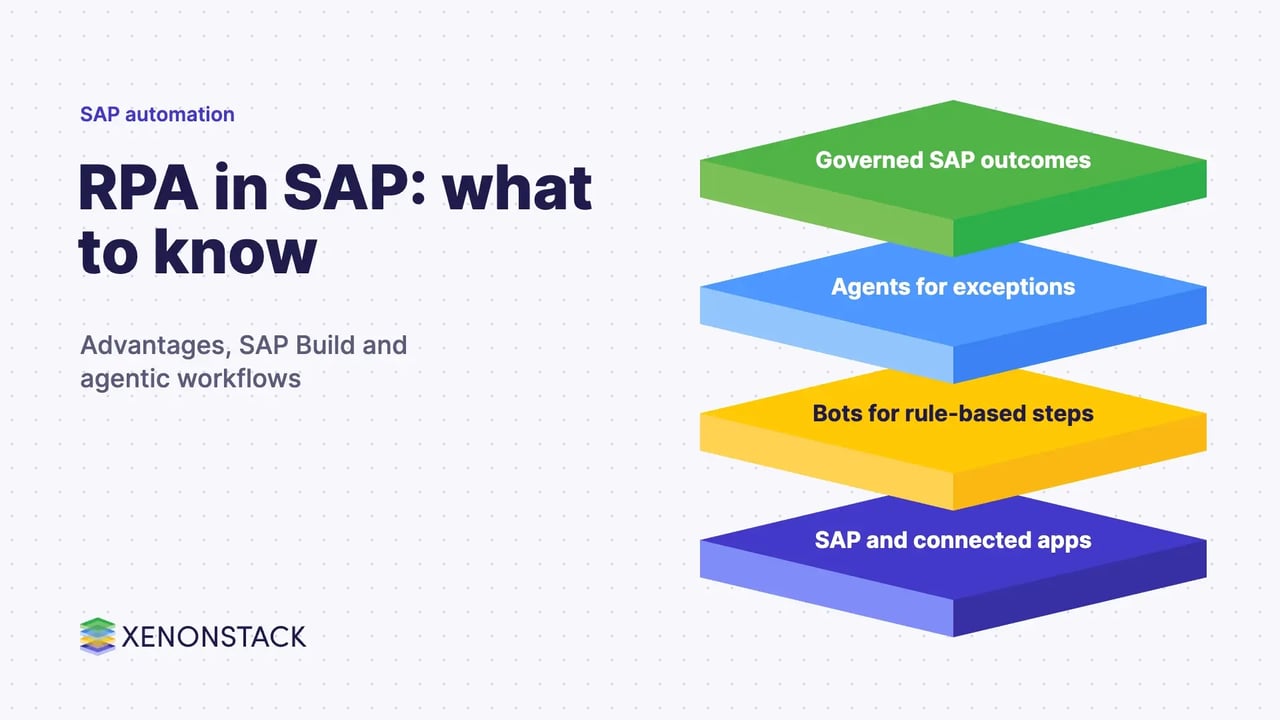
- RPA in SAP explained: advantages, how bots work, the move to SAP Build Process Automation and how agentic workflows handle exceptions with control.
RPA in SAP means software robots that carry out repetitive, rule-based steps in SAP screens and in the other applications around them, such as email, spreadsheets and web portals. The main advantages are faster handling of high-volume tasks, fewer keying errors, consistent execution and more time for people to work on exceptions. According to SAP's own page, SAP Build Process Automation lets teams "build RPAs for repetitive tasks" and "create and blend AI and rule-based workflows on one platform".
Bots follow fixed rules, so they struggle when a document is unclear or a case needs judgement. That is where agentic workflows come in: AI agents handle the exceptions and unstructured inputs, bots keep doing the rule-based posting, and named people approve the decisions that matter. This guide explains how RPA in SAP works, its advantages, what has changed and how to add agents without losing control. For the wider picture, see our guide to RPA in ERP systems.
What is RPA in SAP and how does it work?
RPA adds an automation layer on top of existing systems instead of changing them. A bot is built to follow the same steps a user follows: open a screen, read a field, copy a value, enter it elsewhere, check it against a rule and move to the next record. Because it works through the user interface or documented interfaces, it can span SAP and non-SAP applications in one process.
In a typical design, a trigger (a new email, a file, a schedule or a case) starts the bot. The bot runs the steps, writes the result back and logs what it did. When it meets something outside its rules, it stops and hands the case to a person. Our overview of intelligent automation covers how this fits into a wider automation programme.
Where does RPA fit in SAP processes?
RPA suits work that is high in volume, stable in its rules and dull for people. Typical examples in and around SAP are:
- Opening or closing a case and updating a status field in a system
- Filling in a form on screen from data held in another application
- Moving data between SAP and other programmes where no clean interface exists
- Comparing data fields on screen and flagging a mismatch
- Identifying a process exception and requesting a review
- Reading scanned documents and posting the extracted data, with a person checking the doubtful ones
If a process changes often or depends on judgement, a bot alone is a poor fit. The decision table below shows where each approach works best.
What are the advantages of RPA in SAP?
| Advantage | What it means in practice | Watch out for |
|---|---|---|
| Productivity | Bots handle repetitive steps so people spend time on cases that need judgement | Measure time saved on your own processes before you claim a figure |
| Accuracy | The same rule runs the same way every time, which cuts keying and copying errors | A wrong rule is repeated just as consistently, so test rules before go-live |
| Speed | Work can run outside office hours and in parallel | Target systems still set the limit on throughput |
| Consistency and audit | Every run can be logged, which helps with review | Logs only help if they are stored and checked |
| Light-touch change | A bot sits on top of existing screens, so core SAP code is not rewritten | Screen changes after an upgrade can break a bot, so keep a test routine |
| Cost | Less manual effort on routine work | Licences, bot maintenance and support also cost money |
What has changed: from SAP Intelligent RPA to SAP Build Process Automation?
Many articles still refer to SAP Intelligent RPA. SAP now positions its automation tooling as SAP Build Process Automation. SAP's page describes bots for repetitive tasks, intelligent document processing, and Joule-powered assistance that generates and edits processes, decisions, forms and scripts from natural-language prompts. It also lists an add-on by UiPath that extends enterprise RPA.
SAP has also published an in-place migration route for customers on Intelligent RPA. According to that post, the upgrade is one-way and irrevocable, Cloud Factory is unavailable and jobs do not launch during the transition, and users should contact support rather than unsubscribe if an error occurs. Check the current SAP documentation and your licence terms before planning a move.
| Question | What SAP says | What to do |
|---|---|---|
| Is there a single product name today? | SAP's page uses SAP Build Process Automation | Use that name when you search SAP documentation |
| Can an existing Intelligent RPA tenant move over? | Yes, through a one-way in-place upgrade described in an SAP community post | Plan a test tenant, a rollback plan outside the product and a quiet window |
| Where do AI agents fit? | Joule Studio covers agents and skills (confirm on the official page) | Pilot on one exception-heavy process first |
How do agentic workflows extend RPA in SAP?
A bot is a good worker for a known rule. An agent is better when the input is messy or the next step depends on context. In an agentic workflow you give each part the job it is good at:
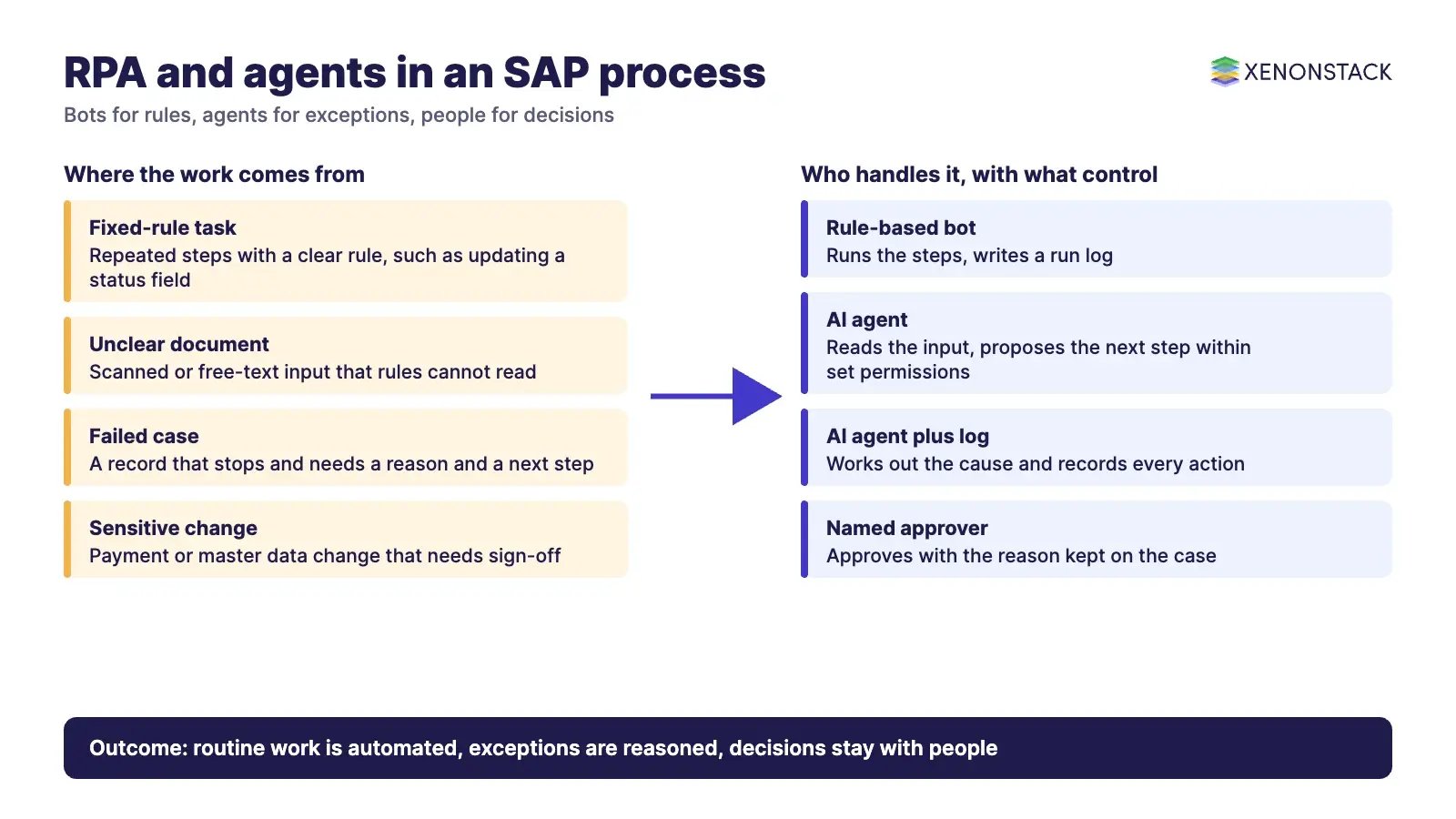
| Part | Job in an SAP process | Control |
|---|---|---|
| Rule-based bot | Posts, updates and moves data where the rule is fixed | Versioned script, test run, run log |
| AI agent | Reads an unclear document, works out why a case failed and proposes the next step | Limited permissions, every action recorded |
| Approval gate | A named person approves payments, master data changes or policy exceptions | Approval and reason kept with the case |
| Orchestration layer | Routes work between bots, agents and people | Single place to see status and stop a run |
SAP's own pages describe Joule Studio as a way to build Joule agents for goal-oriented, complex business scenarios and Joule skills for simpler, rule-based tasks, and describe support for MCP and A2A in SAP Build. These pages were read in November 2026 and product availability can change, so confirm status on the official page. ElixirData's Exception Handling Agent and Approval Agent address the same two gaps for process exceptions and approvals, and ElixirClaw is an agentic OS platform to build, orchestrate and govern AI agents and automation workflows while keeping humans in control.
What controls does SAP automation need?
- Give each bot and agent its own identity with the least access it needs, never a shared user
- Keep a log of every action, input and result, and store it where reviewers can reach it
- Put an approval step in front of anything that moves money or changes master data
- Version bot scripts and agent instructions, and test after every SAP or application change
- Define a stop rule and a named owner for every automation
ElixirData Context OS keeps governed context, versioned policy and decision traces in one decision layer above AI agents, which is the kind of record auditors ask for when agents act on ERP data.
When should you not use RPA in SAP?
- When a standard SAP interface or API already does the job, because that is usually more stable than screen-based automation
- When the process is about to be redesigned or retired
- When most cases need human judgement and rules cannot describe them
- When the volume is too small to repay the build and support effort
How do you adopt RPA and agents in SAP step by step?
- Pick one process with high volume, clear rules and a measurable baseline.
- Map the exceptions: how often they occur and what a person does about them.
- Check whether a standard SAP interface can do the job before building a bot.
- Build the bot, test on a copy of the data and add logging.
- Add an agent only for the exception step, with an approval gate.
- Run in parallel with the manual process, then switch over.
- Review logs, failures and SAP release changes every month.
Related reading: building an automation centre of excellence, intelligent automation tools, agentic AI in human resources and agentic process automation in supply chain.
To map one SAP decision your agents should make, and the context and policy it depends on, book a Context Workshop. See what happens in the workshop.
What should you plan for in 2027?
Plan the year around a small number of steady habits rather than a big change.
- Check your product name and licence terms. If you still run SAP Intelligent RPA, decide whether a move to SAP Build Process Automation suits you, and rehearse it on a test tenant first, because the in place upgrade is one way.
- Keep bots on a test routine. Screen changes after an SAP upgrade can break a bot, so retest after every release and review logs each month.
- Add agents only where exceptions are costly. Pilot one exception heavy process, keep an approval gate in front of payments and master data changes, and give every automation a named owner and a stop rule.
Frequently asked questions
What is RPA in SAP?
RPA in SAP uses software robots to repeat rule-based steps in SAP and connected applications, such as entering data, comparing fields and updating statuses, without changing SAP itself.
What are the main advantages of RPA in SAP?
The main advantages are less manual effort on repetitive work, fewer keying errors, consistent execution, run logs for review and no need to rewrite core SAP code. Measure the gains on your own process rather than relying on generic figures.
Is SAP Intelligent RPA still the product name?
SAP's current page uses the name SAP Build Process Automation. SAP has described a one-way in-place migration from Intelligent RPA. Confirm current terms on SAP documentation.
How do agentic workflows differ from RPA in SAP?
RPA follows fixed rules. Agentic workflows add AI agents that read unclear inputs and handle exceptions, with approval gates and logs so people stay in control.
When should I avoid RPA in SAP?
Avoid it where a standard SAP interface already does the job, where the process is about to change, where judgement is needed in most cases or where volume is too low to justify the effort.
Explore the XenonStack platform family: ElixirData · ElixirClaw · ElixirHub · NexaStack · MetaSecure · Neural AI · AgentGRC · AgentSRE · AgentAnalyst · AgentInstruct · AgentRAI · AgentScrum · AgentSearch · AgentForce · AI Aviator · SAIF Aviator · CohortIQ · XenonStack AI · XenonStack UAE