Key takeaway
- Hadoop can schedule NVIDIA GPUs through YARN. See the requirements, key settings, Docker risks and Java versions by release, plus when GPU on YARN fits.
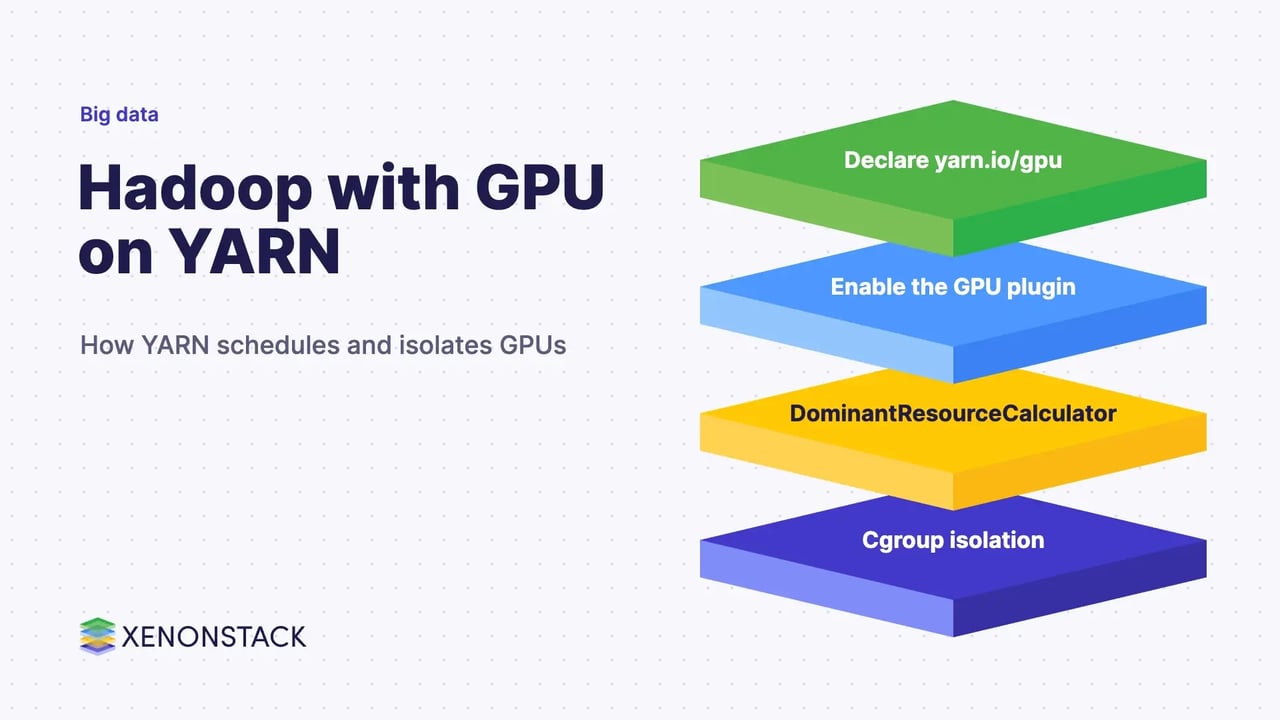
Yes, Apache Hadoop can schedule and isolate GPUs. YARN, the resource manager in Hadoop, treats a GPU as a countable resource called yarn.io/gpu, places containers only on nodes with free GPUs, and uses Linux cgroups so one job cannot touch another job's GPU. According to the Hadoop documentation, this works with NVIDIA GPUs only, and it needs a few settings in resource-types.xml, yarn-site.xml and container-executor.cfg.
This guide is for platform leads and architects who already run Hadoop and want to put deep learning or other GPU work on the same cluster. It covers what the official docs require, how to configure and request GPUs, which Hadoop version to run, the security cost of Docker, and when a different platform is the better choice. For the wider platform, see our guide to Apache Hadoop 3.0 features and architecture.
How does YARN schedule and isolate GPUs?
YARN tracks CPU (vcores) and memory by default. Its resource model lets an administrator add other countable resources that a container uses while it runs and releases afterwards. The Hadoop documentation names GPUs as an example. Hadoop 3.0.0 introduced these user-defined resource types, and the "Using GPU On YARN" page has been in the documentation since Hadoop 3.1.0 (the 3.1.0 page is dated 30 March 2018).
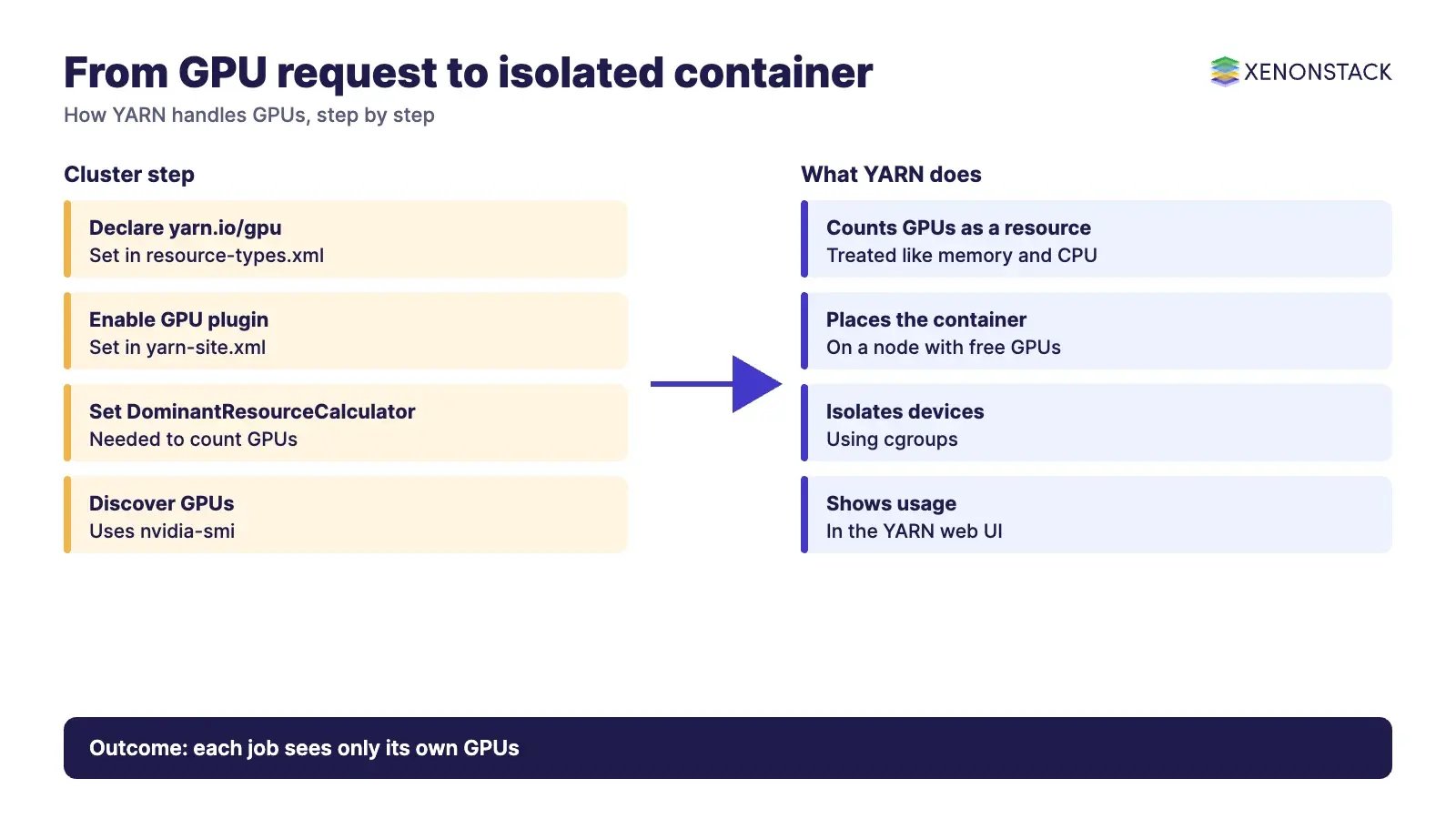
The work is split into three parts, as the YARN GPU design issue (YARN-6223) describes it:
- Discovery: an administrator lists the GPUs on each node, or the NodeManager finds them automatically and reports them to the ResourceManager.
- Scheduling: the scheduler counts GPUs like CPU and memory, so a container asking for GPUs lands only on a node with enough free ones.
- Isolation and monitoring: the NodeManager uses the cgroups devices controller so each container sees only the GPUs it was given.
The YARN web UI then shows GPU totals alongside CPU and memory, so operators can see how much of the pool is in use.
What do you need before you enable GPUs on YARN?
| Requirement | What the Hadoop documentation says |
|---|---|
| GPU vendor | Only NVIDIA GPUs are supported. |
| Drivers | NVIDIA drivers must be preinstalled on every NodeManager. |
| Discovery tool | Only nvidia-smi is supported for automatic discovery. |
| Scheduler | DominantResourceCalculator must be configured for GPU scheduling and isolation. |
| Docker (optional) | nvidia-docker 1.0 is the version YARN supports by default. For nvidia-docker 2.x, set the plugin to nvidia-docker-v2. |
| Isolation | Per-GPU isolation uses the cgroups devices controller. |
Source: Apache Hadoop 3.5.0 "Using GPU On YARN" page (hadoop.apache.org/docs/current/hadoop-yarn/hadoop-yarn-site/UsingGpus.html), last published 24 March 2026, read 13 November 2026.
How do you configure GPU scheduling in YARN?
Three files carry the settings. The table lists the ones the documentation names.
| File | Setting | Purpose |
|---|---|---|
| resource-types.xml | yarn.resource-types = yarn.io/gpu | Declares the GPU resource type to the ResourceManager. |
| capacity-scheduler.xml | yarn.scheduler.capacity.resource-calculator | Set to DominantResourceCalculator (the documented default) so GPUs count in scheduling. |
| yarn-site.xml | yarn.nodemanager.resource-plugins = yarn.io/gpu | Turns on the GPU isolation module on each NodeManager. |
| yarn-site.xml | yarn.nodemanager.resource-plugins.gpu.allowed-gpu-devices | Default auto. Or list index:minor_number pairs such as 0:0,1:1, found with nvidia-smi -q. |
| yarn-site.xml | yarn.nodemanager.resource-plugins.gpu.path-to-discovery-executables | Path to nvidia-smi if it is not found automatically. |
| container-executor.cfg | [gpu] with module.enabled=true | Required for all GPU use. Non-Docker jobs also need the [cgroups] section. |
When yarn.nodemanager.resource-plugins is set, YARN detects and configures GPUs automatically by default. The documentation says the other properties are only needed for specialised setups, for example when only some GPUs on a node should be managed by YARN. Two further settings in the YARN resource model, minimum-allocation and maximum-allocation for a resource, bound how much a single request may ask for, which gives administrators a simple guard against one job claiming a whole pool.
How do you request GPUs for a job?
A job asks for GPUs with the resource name yarn.io/gpu. The documentation's example uses the Distributed Shell application, which supports resource types beyond memory and vcores. This asks for two containers, each with 3072 MB of memory, one vcore and two GPUs:
yarn jar <path/to/hadoop-yarn-applications-distributedshell.jar> \
  -jar <path/to/hadoop-yarn-applications-distributedshell.jar> \
  -shell_command /usr/local/nvidia/bin/nvidia-smi \
  -container_resources memory-mb=3072,vcores=1,yarn.io/gpu=2 \
  -num_containers 2
To run the same job in Docker, also set YARN_CONTAINER_RUNTIME_TYPE=docker and YARN_CONTAINER_RUNTIME_DOCKER_IMAGE=<docker-image-name> through -shell_env. Frameworks such as Spark or TensorFlow have their own way to pass the resource request, so check each framework's own documentation for the exact option.
Should you run GPU jobs in Docker on YARN?
Docker gives each team its own CUDA and library stack, which is the main reason to use it. The cost is more set-up and more security work. For GPUs, the documentation asks you to allow the GPU device nodes (found with ls /dev/nvidia*), the nvidia-docker volume driver and the driver mount in the [docker] section of container-executor.cfg.
The Docker on YARN page states that "enabling this feature and running Docker containers in your cluster has security implications". Points a CISO will want answered before go-live:
- Privileged containers are off by default and can reach host devices.
- Bind mounts should not expose sensitive host paths such as
/,/etc,/runor/home. - User and group ID mismatches between host and image can cause permission problems or security gaps. The page recommends central user management.
- Only the
cgroupfscgroups driver is supported. Containers fail to launch under thesystemddriver. - Large images should be pulled ahead of time to avoid launch timeouts.
Which Hadoop version should you run for GPU work?
| Hadoop line | Java support (Apache wiki) | GPU on YARN |
|---|---|---|
| 3.0.x | Java 8 only | User-defined resource types arrive; no dedicated GPU page. |
| 3.1.x and 3.2.x | Java 8 only | GPU support documented from 3.1.0. |
| 3.3.x and 3.4.x | Java 8 and 11 (11 for runtime only; compile with Java 8) | Documented. |
| 3.5.x | Server side requires JDK 17; client supports JDK 17 and 21 | Documented (page last published 24 March 2026). |
The Hadoop home page lists 3.5.0 (2 April 2026) as the first stable release of the 3.5 line and 3.4.3 (24 February 2026) as a maintenance release for 3.4 users. Because the Java requirement changes between lines, upgrade the JDK, the build pipeline and any GPU driver images together, and confirm the current support position for your line on the official Hadoop pages before you plan the move.
What else in Hadoop 3 matters for GPU clusters?
GPU nodes sit inside a normal Hadoop cluster, so the platform changes in Hadoop 3 still apply. The Hadoop 3.0.0 release notes list these:
- HDFS erasure coding: an alternative to 3x replication that gives similar fault tolerance with less storage. The HDFS documentation says 3x replication has 200% storage overhead against 50% or less for erasure coding, at the cost of extra CPU load on clients and DataNodes. It suits colder data, and
append()andtruncate()are not supported on erasure-coded files. - More than two NameNodes: several standby NameNodes improve fault tolerance. Three NameNodes with five JournalNodes tolerate two failures.
- YARN Timeline Service v.2: introduced as an alpha preview intended for testing.
- Opportunistic containers: lower-priority containers queue at the NodeManager and are preempted when guaranteed containers need resources.
- Intra-DataNode balancer: the
hdfs diskbalancercommand evens out data across disks in one DataNode. - Shaded client jars, shell script rewrite, changed default ports and a Java 8 minimum.
Storage format also decides how fast a GPU job is fed. See our comparison of Hadoop storage formats: Parquet, ORC and Avro and the guide to data serialization in Apache Hadoop.
When does GPU on YARN fit, and when does it not?
| Situation | Fit | Why |
|---|---|---|
| Existing Hadoop estate with NVIDIA GPUs and data in HDFS | Good | GPUs share the queues, security and data already in the cluster. |
| Mixed workloads that need one capacity scheduler | Good | GPUs are scheduled as a resource type next to CPU and memory. |
| AMD or other non-NVIDIA accelerators | Poor | The documentation says only NVIDIA GPUs are supported. |
| Teams that need frequent image changes and container-native tooling | Review | Docker on YARN works but adds security and set-up work. A Kubernetes platform may suit better. See big data on Kubernetes. |
| Small or occasional GPU use | Review | Running a Hadoop cluster only for a few GPU jobs is rarely worth the operating cost. This is a judgement, not a figure from the docs. |
What should leaders govern and measure?
GPUs are scarce, so treat them like any other costly shared resource. Set queue limits and request ceilings through the scheduler and the resource maximum-allocation setting. Record who requested which GPUs and for which dataset. Keep access to training data under the same controls as the rest of the cluster. Track utilisation from the YARN web UI before you buy more cards.
Once GPU jobs produce models and reports, the harder question is which decisions those outputs feed and under what policy. ElixirData Context OS keeps governed context, versioned policy and decision traces in one decision layer above AI agents. For teams that want to ask questions of the data in plain language, AgentAnalyst lets teams ask questions of enterprise data in plain language and get real-time insights.
What is a sensible adoption sequence?
- Confirm the Hadoop line, the Java version and the NVIDIA driver version on every GPU node.
- Declare
yarn.io/gpu, set theDominantResourceCalculatorand enable the GPU plugin on a test queue. - Run the documented Distributed Shell example with
nvidia-smiand confirm each container sees only its own GPUs. - Add request ceilings and a dedicated queue, then run one real training job without Docker.
- Add Docker only if teams need separate software stacks, and complete a security review first.
- Review GPU utilisation monthly and decide whether the workload belongs on this cluster.
To map one decision your GPU-trained models should make, and the context and policy it depends on, book a Context Workshop. See what happens in the workshop.
Frequently asked questions
Does Hadoop support GPUs?
Yes. YARN can schedule and isolate GPUs as the resource yarn.io/gpu. The Hadoop documentation says only NVIDIA GPUs are supported.
Which Hadoop version added GPU support?
The "Using GPU On YARN" page appears in the Hadoop 3.1.0 documentation, dated 30 March 2018. Hadoop 3.0.0 added the user-defined resource types that GPU scheduling builds on.
How do I request a GPU in a YARN job?
Ask for the resource yarn.io/gpu, for example -container_resources memory-mb=3072,vcores=1,yarn.io/gpu=2 in the Distributed Shell example. Other frameworks pass the request in their own way.
Do I need Docker to use GPUs on YARN?
No. The documentation gives examples with and without Docker. Docker needs nvidia-docker and extra allow-lists in container-executor.cfg, and it has security implications the Hadoop docs describe.
Which Java version does Hadoop need?
It depends on the line. According to the Apache wiki, 3.0 to 3.2 need Java 8, 3.3 and 3.4 support Java 8 and 11, and 3.5 requires JDK 17 on the server side. Confirm on the official page for your release.
Related reading: Apache Hadoop 3.0 features and architecture, Big data on Kubernetes and Hadoop storage formats.
Ready to put AI agents to work? See an ElixirClaw demo: the agentic OS to build, orchestrate and govern AI agents across your enterprise systems.
Explore the XenonStack platform family: ElixirData · ElixirClaw · ElixirHub · NexaStack · MetaSecure · Neural AI · AgentGRC · AgentSRE · AgentAnalyst · AgentInstruct · AgentRAI · AgentScrum · AgentSearch · AgentForce · AI Aviator · SAIF Aviator · CohortIQ · XenonStack AI · XenonStack UAE