

Key takeaway
- Learn where the skill layer sits in agentic AI: model, skills, MCP tools, data and rules. Plain words, with how skills differ from MCP tools.
The skill layer is the part of an agentic AI system that holds written know-how: how your business does a task, step by step. It sits between the AI model, which does the thinking, and the tools and data, which do the reaching out. Without it, an agent has power but no house rules.
This guide is for anyone who has heard "skills" and "MCP" and wants a plain picture of how they fit together, with no coding background needed. You will learn what each layer does, how a skill differs from a tool, and where rules and approvals belong. Sources, including Anthropic's documentation and the Model Context Protocol site, were read on 13 November 2026.
What is the skill layer in agentic AI?
An agent is an AI model that can take steps toward a goal, not just answer a question. To do real work it needs four things: a model to reason, instructions on how your organisation does the job, tools to act with, and data and rules to stay inside.
The skill layer is the second of those. Think of a new employee. The model is their general intelligence. The tools are the software logins they are given. The skill is the job manual in the drawer: "when a supplier invoice arrives, check these three things, in this order, and flag anything odd."
What is a skill, in plain words?
A skill is a folder with one required file, called SKILL.md. Anthropic describes skills as organised folders of instructions, scripts and resources that agents can discover and load when needed. The idea was first published on 16 October 2025, and on 18 December 2025 Anthropic published Agent Skills as an open standard.
Picture a recipe card. The top of the card has a title and a one-line note on when to use it. Below that are the steps. Some cards come with extras clipped on, such as a template or a small program that does one fiddly step reliably.
Two facts from the specification are worth knowing. The name is short, lowercase and must match the folder. The description, up to 1,024 characters, should say what the skill does and when to use it. According to the Claude documentation on skills, the agent loads in stages: it first holds only each skill's name and description, reads the full instructions when a task matches, and opens extra files only if needed. This staged loading means a large library does not fill the agent's working memory all at once.
What does each layer do?
| Layer | Plain-words job | Everyday analogy |
|---|---|---|
| Model | Reads the request, reasons, decides the next step | The employee's judgement |
| Skill layer | Says how your business does this task and when to use that method | The job manual |
| Tools (MCP and APIs) | Let the agent look things up or take actions in other systems | The software logins and phone lines |
| Data | The records the work is about | The filing cabinet |
| Rules and approvals | Decide what is allowed, who signs off, what is logged | The company policy and the manager's signature |
Each layer can be changed without rewriting the others. You can swap a model, add a tool or edit a skill on its own.
How is a skill different from an MCP tool?
MCP stands for Model Context Protocol. Its official site calls it an open-source standard for connecting AI applications to external systems, and compares it to a USB-C port: one standard plug instead of a different cable for every device. According to the MCP architecture page, an AI application (the host) connects to MCP servers, and a server can offer three things: tools (actions the AI can invoke), resources (data that gives context) and prompts (reusable templates).
So an MCP tool answers "what can the agent reach and do?" A skill answers "how should the agent go about this job?" Anthropic's support page on skills makes the same split: skills can be paired with MCP connectors, which give Claude access to external tools, while the skill explains how to use those tools well.
- MCP tool: the phone line. It connects the agent to a system, such as a ledger or a calendar.
- Skill: the call script. It says who to ring, in what order, and what to check.
- Together: a reliable result, because the agent has both access and method.
Skills are not the only way to reach systems. Plain APIs, the ordinary interfaces software uses to talk to other software, work too. MCP is one common standard for exposing them to agents.
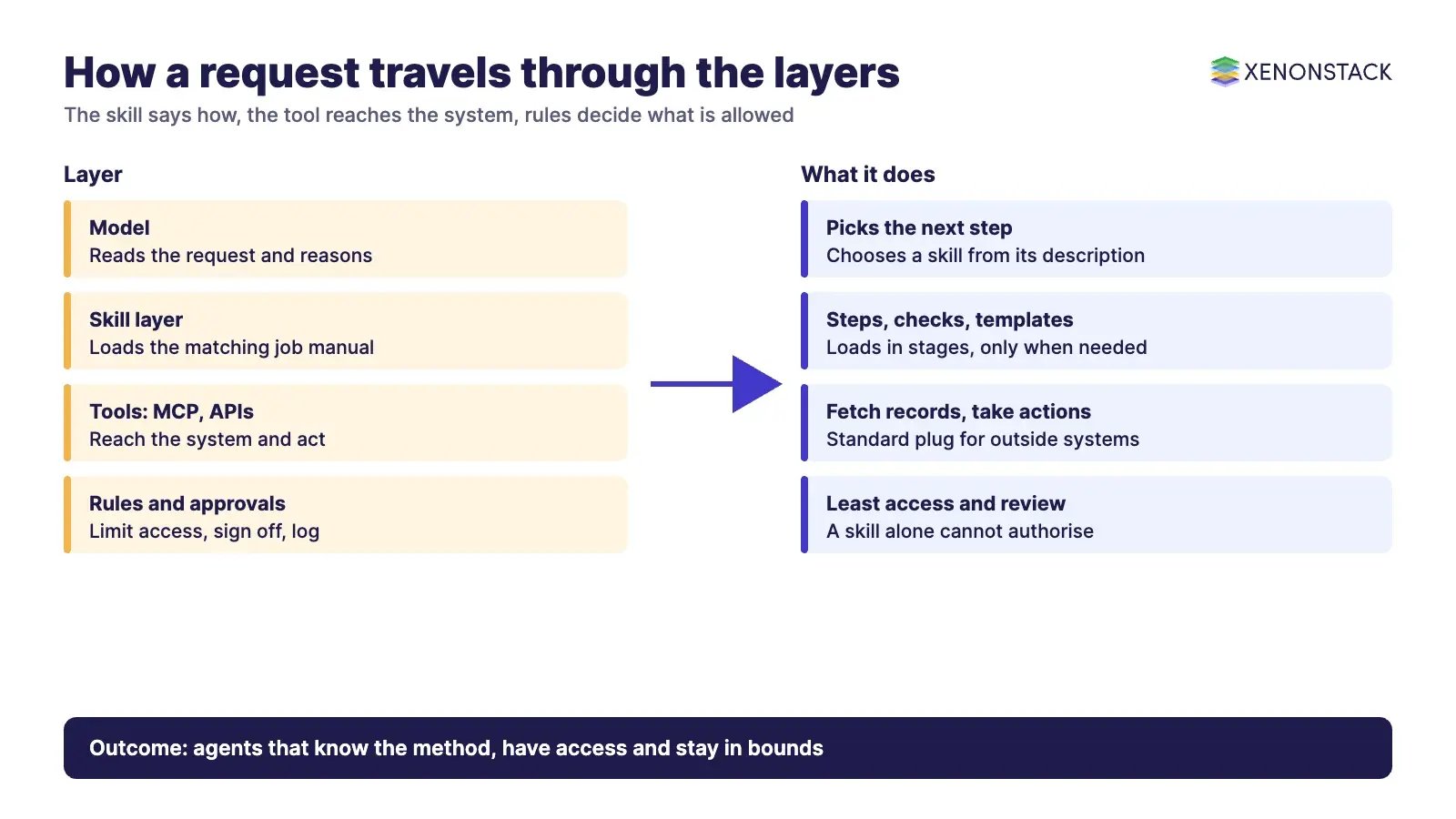
How does a request travel through the layers?
- Request: a person asks, "Check this month's supplier invoices."
- Model: reads the request and the short list of skill descriptions it already holds.
- Skill: the matching skill loads and gives the steps and checks. According to the Claude Code documentation, the model decides this itself from the description, unlike a slash command that a person types.
- Tools: the agent calls the accounting system through an MCP server or an API to fetch the invoices.
- Data and rules: the records come back, and policy decides what the agent may change and what needs a person's approval.
- Result: the agent reports what it found, and the action is logged.
This is also why the description matters so much. The Claude best-practice guide says vague descriptions make it harder for the agent to pick the right skill among many, and advises naming both the task and the cues for using it.
Where do skills run, and who can use them?
According to the Agent Skills overview, skills run in a code execution environment, where Claude can use a file system and run commands. The same page says custom skills in the Claude apps need code execution turned on, and that custom skills do not sync between the apps, the API and Claude Code. Plan availability differs by product and changes over time, so check the Claude Help Center page before you plan a roll-out.
Where do rules and approvals fit?
This is the limit to be honest about. A skill tells an agent how to work. It does not, by itself, decide whether an action is allowed. A skill saying "approve invoices under a set amount" is an instruction, not a control. The control has to sit around the agent.
Claude Code shows how light a skill's own controls are. According to its documentation, a skill can include an optional allowed-tools setting that names the tools the agent may use while the skill is active. Those tools run without a permission prompt, and the setting works only in Claude Code. The open specification marks the field as experimental, with support that varies by tool. In our view, it is a convenience, not an audit-grade control. The MCP security guidance points the same way. It recommends starting with minimal permissions and asking for more only when a risky action is first attempted, and it describes why user consent matters before a new local server runs commands.
- Least access: give each tool only the permissions the task needs.
- Approval: require a person to sign off on actions that change money, records or customers.
- Review: read a skill's files before enabling it. Anthropic advises installing skills only from trusted sources and auditing less-trusted ones, because scripts and instructions can cause unintended actions or leak data. The Agent Skills overview goes further and suggests using only skills you wrote yourself or that come from Anthropic.
- Record: log which skill version ran and what it touched.
Our agentic analytics guide looks at the data side of the same design problem.
Related reading
These posts in the series cover the neighbouring questions.
- Composable Agent Skills: Future of Agentic AI: How small skills combine into bigger workflows, and where the field is heading.
- Why Enterprise AI Agents Need Skills and Oversight: Why a company needs skills: consistency, control and human oversight.
- Skill Files: Tools, Business Rules and Decisions: The three jobs of a skill file: tools, rules and bounded decisions.
Try it on one decision first
ElixirData, a XenonStack product company, offers the Context Workshop and Context OS, so treat this section as a vendor offer. If you want to see where skills, tools and policy meet on your own work, bring one live decision to the free half-day Context Workshop. ElixirData architects help your team map it, and you leave with a one-page decision map and a go or no-go call. You can request a Context OS demo or book the Context Workshop.
Sources
- Anthropic engineering: Equipping agents for the real world with Agent Skills
- Agent Skills specification
- Claude documentation: Agent Skills overview
- Claude documentation: Skill authoring best practices
- Claude Code documentation: Skills
- Claude Help Center: What are skills?
- Anthropic announcement: Introducing Agent Skills
- Model Context Protocol: What is MCP?
- Model Context Protocol: Architecture overview
- Model Context Protocol: Security best practices
Frequently asked questions
What is the skill layer in agentic AI?
It is the written know-how an agent loads for a task: the steps, checks and templates for how your business does a job. It sits between the model that reasons and the tools and data the agent reaches.
What is the difference between a skill and an MCP tool?
An MCP tool connects the agent to a system and lets it act, such as fetching records. A skill tells the agent how to do a job well, including which tools to use and what to check. They work best together.
Do I need MCP to use skills?
No. A skill is a folder of instructions and can work on its own. MCP is one standard way to give an agent access to outside systems, and plain APIs can do that job too.
Can a skill make an agent safe by itself?
No. A skill is guidance, not a control. Permissions, human approval and audit records have to be set up around the agent.
Who can write a skill?
Anyone who can write clear instructions. Simple skills are plain Markdown and need no coding. Scripts are optional and only help when a step is better done by a program.
Are skills safe to install?
Only from trusted sources. Anthropic advises auditing less-trusted skills before use, because bundled scripts and instructions can cause unintended actions or leak data.
Follow XenonStack on LinkedIn: XenonStack on LinkedIn for new guides on agentic AI, data and platform engineering.
Ready to put AI agents to work? Explore ElixirClaw, the agentic OS platform to build, orchestrate and govern AI agents.
Explore the XenonStack platform family: ElixirData · ElixirClaw · ElixirHub · NexaStack · MetaSecure · Neural AI · AgentGRC · AgentSRE · AgentAnalyst · AgentInstruct · AgentRAI · AgentScrum · AgentSearch · AgentForce · AI Aviator · SAIF Aviator · CohortIQ · XenonStack AI · XenonStack UAE


