

Key takeaway
- How skill files let AI agents run tools, apply business rules and make bounded decisions, with lending and procurement examples and clear limits.
A skill file can give an AI agent three jobs: run tools through scripts, follow your business rules, and make small decisions inside limits you set. It cannot, on its own, make sure those limits are kept. That needs checks that sit outside the model.
This guide is for business readers, team leads and anyone who has heard the term "skill file" and wants a plain explanation. You will learn what a skill is, what each of its three jobs looks like in lending and procurement, and where a skill stops and enforcement begins. Sources were read on 13 November 2026.
What is a skill file, in plain words?
Think of a job manual in a folder. The folder holds one main file called SKILL.md, plus optional extras such as small programs and reference documents. According to Anthropic's Agent Skills documentation, a skill is a folder of instructions, metadata and optional scripts or resources, and Claude uses it when a request matches the skill's description.
The agent does not read every manual at once. At start-up it sees only each skill's name and description, about 100 tokens per skill, according to the documentation. A token is a small chunk of text. When your request matches a description, the agent opens the full instructions. If those instructions point to a script or a reference file, it opens or runs those only when needed.
The description is the part that decides whether the manual is picked up. Anthropic's best-practice page says it should state what the skill does and when to use it.
Job one: how does a skill run tools?
Some steps are better done by a program than by a language model. Anthropic's engineering post gives the reason: sorting a list by having the model write it out is far more costly than running a sorting program, and code is repeatable. Its example is a PDF skill that includes a script to pull out form fields, which the agent can run without loading the script or the PDF into its context.
Think of a recipe card that says "weigh the flour on the scale" instead of "estimate the flour by eye". The scale is the script. The card tells the cook when to use it.
Two tips from the best-practice page matter for business work. First, a script should handle its own errors instead of leaving the agent to guess. Second, the skill should say whether the agent must run a script or only read it. Ready-made scripts are described as more reliable and more consistent than code the model writes on the spot.
Job two: how does a skill apply business rules?
A rule that lives in someone's head is hard to repeat. A rule written in a skill is the same every time and can be reviewed. The best-practice page also advises explaining each setting, so a reader knows why a limit exists and when it may change.
Here is how the same idea looks in two industries. The rules are written as examples of what a team might put in a skill. They are not taken from any regulator, and your own policy decides the details.
| Area | Rule a skill might hold | Tool it might run | Where the rule really comes from |
|---|---|---|---|
| Lending | List the documents a file needs before review. Say which checks come first. Say when a case goes to a credit officer. | A script that checks the application for missing fields | The lender's credit policy and its regulators |
| Procurement | Match the invoice to the order and the goods received. Flag any difference. Say who approves payment. | A script that compares the three records | The company's purchasing policy and internal controls |
For procurement, New York State's Office of the State Comptroller says purchasing duties should be split: requesting, ordering, receiving goods and approving payment should not all sit with one person. It also says that when staff are too few, management should add compensating controls such as later reviews and document the risk it accepts. A skill can describe this routine. It cannot replace the separation itself.
Job three: can a skill make decisions on its own?
Yes, but only small ones, and only inside limits. Anthropic's best-practice page describes three levels of freedom. Where several approaches are fine, give general direction. Where a preferred pattern exists, give a template. Where a step is fragile and the order matters, give an exact script and tell the agent not to change it. The page compares this to a narrow bridge with cliffs, which needs guardrails, and an open field, which needs only direction.
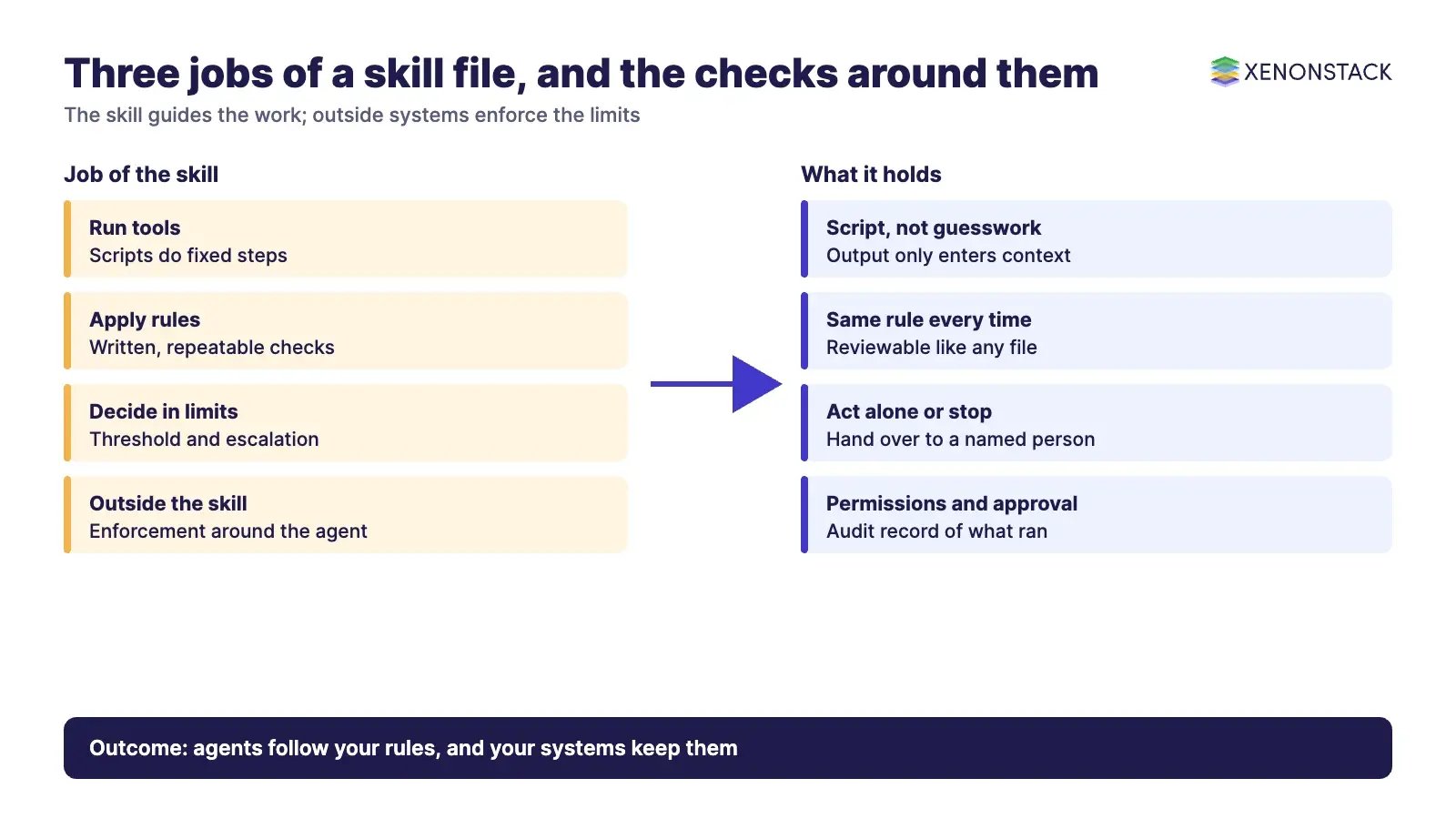
Decisions with money or risk attached belong on the bridge. This guide suggests four parts for a bounded decision. They are our own pattern, not a rule from the documentation:
- A clear question: for example, does this invoice match its order?
- A threshold: the point where the agent may act alone, such as a difference below your tolerance.
- An escalation step: what the agent does above the threshold, such as stopping and sending the case to a named person with the facts.
- A record: what was checked, which rule applied and what was decided.
The skill states all four. The best-practice page adds a useful habit for risky work: have the agent write a plan, check it with a validation script, and only then act.
Why must rules also be enforced outside the model?
A skill is a set of instructions. An instruction can be misread, skipped or overridden by a badly worded request. Anthropic's skills announcement warns that the feature "gives Claude access to execute code", and the overview documentation says a malicious skill can direct Claude to misuse tools or leak data.
So the limit should also be enforced by the systems around the agent. The Claude Code documentation shows what that looks like in one product. A skill can list tools that are allowed without a prompt, but that setting does not restrict other tools, and deny rules still apply. Organisations can also set permission rules for which skills Claude may invoke and can lock down who may pre-approve tools.
| Layer | What it does | Example |
|---|---|---|
| Skill | Tells the agent how to do the work | Steps, checks, thresholds, escalation |
| Permissions | Limits what the agent can touch | Read access to records, no payment access |
| Approval | Puts a person in the loop above a limit | A credit officer or budget holder signs off |
| Audit | Records what happened | Skill version, inputs, outcome, approver |
For lending, US bank regulators issued revised model risk guidance (Federal Reserve SR 26-2, dated 17 April 2026), which replaces the older SR 11-7. According to the letter, it expects models to be checked by objective experts who can challenge them, and monitored to see that they perform as expected. A footnote says generative and agentic AI models are not within its scope, so it does not cover AI agents directly. Confirm the current position on the official page. The ideas still carry over as good practice: test the agent's work, watch it over time and keep a person able to challenge it. Our agentic analytics guide covers the data side of the same problem.
Where do skills live, and who should check them?
The documentation says that in Claude Code a personal skill sits in a folder under the user's home directory, a project skill sits inside the repository where a team can share it, and enterprise skills come from managed settings. In the Claude apps, custom skills are uploaded as zip files, and Team and Enterprise owners can provision skills to members. Skills do not sync between surfaces, so each one has to be loaded where it is used.
Where a skill runs also changes what it can do. According to the overview, skills need code execution turned on. Through the API they have no network access and cannot install packages. In Claude Code they have full network access, and in the Claude apps network access depends on user and admin settings. Plan availability differs between Anthropic's pages, so check the Help Center for your own plan.
On safety, Anthropic advises using skills only from sources you trust and reading everything in a skill before use: the instructions, scripts and any other files. It specifically warns about skills that fetch outside web content, because that content can carry hidden instructions. Treat a new skill as you would new software.
Related reading
These posts in the series cover the neighbouring questions.
- Why Enterprise AI Agents Need Skills and Oversight: Why a company needs skills: consistency, control and human oversight.
- The Skill Layer for Agentic AI Explained: Where the skill layer sits between the model, tools and rules.
- How AI Agent Skills Automate Complex Industry Workflows: How to turn a written procedure into an agent skill.
Try it on one decision first
Pick one live decision, such as an invoice mismatch or a loan file that needs a second look, and ask three questions. What may the agent do alone? Where must it stop? Who checks the record? The free half-day Context Workshop is built for this. ElixirData, a XenonStack product company, offers the Context Workshop and Context OS. Its architects help your team map one live decision, and you leave with a one-page decision map and a go or no-go call. You can request a Context OS demo or book the Context Workshop.
Sources
- Agent Skills overview (Claude documentation)
- Skill authoring best practices (Claude documentation)
- Extend Claude with skills (Claude Code documentation)
- Introducing Agent Skills (Anthropic announcement)
- What are skills? (Claude Help Center)
- Equipping agents for the real world with Agent Skills (Anthropic engineering)
- SR 26-2, Revised Guidance on Model Risk Management (Federal Reserve)
- Separation of duties, purchasing (New York State Comptroller)
Frequently asked questions
Can a skill file make an agent run a program?
Yes. A skill can include scripts, and the instructions can tell the agent to run one. Only the script's output enters the agent's working memory, according to the Claude documentation.
Can a skill hold my company's business rules?
Yes, as written steps, checks and thresholds. The skill makes the rule repeatable and reviewable, but your policy remains the source of the rule.
Can an agent approve a loan or a payment by itself?
A skill can describe when it may act alone and when it must stop. Whether it is allowed to act is a policy question that needs permissions, approval and audit around the agent.
What is an escalation step?
It is the instruction for what the agent does when a case is above its limit or unclear: stop, collect the facts and hand the case to a named person.
Why not rely on the skill alone to enforce limits?
Instructions can be misread or overridden, and a malicious skill can misuse tools. Limits are safer when the surrounding systems enforce them too.
Where do I keep skills so my team can share them?
In Claude Code, a project skill sits in the repository so a team can share it. In the Claude apps, Team and Enterprise owners can provision skills to members.
Follow XenonStack on LinkedIn: XenonStack on LinkedIn for new guides on agentic AI, data and platform engineering.
Ready to put AI agents to work? Explore ElixirClaw, the agentic OS platform to build, orchestrate and govern AI agents.
Explore the XenonStack platform family: ElixirData · ElixirClaw · ElixirHub · NexaStack · MetaSecure · Neural AI · AgentGRC · AgentSRE · AgentAnalyst · AgentInstruct · AgentRAI · AgentScrum · AgentSearch · AgentForce · AI Aviator · SAIF Aviator · CohortIQ · XenonStack AI · XenonStack UAE


