

Key takeaway
- Learn how to turn an SOP or checklist into an AI agent skill, with insurance claims and logistics examples, and where a person must always decide.
You turn a written procedure into an AI agent skill by splitting it into five parts: when it applies, the steps, the checks, the points where a person must decide, and the records to keep. The result is a short instruction file, called SKILL.md, that an agent can find and follow on its own, while a person keeps every decision that carries real risk.
This guide is for anyone who has a policy, checklist or standard operating procedure (SOP) and wonders how to make an AI agent follow it. You will learn a simple conversion method, see a before and after example from insurance claims and logistics, and learn where automation should stop. Sources were read on 13 November 2026.
What is an agent skill, in plain words?
Think of a recipe card in a kitchen drawer. The cook does not read every card each morning. They read the titles, pick the one that fits tonight's meal, and only then read the steps. An agent skill works the same way.
A skill is a folder with one required file, SKILL.md. It starts with a short header holding a name and a description, followed by instructions in plain text. According to the Agent Skills overview in Claude's documentation, only the name and description are loaded at start-up, about 100 tokens (small chunks of text) per skill. The full instructions load only when the task matches, and extra files or scripts load only when needed. Anthropic's engineering post describes skills as organised folders of instructions, scripts and resources that agents discover and load dynamically.
How do you turn an SOP into a skill?
The best-practices page in the documentation suggests starting from real work. Do the task with the agent first, then capture the pattern you keep repeating as a skill. For a procedure that already exists on paper, use these five steps.
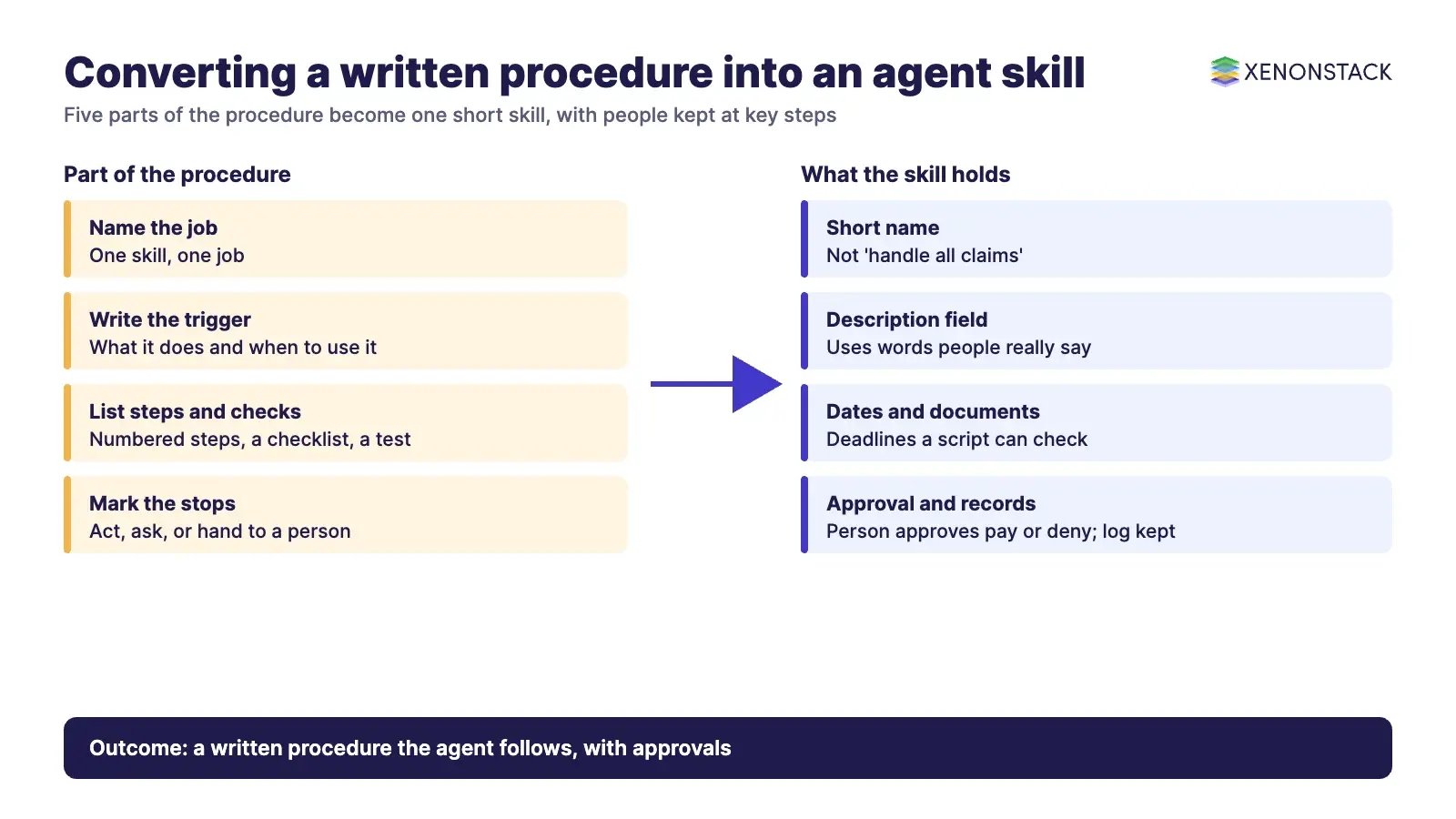
- Name the job. One skill, one job. "Check a motor claim for completeness" is a skill. "Handle all claims" is too big.
- Write the trigger. The description must say what the skill does and when to use it. The documentation says descriptions drive skill selection, so include the words people actually use.
- List the steps in order. Number them. Give a tick-box checklist the agent can copy and work through.
- Mark the stops. For each step, say whether the agent may act, must ask, or must hand over to a person.
- Add a check at the end. A script or a checklist that confirms the output before it goes anywhere. The documentation recommends feedback loops: run the check, fix errors, repeat.
Keep the file short. The documentation advises under 500 lines and moving bulky material, such as forms or rate tables, into separate reference files.
What does a before and after look like in insurance claims?
This is an illustrative example, not a real insurer's procedure. The "before" is a paragraph in a claims manual.
| Before: the manual | After: the skill |
|---|---|
| "Handlers should review each new claim for completeness and escalate anything unusual." | Description: "Checks a new motor claim for missing documents and drafts a request to the policyholder. Use when a new claim arrives or the user asks for a completeness check." |
| "Unusual" is left to judgement. | Step 3 lists what counts: missing policy number, loss date outside the policy period, damage estimate above the handler's limit. |
| Nothing says who decides. | Step 5: the agent drafts a decision summary, but a named claims handler approves any payment or denial. |
| Notes kept in personal files. | Step 6: the agent saves the checklist result and the skill version to the claim record. |
The rules around this work are real. The US National Association of Insurance Commissioners (NAIC) adopted a Model Bulletin on the use of AI systems by insurers in December 2023. It is a template that state insurance departments can issue, not a law in itself. According to the bulletin, insurers are expected to keep a written programme for the responsible use of AI, and the programme covers areas such as claim administration and payment. It also names how far humans are involved in the final decision as a factor in setting the strength of controls. Confirm your own regulator's position.
What does a before and after look like in logistics?
Take a damaged-goods claim against a road freight carrier. The rules here come from a regulation. In the United States, 49 CFR Part 370 sets out how motor carriers handle cargo claims. According to the eCFR text, a carrier must acknowledge a proper written claim within 30 days, and must pay, decline or make a firm compromise settlement offer in writing within 120 days. If the claim is still open, it must write to the claimant with its status and the reason for delay at day 120 and every 60 days after. Each claim needs its own file and numbered records. The rule covers motor carriers and freight forwarders subject to the relevant US law, so confirm on the official page whether it applies to your operation. The "after" column below is our own illustration.
| Before: the checklist on the wall | After: the skill |
|---|---|
| "Acknowledge claims promptly." | "Acknowledge within 30 days of receipt. Record the receipt date on the file." |
| "Chase documents." | "Request the bill of lading, proof of freight charges and invoice. List any missing item in the acknowledgement." |
| "Keep the file tidy." | "One file per claim, with a sequential number on every document and a copy of each status notice." |
| "Decide within the deadline." | A script flags claims near day 120. A claims manager approves the pay, decline or offer. |
Notice what moved from the manual into the skill: numbers, document names and deadlines.
Where should automation stop for a person?
A skill tells an agent how to work. It does not, by itself, decide whether an action is allowed. That needs policy, approval and an audit record around the agent. As a rule of thumb, let the agent do the reading, sorting, checking and drafting, and keep a person for the choices that affect money, safety or someone's rights.
- Safe to automate: collecting documents, checking a form is complete, calculating deadlines, drafting a letter.
- Needs a person to approve: paying or denying a claim, settling above a set amount, anything sent outside the company.
- Needs a person to investigate: signs of fraud, conflicting evidence, a vulnerable customer.
Write these stops inside the skill, but also enforce them outside it. Claude Code, for example, has an optional allowed-tools setting, but according to its Skills page it lets Claude use the listed tools without asking permission. It is a convenience, not a safety wall. Permission settings, approval queues and logs do the real enforcement. Our agentic analytics guide covers the data side of that design.
How do you check a converted skill is safe and works?
First, test it. The best-practices page says to write at least three evaluations before you write much, run the task without the skill to see the gaps, then build your instructions around those gaps.
Second, treat a skill like software. The documentation says to use skills only from trusted sources, such as ones you wrote or Anthropic wrote, and to read every bundled file for unexpected network calls or behaviour that does not fit the purpose. Anthropic's support page adds that Enterprise organisations can turn on skill scanning for uploaded skills.
Third, remember where skills live. According to the documentation, custom skills in Claude Code sit in personal or project folders, and in the Claude apps they are uploaded per user. Skills do not sync between the apps, the API and Claude Code. Which plans can use skills differs by product, so check the support page before you plan a rollout. Name an owner for each skill so someone keeps it up to date when the SOP changes.
Related reading
These posts in the series cover the neighbouring questions.
- From Prompts to Execution: AI Agent Skills: The path from a single prompt to a governed workflow.
- Skill Files: Tools, Business Rules and Decisions: The three jobs of a skill file: tools, rules and bounded decisions.
- AI Agent Skills: Enterprise-Ready Digital Workers: How skills turn a chat model into a dependable digital worker.
Try it on one decision first
ElixirData, a XenonStack product company, offers the Context Workshop and Context OS. If you want to see how one written procedure becomes a governed, auditable agent step, bring one live decision to the free half-day Context Workshop. ElixirData architects help your team map it, and you leave with a one-page decision map and a go or no-go call. You can request a Context OS demo or book the Context Workshop.
Sources
- Anthropic engineering: Equipping agents for the real world with Agent Skills
- Claude documentation: Agent Skills overview
- Claude documentation: Agent Skills best practices
- Claude documentation: Skills in Claude Code
- Claude support: What are skills?
- Anthropic: Skills announcement
- Agent Skills specification
- NAIC Model Bulletin on the use of AI systems by insurers
- eCFR: 49 CFR Part 370, Principles and practices for the investigation and voluntary disposition of loss and damage claims
Frequently asked questions
Can any SOP become an agent skill?
Most written procedures can, if the steps are settled. If people still disagree on how the work is done, fix the process first. A skill makes a good procedure repeatable, and it does the same for a poor one.
Do I need to write code to convert a procedure?
No. Most of a skill is plain written instructions. Code is optional and useful for exact tasks, such as calculating a deadline or checking a file format.
How long should the converted skill be?
According to the best-practices page, keep SKILL.md under 500 lines and move long tables or forms into separate reference files that load only when needed.
Which steps should always stay with a person?
Choices that affect money, safety or someone's rights, such as paying or denying a claim. Let the agent prepare the case and let a named person approve it, with the decision recorded.
Does a skill make an agent follow the rules?
Not by itself. A skill is guidance the agent reads. Permissions, approval steps and audit logs outside the agent are what enforce the rules.
How do I know the skill works?
Write a few test cases from real past work, run them with and without the skill, and compare. Repeat after every change to the procedure, and review the skill like any other software before it goes live.
Follow XenonStack on LinkedIn: XenonStack on LinkedIn for new guides on agentic AI, data and platform engineering.
Ready to put AI agents to work? Explore ElixirClaw, the agentic OS platform to build, orchestrate and govern AI agents.
Explore the XenonStack platform family: ElixirData · ElixirClaw · ElixirHub · NexaStack · MetaSecure · Neural AI · AgentGRC · AgentSRE · AgentAnalyst · AgentInstruct · AgentRAI · AgentScrum · AgentSearch · AgentForce · AI Aviator · SAIF Aviator · CohortIQ · XenonStack AI · XenonStack UAE


