

Key takeaway
- See how AI agent skills take work from a single prompt to approved enterprise workflows, with HR onboarding and IT support examples and a maturity ladder.
AI agent skills move work from prompts to execution by turning a good instruction into a reusable folder that an agent loads when a task matches, then placing approvals and records around it. The journey has four stages: a prompt, a prompt template, a skill, and a workflow with human approvals. Each stage adds a little more reuse and a little more control.
This guide is for anyone who uses or manages AI at work, with no technical background needed. You will learn what a skill is in plain words, how the four stages differ, what the journey looks like in HR onboarding and IT support, and when a simple prompt is still the right tool. Sources were read on 13 November 2026 and are listed before the questions.
What is an agent skill, in plain words?
Think of a recipe card kept in a kitchen drawer. A cook does not read every card each morning. They read the titles, pick the card that matches tonight's dish, and then follow it step by step.
An agent skill works the same way. It is a folder with one required file, called SKILL.md, that holds instructions for one kind of job. Anthropic describes skills as organised folders of instructions, scripts and resources that agents can discover and load when needed. Anthropic published the idea on 16 October 2025, and on 18 December 2025 it published Agent Skills as an open standard.
According to the Agent Skills overview in Claude's documentation, the agent sees only each skill's name and description at start-up, which costs about 100 tokens per skill (a token is a small chunk of text). When your request matches a description, the agent reads the full instructions. Extra files, such as templates or scripts, are opened only if the instructions point to them. The documentation also says the description must state what the skill does and when to use it, because that is how the agent chooses.
What are the four stages from a prompt to a governed workflow?
Most teams start with a prompt, and that is fine. The stages below show what each step adds. The comparison is our own framing of the journey, built on how the documentation describes skills.
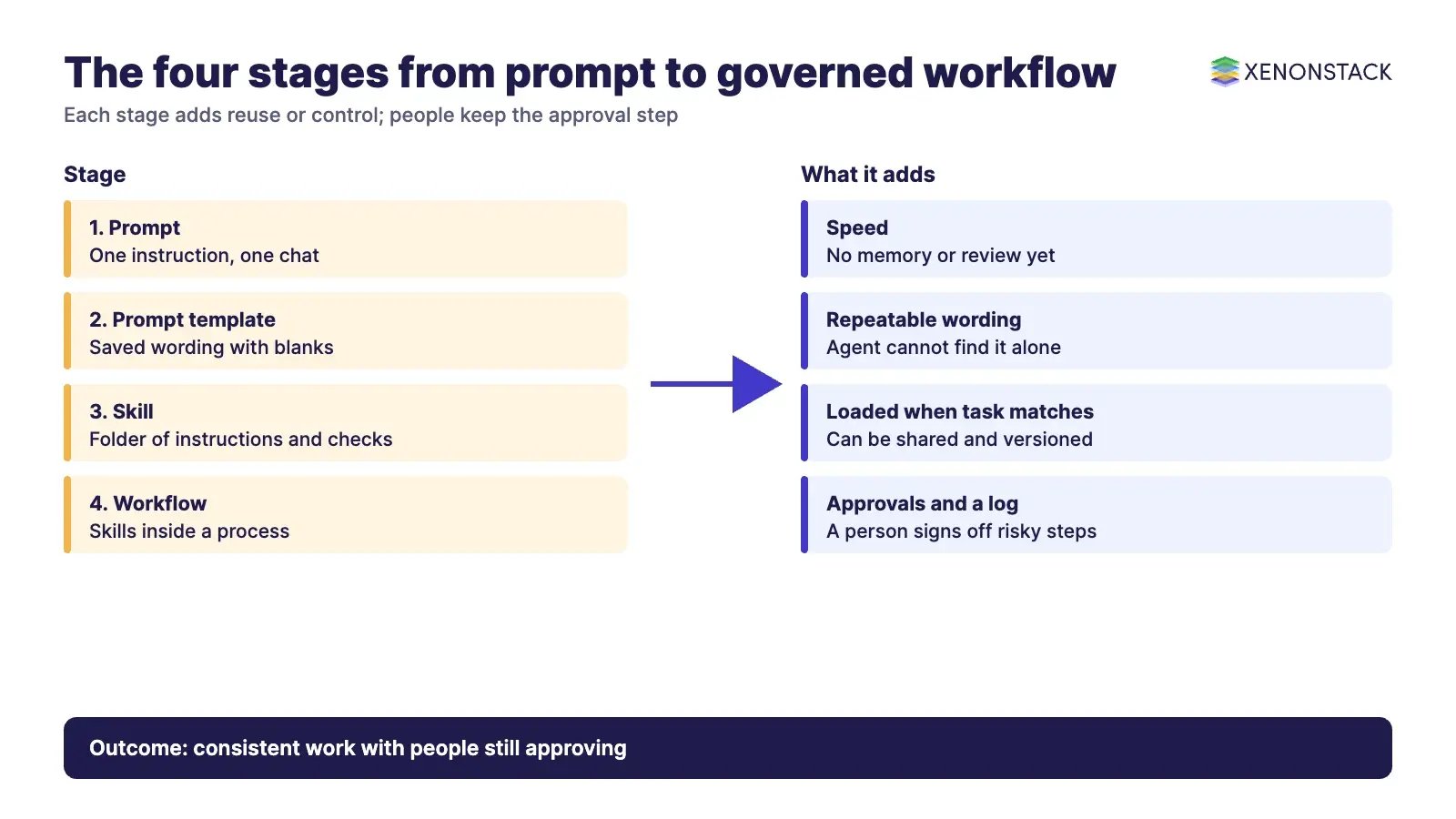
| Stage | What it is | Everyday analogy | What it adds | What is still missing |
|---|---|---|---|---|
| 1. Prompt | One instruction typed into one chat | A verbal request to a colleague | Speed | Memory, consistency, review |
| 2. Prompt template | A saved prompt with blanks to fill in | A printed form | Repeatable wording | The agent cannot find it on its own |
| 3. Skill | A folder with instructions, checks and optional scripts | A job manual | The agent loads it when the task matches; it can be shared with a team | Nothing yet says who must approve what |
| 4. Workflow with approvals | Skills inside a process with permissions, human sign-off and a log | A job manual plus a manager's signature and a filing cabinet | Control and a record of what happened | Ongoing ownership and review |
The jump from stage 3 to stage 4 matters most. In our view, a skill tells an agent how to work, but it does not, by itself, enforce permissions or approvals. Deciding whether an action is allowed needs policy, sign-off and audit records around the agent. For the data side of that design, see our guide to agentic analytics.
What does the journey look like in HR onboarding?
This is an illustration, not a report of any real company. Imagine a new starter joining on Monday.
- Prompt: an HR officer types, "Write a welcome email for a new analyst." Each officer words it differently.
- Template: the team saves one version with blanks for name, start date and manager. Wording is now the same, but someone must remember to use it.
- Skill: a skill called new-starter-onboarding holds the welcome email format, the first-week checklist and the list of accounts to request. When an officer says "prepare onboarding for the new analyst", the agent finds and loads it.
- Workflow with approvals: the agent drafts the pack and a person reviews it before anything is sent. Requests for system access go to the right approver. A log records which version of the skill was used.
Notice what stays with people: the decision to send, and the decision to grant access. The skill supplies consistency. The workflow supplies the permission step.
What does the journey look like in IT support?
Again, this is an illustration. Take a staff member who is locked out of their account.
- Prompt: a support agent asks an AI tool, "How do I handle a locked account?" The answer varies from day to day.
- Template: the team saves a standard reply with blanks for the user's name and system.
- Skill: a skill called account-lockout-triage lists the questions to ask, the checks to run, and when to escalate. A small script could check the ticket fields, and per the documentation only the script's output, not its code, enters the agent's working memory.
- Workflow with approvals: the agent may prepare the fix, but a password reset or access change waits for an authorised person. Every step is logged against the ticket.
Claude's support page lists similar everyday uses for skills, such as following a company's templates for emails and creating tasks in tools like Jira, Asana or Linear according to team conventions.
Where is your team on the maturity ladder?
Use this ladder as a quick self-check. Climb one rung at a time, and only where the work justifies it.
- Rung 1, ad hoc: people write their own prompts. Results vary by person.
- Rung 2, shared templates: a team library of saved prompts exists, kept in a document or wiki.
- Rung 3, owned skills: skills sit in a shared folder with a named owner. The documentation advises writing precise descriptions, keeping the main file under 500 lines, and testing with at least three evaluations before relying on a skill.
- Rung 4, approved workflows: skills run inside a process where risky steps need sign-off, permissions are narrow, and each run is recorded.
- Rung 5, reviewed and improved: owners review logs, retire weak skills and update the rest on a schedule.
Two safety points apply from rung 3 onwards. Anthropic advises installing skills only from trusted sources and auditing the rest, because scripts and instructions can cause unintended actions or leak data. The overview documentation adds a simple rule: treat skills like installing software. In Claude Code, the documentation describes an optional allowed-tools field that lists tools Claude may use without asking each time while the skill is active. That saves clicks, but it is a convenience, not an approval step.
When is a prompt still enough?
A skill is not always the better choice. Writing and maintaining one takes effort, so a prompt wins in several cases.
| Situation | Better choice | Why |
|---|---|---|
| A one-off question or draft | Prompt | Nothing to reuse |
| You are still exploring the task | Prompt | The steps are not settled, so there is nothing stable to write down |
| The same task repeats weekly across a team | Skill | Consistency and sharing pay for the effort |
| The task changes data, access or money | Workflow with approvals | A person must approve, and the action needs a record |
The best-practices page in the documentation makes a related point: add only context the agent does not already have. Keep each skill focused on a real gap.
Where do skills run, and who can use them?
This affects how much control you have. According to the Agent Skills overview, skills on the Claude API run in a sandboxed container with no network access. In Claude Code they have the same network access as any other program on the user's computer. In the Claude apps, network access depends on user and admin settings.
Plans differ too. The documentation says custom skills in the Claude apps need code execution enabled, and Anthropic's announcement says Team and Enterprise admins must first enable skills for the organisation. Plan lists differ between pages, so confirm yours on the Claude Help Center page listed below.
Related reading
These posts in the series cover the neighbouring questions.
- How AI Agent Skills Automate Complex Industry Workflows: How to turn a written procedure into an agent skill.
- AI Agent Skills: Enterprise-Ready Digital Workers: How skills turn a chat model into a dependable digital worker.
- Composable Agent Skills: Future of Agentic AI: How small skills combine into bigger workflows, and where the field is heading.
Try it on one decision first
Pick one repeating decision in HR or IT and walk it up the ladder before you scale. In the free half-day Context Workshop, ElixirData architects help your team map one live decision, and you leave with a one-page decision map and a go or no-go call. ElixirData is a XenonStack product company, and it offers both the Context Workshop and Context OS. You can request a Context OS demo or book the Context Workshop.
Sources
- Anthropic engineering: Equipping agents for the real world with Agent Skills
- Agent Skills specification
- Claude documentation: Agent Skills overview
- Claude documentation: Skill authoring best practices
- Claude documentation: Skills in Claude Code
- Claude Help Center: What are skills?
- Anthropic: Introducing Agent Skills
Frequently asked questions
What is the difference between a prompt and an agent skill?
A prompt is typed into one conversation. A skill is a reusable folder that the agent finds and loads by itself when a task matches its description, and it can include checklists, templates and scripts.
Do I need a skill for every task?
No. A one-off or exploratory task is usually fine as a prompt. A skill pays off when the same task repeats and consistency matters.
Does a skill decide what an agent is allowed to do?
No. A skill tells an agent how to do a job. Whether an action is allowed depends on permissions, human approval and audit records set up around the agent.
Who should write and own skills?
The person who knows the job best should draft it, and a named owner should review changes. Claude's best-practices page recommends creating at least three evaluations (test cases) before relying on a skill.
Are skills safe to install?
Only from trusted sources. Anthropic advises auditing less-trusted skills, because bundled scripts and instructions can cause unintended actions or leak data.
Where do skills live?
According to the documentation, in Claude Code they sit in a personal folder or a project folder, and in the Claude apps custom skills are uploaded. Skills uploaded to one place are not synced to the others.
Follow XenonStack on LinkedIn: XenonStack on LinkedIn for new guides on agentic AI, data and platform engineering.
Ready to put AI agents to work? Explore ElixirClaw, the agentic OS platform to build, orchestrate and govern AI agents.
Explore the XenonStack platform family: ElixirData · ElixirClaw · ElixirHub · NexaStack · MetaSecure · Neural AI · AgentGRC · AgentSRE · AgentAnalyst · AgentInstruct · AgentRAI · AgentScrum · AgentSearch · AgentForce · AI Aviator · SAIF Aviator · CohortIQ · XenonStack AI · XenonStack UAE


