Key takeaway
- Azure Percept is a retired Microsoft edge AI kit. See what it was, what its status means, and how to build edge vision on Azure IoT Edge instead.
Azure Percept was a Microsoft platform for running computer vision and audio AI on edge devices, and its development kit has since been retired. Microsoft now archives the Azure Percept documentation, so teams planning edge vision on Azure should treat Percept as a legacy product and design around Azure IoT Edge and current Azure services instead.
This guide is for architects, IoT engineers and operations leads who inherited an Azure Percept pilot, or who found older advice recommending it. It explains what the platform was, what its status means, how an edge vision pipeline is built on Azure today, and what to decide first. For current Azure edge guidance, see our Azure IoT Edge computer vision enterprise guide.
What was Azure Percept?
Azure Percept was Microsoft's offering for bringing AI processing close to where camera and audio data is produced, and it was designed to work with Azure IoT services and Azure Machine Learning. The hardware was the Azure Percept DK, a development kit with vision and audio accessory components. The idea behind edge vision is unchanged: run the model near the camera so decisions do not depend on sending every frame to the cloud.
Is Azure Percept still supported?
No. The Azure Percept documentation page on Microsoft Learn is marked as archived and contains a section titled "Retirement of the Azure Percept DK". It also carries an update dated 22 February 2023, which says a firmware update for the Percept DK Vision and Audio accessory components "will enable the accessory components to continue functioning beyond the retirement date". The page points to ASUS for hardware support. It does not name a replacement product.
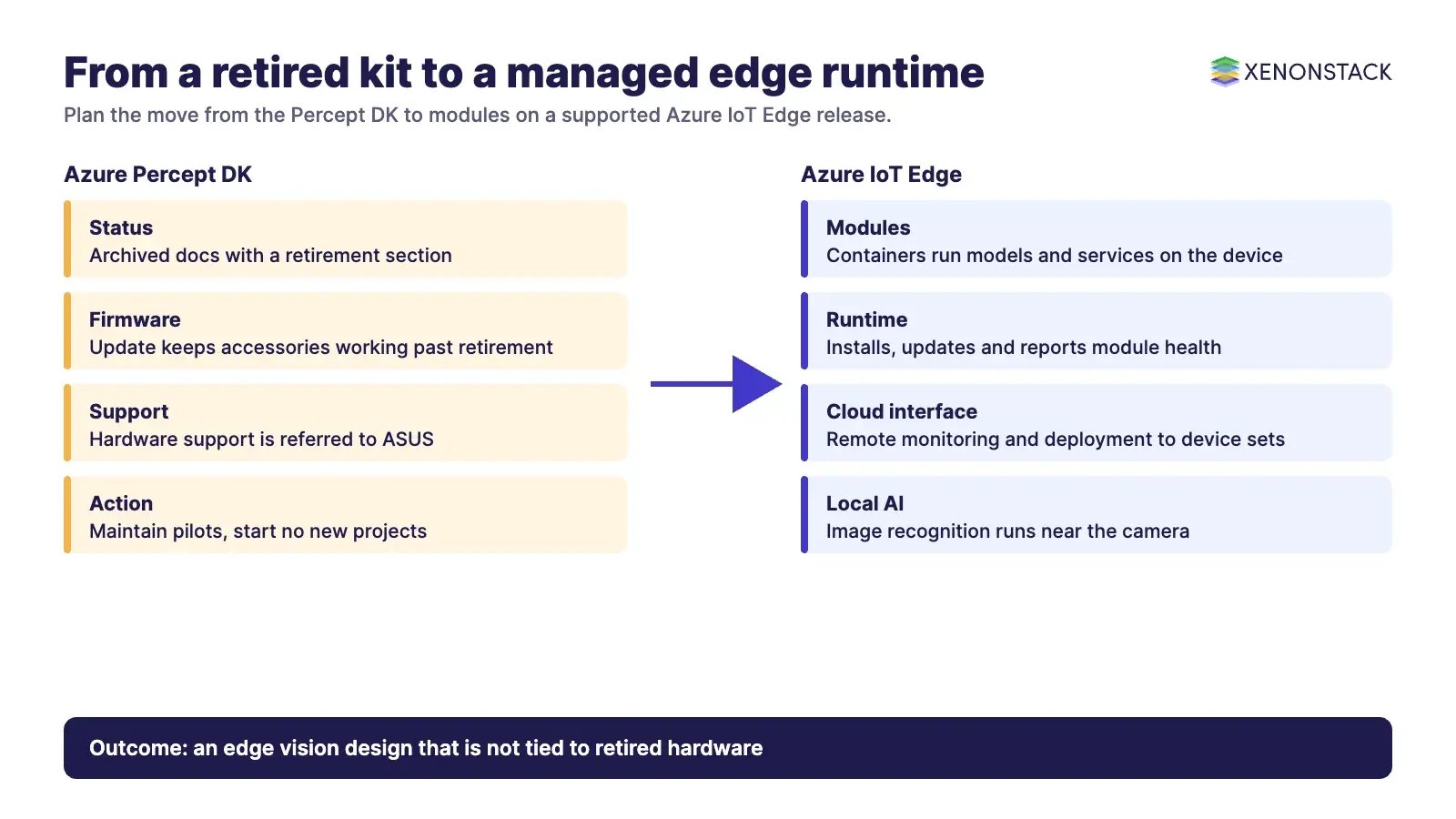
In practice, that means three things for an existing deployment: keep any devices you already own on the firmware update, plan their replacement, and do not start new projects on the kit. Check Microsoft's retirement notice linked from the page for the exact dates before you plan a migration.
What replaces it for edge computer vision on Azure?
The Microsoft documentation describes Azure IoT Edge as a device-focused runtime for deploying, running and monitoring containerised Linux applications on IoT devices. It is a feature of Azure IoT Hub and has three parts: modules, which are containers running Azure services, third-party services or your own code; a runtime on each device that installs and updates modules and reports their health; and a cloud-based interface for remote monitoring and management. The page lists running machine learning and image recognition locally, using your own code in Java, .NET, Node.js, C or Python, and sending only insights to the cloud as benefits.
| Question | Azure Percept DK (retired) | Azure IoT Edge |
|---|---|---|
| Status | Archived documentation with a retirement section | Documented runtime; IoT Edge 1.6 LTS is the supported release per Microsoft |
| What you manage | A specific development kit and its accessories | Containerised modules on devices you choose |
| Where your model runs | On the kit | In a module on the device |
| Cloud side | Azure IoT services and Azure Machine Learning | Azure IoT Hub, with IoT Central integration |
| Best use today | Maintain existing pilots only | New edge vision designs |
Support dates for individual IoT Edge releases change, so check the Azure IoT Edge page for the current list. At the time we read it, IoT Edge 1.5 LTS support ended on 10 November 2026 and 1.6 LTS was the supported release. Related reading on our site: Azure Computer Vision API and image recognition, Azure streaming analytics services and our Microsoft Azure managed services.
How is an edge vision pipeline built today?
Whatever the hardware, the steps are the same. Collect and label images from the real camera position and lighting. Train or fine-tune a model in the cloud. Package it as a container module. Deploy it to devices through a managed runtime. Send detections, counts and health data upstream, and keep raw video local unless you need it. Then monitor the model, because lighting, seasons and camera moves change what the model sees.
| Stage | What to decide | Common mistake |
|---|---|---|
| Capture and labelling | Camera positions, lighting, label rules | Training on images that do not match the site |
| Training | Model type and accuracy target | No agreed test set |
| Packaging | Container module and versioning | Models deployed by hand |
| Deployment | Device groups and rollback plan | No way to revert a bad update |
| Monitoring | Drift checks and review of low-confidence results | Treating launch as the finish line |
How do you secure and maintain edge devices?
Edge devices sit outside your data centre, so assume physical access is possible. Keep firmware and runtime versions current, authenticate every device to your cloud hub, encrypt data in transit, and keep an inventory of what runs where. The Azure IoT Edge runtime is described by Microsoft as maintaining security standards and keeping modules running, but your team still owns device lifecycle, patching and replacement. The retirement of a kit is a reminder to plan hardware life from day one.
How do AI agents change edge computer vision?
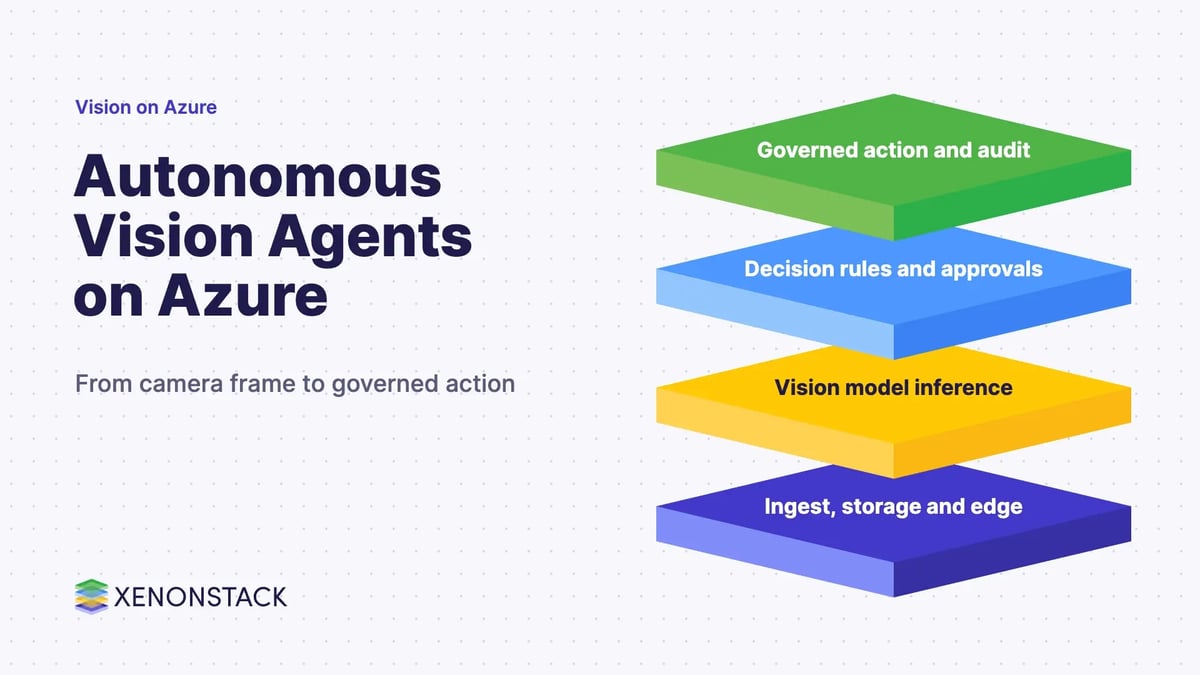
A vision model reports what it sees. An agent can decide what to do about it: open a ticket, call an engineer, ask a second model to check a doubtful frame, or pause a line. That makes the rules around those actions as important as the model. See how this plays out in our posts on an autonomous vision agent with Microsoft Azure and multimodal agents on Databricks. NexaStack is XenonStack's inference infrastructure for edge and vision workloads.
What should you do first?
- Inventory any Azure Percept devices and confirm their firmware status.
- Read Microsoft's retirement notice and set a replacement date for each device.
- Choose the target runtime, such as Azure IoT Edge, and the supported release you will standardise on.
- Move models into versioned container modules with a rollback plan.
- Write down which actions an agent may take from a detection, and who approves them.
For help with a migration, use Contact Us or Talk To Specialist.
To map one decision your edge agents make, and the data and policy it depends on, book a Context Workshop. See what happens in the workshop.
Frequently asked questions
Is Azure Percept discontinued?
The Azure Percept page on Microsoft Learn is archived and contains a section titled "Retirement of the Azure Percept DK", so the development kit should be treated as retired. Read Microsoft's retirement notice for exact dates.
Can Azure Percept devices keep working after retirement?
Microsoft published a firmware update on 22 February 2023 that it says will enable the Vision and Audio accessory components to continue functioning beyond the retirement date.
What is Azure IoT Edge?
Microsoft describes it as a device-focused runtime for deploying, running and monitoring containerised Linux applications on IoT devices. It runs modules, which are containers, and a runtime that manages them on each device.
Can I run image recognition locally with Azure IoT Edge?
Yes. The Microsoft documentation lists running machine learning and image recognition locally as a capability of Azure IoT Edge, using Azure services, third-party services or your own code in modules.
What should I do with an existing Percept pilot?
Keep devices on the firmware update, document the model and data pipeline, and plan a migration to a supported runtime before you scale or add new devices.
Follow XenonStack on LinkedIn: XenonStack on LinkedIn for new guides on agentic AI, data and platform engineering.
Ready to put AI agents to work? Explore ElixirClaw, the agentic OS platform to build, orchestrate and govern AI agents.
Explore the XenonStack platform family: ElixirData · ElixirClaw · ElixirHub · NexaStack · MetaSecure · Neural AI · AgentGRC · AgentSRE · AgentAnalyst · AgentInstruct · AgentRAI · AgentScrum · AgentSearch · AgentForce · AI Aviator · SAIF Aviator · CohortIQ · XenonStack AI · XenonStack UAE