Key takeaway
- User experience testing tools and process: how to run usability tests, what Optimizely, GTmetrix and Crazy Egg do, and how to choose. Sourced guide.
What is user experience testing, and which tool should you use?
User experience (UX) testing means watching real people use a website, app or other digital product, then using what you see to fix it. Nielsen Norman Group describes usability testing as a method in which a facilitator asks a participant to perform tasks on one or more interfaces while watching what they do and listening to their feedback. The right tool depends on the question: observation tools show why people struggle, while analytics and experiment tools show how many people are affected.
This guide covers the process, the main tool types (Optimizely, GTmetrix and Crazy Egg as examples), how to write acceptance criteria, and where the work sits next to user acceptance testing. For the design side, see our guide to user experience design.
Why does user experience testing matter?
Testing with real users catches problems while they are still cheap to fix. If you test a paper or clickable prototype early, a confusing step costs a design change. If you find it after launch, it costs engineering time and lost customers. Testing also gives you evidence for product decisions, so debates are settled by what users did and not by opinion.
- It shows whether the product meets what users expect.
- It shows whether people can finish their main tasks, and where they stop.
- It gives the team direct feedback to prioritise fixes.
- It links business choices to how the product works in real use.
Testing is one part of a wider practice. Our guide to user experience in software product development explains where it fits in the delivery cycle.
Which UX research method answers which question?
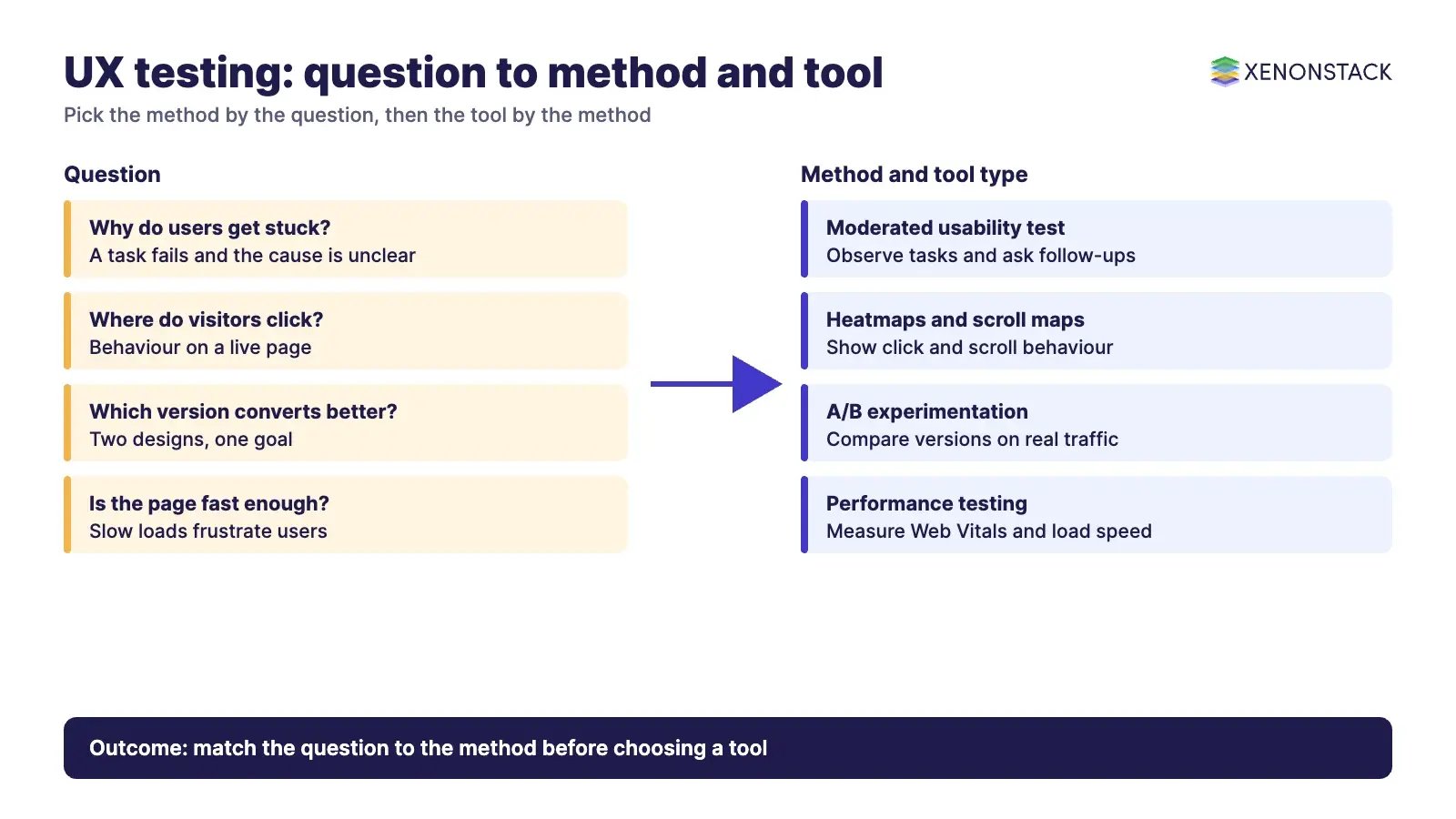
According to Nielsen Norman Group, research methods differ on two axes. Attitudinal methods capture what people say, for example surveys and card sorting. Behavioural methods capture what people do, for example A/B testing and eye tracking. Qualitative methods are best for "why" questions and for deciding how to fix a problem, while quantitative methods suit "how many" and "how much" questions. Its guidance is that most usability studies should rely on behaviour.
| Question | Method type | Typical tool type |
|---|---|---|
| Why do users get stuck on this task? | Qualitative, behavioural | Moderated or remote usability test, session recordings |
| Where do visitors click or stop scrolling? | Behavioural, quantitative | Heatmaps and scroll maps |
| Which version of a page converts better? | Behavioural, quantitative | A/B or experimentation platform |
| Is the page fast enough to feel responsive? | Technical measurement | Performance testing tool |
| What do users think of the product? | Attitudinal | Surveys, interviews |
How do you run a user experience test?
Nielsen Norman Group describes the simplest study as three days: prepare on day one, run sessions with five users on day two, and analyse the findings on day three to produce redesign recommendations. That assumes the team knows the method and has access to participants. The steps below follow the same shape.
1. Plan the test
Write down what you want to learn and keep the scope narrow. A broad question such as "which pages are easiest to use?" can work, but a precise one such as "why do users abandon checkout?" gives clearer answers. Choose realistic tasks a user might actually do.
2. Prepare the prototype or product
Early tests use a prototype. It does not need full functionality, but it must be faithful enough to the intended product that users react as they would to the real thing.
3. Recruit the right participants
Participants should be realistic users, or people with similar needs and background. Do not use people who work on the product, because they are biased for or against particular features.
4. Run the sessions
Use a quiet setting and do a dry run first to catch problems with connections or recording. Ask participants to think aloud, and ask follow-up questions without steering them.
5. Record and analyse
Write up findings in a consistent format and use recordings to fill gaps. Group issues by task and by how many participants hit them, then turn them into recommendations.
6. Fix, then test again
Nielsen Norman Group reports that five participants in a first study find about 85% of the usability problems for a single group of comparable users, and advises fixing them and testing again, because a redesign can introduce new problems. It also advises 3 to 4 users per group when a product has two distinct user groups, and at least 3 per group for three or more. Running several small studies is worth more than one large one.
What are the main user experience testing tools?
Tool features change often, so confirm current capabilities and pricing on each vendor's page before you buy. The descriptions below come from each vendor's own site.
| Tool | What it does, according to its site | When it fits |
|---|---|---|
| Optimizely | Describes itself as an AI platform to create and optimise digital experiences, with continuous testing, personalisation and optimisation. | Marketing and product teams running experiments and personalisation. |
| GTmetrix | Tests website speed and performance with Lighthouse-powered reports, tracks Core Web Vitals, and offers scheduled tests and alerts. | Checking whether slow pages are hurting the experience. |
| Crazy Egg | Offers heatmaps, scrollmaps, session recordings and A/B testing. | Seeing where visitors click, stop scrolling or struggle on a page. |
Optimizely
Optimizely positions itself as a platform for teams that create content, test and personalise it, and prove business impact. It suits teams that already know which experience they want to improve and need a structured way to run experiments.
GTmetrix
Slow pages are a UX problem as well as a technical one. GTmetrix reports Web Vitals and structure audits and can run hourly, daily, weekly or monthly tests with trend graphs. As published on web.dev, the Core Web Vitals targets are Largest Contentful Paint within 2.5 seconds, Interaction to Next Paint of 200 milliseconds or less, and Cumulative Layout Shift of 0.1 or less, measured at the 75th percentile of page loads for mobile and desktop separately.
Crazy Egg
Heatmaps and scrollmaps show where visitors click and how far they scroll, and session recordings let you watch actual visits. These tools show behaviour but not intent, so pair them with a moderated test to learn why visitors acted that way.
What about accessibility and AI-driven experiences?
Accessibility belongs in every test plan. The W3C recommends WCAG 2.2, which has testable success criteria at levels A, AA and AAA under four principles: perceivable, operable, understandable and robust. Include participants who use assistive technology where you can, and check your legal obligations on the official page for your market.
If your product now includes AI agents or assistants, testing the interface is not enough, because the quality of the agent's output and workflow also shapes the experience. AgentQA, according to its site, tests agent outputs and workflows continuously. For conversational interfaces, see our guide to conversational user interface best practices, and for AI-assisted acceptance checks see user acceptance testing with AI agents. ElixirData Context OS keeps governed context, versioned policy and decision traces in one decision layer above AI agents.
How are acceptance criteria different from usability testing?
Acceptance criteria are the conditions a feature must meet before a user, customer or another system accepts it. They are written for each user story and describe the feature from the end user's side. They give developers and testers a shared, clear test of whether a story is done, and they reduce surprises late in delivery. Usability testing asks a different question: not "does it meet the stated condition?" but "can real people use it?". You need both. Our guide to user acceptance testing covers the acceptance side in full.
What are the trade-offs and when should you not test?
- Tools do not replace users. Analytics tell you what happened. Only observation and conversation tell you why.
- Small samples have limits. Five users per group find the most common problems, not every problem, and they do not give statistics.
- Test the right thing. Do not run an A/B test on a flow with known usability faults. Fix them first.
- Check data handling. Recordings can capture personal data, so confirm consent and retention rules before turning them on.
To map one decision your agents should make, and the context and policy it depends on, book a Context Workshop. See what happens in the workshop.
Frequently asked questions
How many users do I need for a usability test?
For a single group of comparable users, Nielsen Norman Group recommends five, which it reports finds about 85% of usability problems. Use 3 to 4 per group when there are two distinct groups, and test again after fixes.
What is the difference between usability testing and A/B testing?
Usability testing is qualitative and explains why users struggle. A/B testing is behavioural and quantitative and shows which version performs better. Nielsen Norman Group lists A/B testing as a launch-and-assess method and usability testing as a design-phase method.
Are GTmetrix and Crazy Egg UX testing tools?
They support UX testing but do not replace it. GTmetrix measures page speed and Web Vitals, and Crazy Egg shows click and scroll behaviour. Neither tells you why a user failed a task.
When should UX testing happen?
Early with prototypes, when changes are cheapest, and again on the live product. Nielsen Norman Group places usability testing in the design phase and benchmarking, A/B testing and analytics at launch and after.
What are the Core Web Vitals targets?
According to web.dev, Largest Contentful Paint within 2.5 seconds, Interaction to Next Paint of 200 milliseconds or less, and Cumulative Layout Shift of 0.1 or less, at the 75th percentile of page loads.
Follow XenonStack on LinkedIn: XenonStack on LinkedIn for new guides on agentic AI, data and platform engineering.
Ready to put AI agents to work? Explore ElixirClaw, the agentic OS platform to build, orchestrate and govern AI agents.
Explore the XenonStack platform family: ElixirData · ElixirClaw · ElixirHub · NexaStack · MetaSecure · Neural AI · AgentGRC · AgentSRE · AgentAnalyst · AgentInstruct · AgentRAI · AgentScrum · AgentSearch · AgentForce · AI Aviator · SAIF Aviator · CohortIQ · XenonStack AI · XenonStack UAE