Key takeaway
- Apache Calcite explained for architects: SQL parser, optimiser, adapters and Streaming SQL, which engines embed it, and when to use it or not.
Apache Calcite is an open source framework that gives a data system a SQL parser, a validator, a relational algebra layer and a cost-based query optimiser, without forcing the system to adopt a storage engine. According to its site, it offers an "industry-standard SQL parser, validator and JDBC driver", represents queries in relational algebra and optimises them against a cost model. Its licence is Apache License v2 (calcite.apache.org).
For an architect, the point is simple: Calcite is the planning layer, not the database. Engines such as Apache Flink and Apache Drill embed it so they do not have to write and maintain their own SQL front end. This guide explains how the architecture works, how its Streaming SQL extension behaves, and when it is the right building block.
What is Apache Calcite and what does it not do?
Calcite is a dynamic data management framework. It carries many parts of a conventional database: a SQL parser, a validator, an optimiser and an API for building expressions in relational algebra. It does not store data and it does not run the processing itself. Those jobs stay with the engines and data sources underneath it, which Calcite reaches through adapters.
The latest release listed on the Calcite release history is 1.42.0, dated 31 May 2026, which the project lists as tested on JDK/OpenJDK 8 to 24. Confirm the current version on that page before you pin a dependency.
Which engines use Apache Calcite?
The project's powered-by page names many systems. A selection, with the role each page entry gives Calcite:
| Project | Role of Calcite, per the powered-by page |
|---|---|
| Apache Flink | Parses regular and streaming SQL and optimises queries |
| Apache Hive | Cost-based query optimisation |
| Apache Drill | SQL parsing and query optimisation |
| Apache Beam | Parsing and optimising SQL |
| Apache Storm and Apache Samza (SamzaSQL) | Parsing streaming SQL and query optimisation |
| Apache Kylin | SQL parsing and query optimisation |
| Dremio | SQL parsing and cost-based query optimisation |
How does the Apache Calcite architecture work?
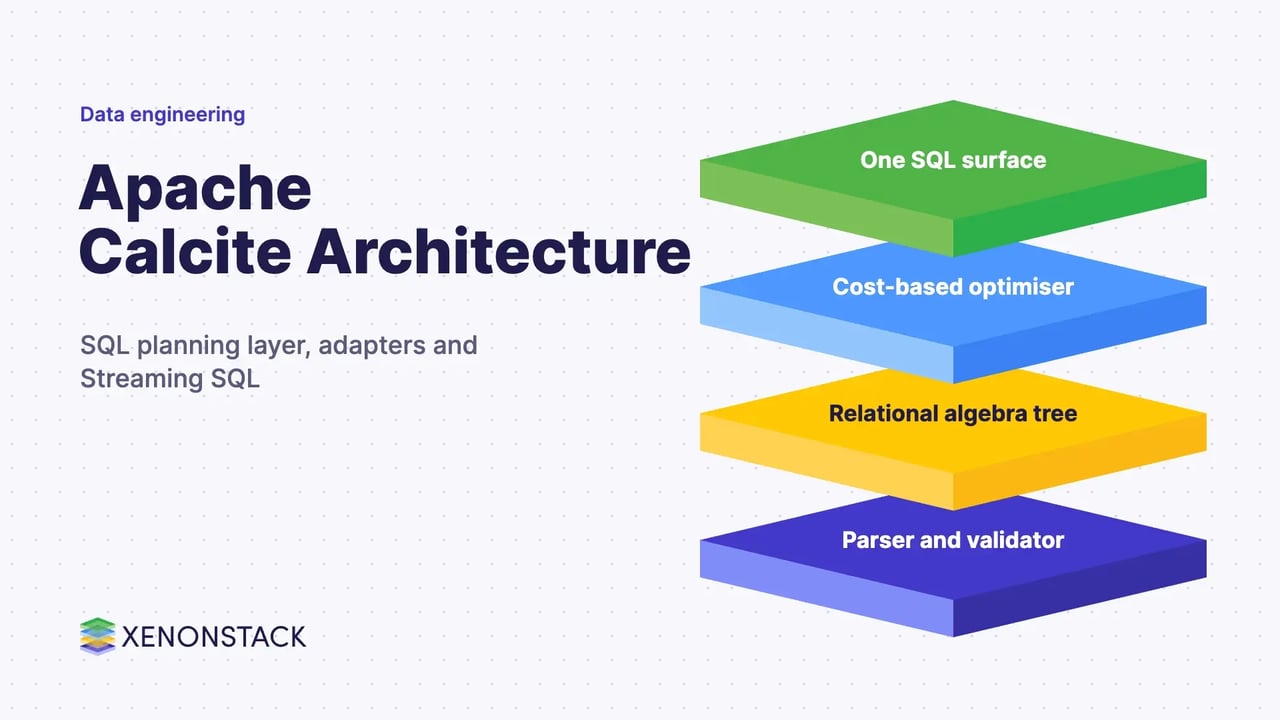
A query passes through four stages. The names of the stages are generic; the behaviour in each is described on the Calcite documentation pages.
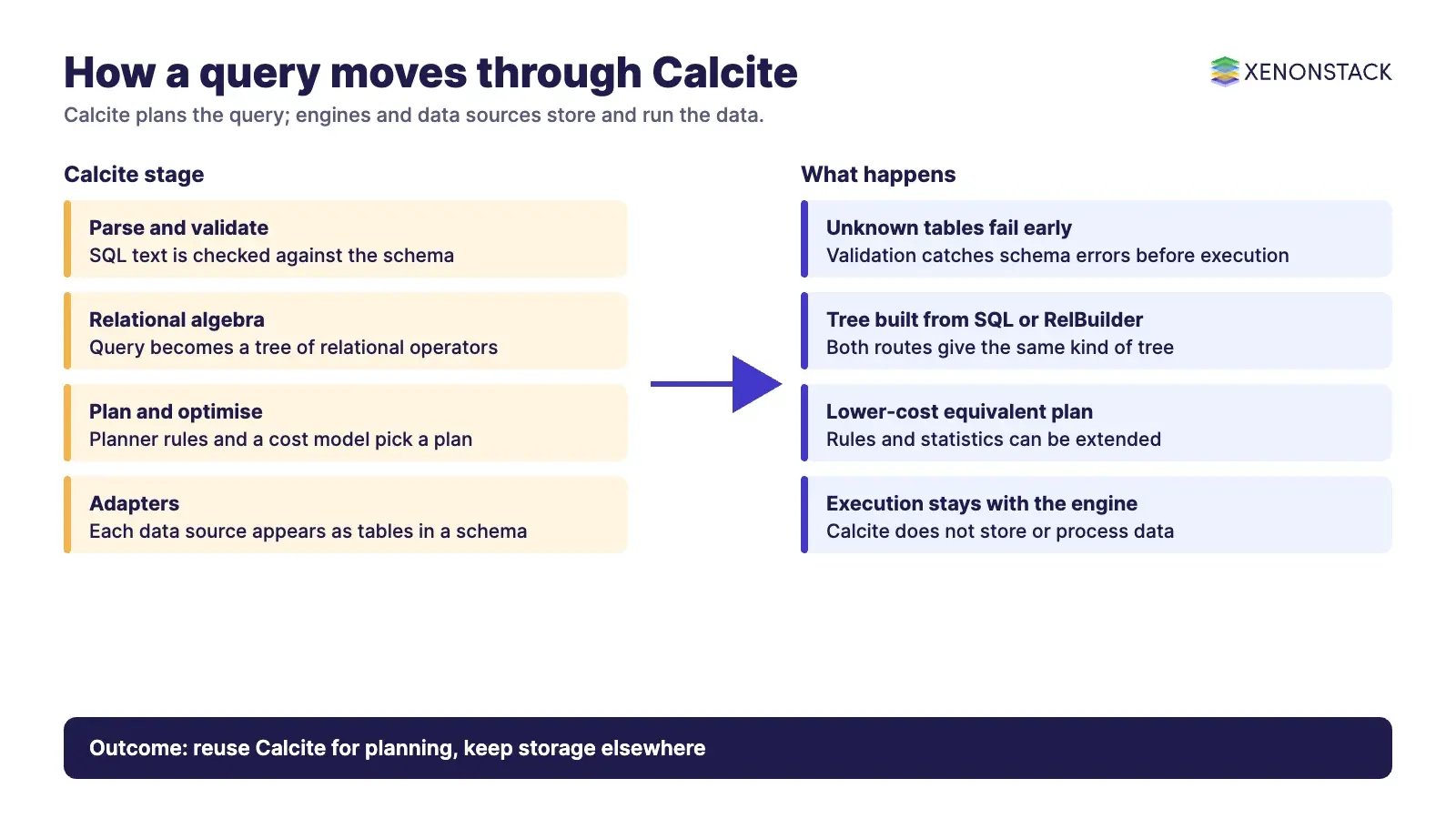
- Parse and validate. The SQL text is parsed and checked against the schema, so unknown tables and columns fail early.
- Relational algebra. Per the algebra page, "every query is represented as a tree of relational operators". You can translate from SQL to this tree or build it directly with the RelBuilder API.
- Plan and optimise. Calcite optimises by repeatedly applying planner rules to a relational expression, guided by a cost model. The planner is extensible, so a system can add its own operators, rules, cost model and statistics.
- Execute through adapters. The optimised plan is handed to the engine or data source that owns the data.
Before a query runs, the planner must know which schemas and tables exist. The adapter page describes the usual route: a JDBC connection whose model property points to a JSON or YAML model file, or holds the model inline. For a single built-in schema type, no model file is needed. The JDBC driver is described there as powered by Avatica, with connections that can be local or remote.
What do Calcite adapters do?
The adapter page states that "a schema adapter allows Calcite to read particular kind of data, presenting the data as tables within a schema". It lists adapters for Arrow, Cassandra, CSV, Druid, Elasticsearch, files, Geode, InnoDB, JDBC, MongoDB, Redis, Solr, Spark, Splunk and Apache Kafka, among others. This is what makes Calcite useful for federation: one SQL surface over several stores, with computation pushed down to the data where the adapter supports it. Support differs by adapter, so test the one you plan to use.
How does Streaming SQL work in Calcite?
The streaming documentation centres on the STREAM keyword. Without it, a query is standard SQL and terminates after returning the existing rows. With it, the query runs continuously and emits new matching records. Calcite rejects streaming queries on pure tables and relational queries on pure streams.
- Windows. The page covers tumbling windows (
TUMBLE), hopping windows (HOP), and sliding and cascading windows built from analytic functions. - Monotonic columns. Streaming aggregation needs at least one monotonic expression in
GROUP BY, otherwise Calcite returns an error. Monotonicity must be declared in the schema, androwtimeis recommended. - Joins. The page discusses stream-to-table joins and stream-to-stream joins, the latter needing a monotonic "lock step" between the streams.
The page also says that not all concepts in it have been implemented in Calcite, and that some features exist in Calcite but not in particular adapters. Treat the streaming specification as a design reference and check the release notes and your host engine (Flink, Samza, Storm) for what actually runs.
Why does join order matter to the optimiser?
Joins are where an optimiser earns its keep. Joining the same tables in a different order changes the size of the intermediate results, and with it the cost. A left-deep tree joins two tables, then joins that result to the next table, and so on. A bushy tree joins pairs of tables separately and then joins the results, which gives the optimiser more plan shapes to compare. These are general query-planning concepts rather than Calcite-specific claims; the practical lesson is that table statistics and cost models decide which shape wins.
When should you use Calcite, and when not?
| Situation | Fit | Why |
|---|---|---|
| Building a new query engine or data service that needs SQL | Good | Reuse the parser, validator and optimiser instead of writing them |
| One SQL layer over several stores | Good | Adapters present each store as tables in a schema |
| Streaming SQL on an existing engine | Check first | Depends on what the host engine implements |
| You need storage, processing or a ready-made warehouse | Poor | Calcite supplies neither; pick an engine that embeds it |
| Governance and policy enforcement | Partial | Calcite plans queries; access policy and audit sit in layers around it |
How should an enterprise adopt it?
Start by using Calcite through an engine you already run, such as Flink or Hive, and learn its behaviour there. Embed it directly only when you are building a product or an internal data service that needs its own SQL surface. Budget for the maintenance cost of custom planner rules and adapters, and test each adapter against your real data sources. Because Calcite does not store data, security, lineage and audit stay the responsibility of the surrounding platform. For teams that want those controls in one place, ElixirData Context OS keeps governed context, versioned policy and decision traces in one decision layer above AI agents, and AgentAnalyst lets teams ask questions of enterprise data in plain language and get real-time insights.
To map one query or data-access decision your agents should make, and the context and policy it depends on, book a Context Workshop. See what happens in the workshop.
Frequently asked questions
Is Apache Calcite a database?
No. It supplies parsing, validation, relational algebra and cost-based optimisation, and relies on other engines and data sources for storage and execution.
Which projects use Apache Calcite?
The project's powered-by page lists Apache Flink, Hive, Drill, Beam, Storm, Samza, Kylin and others, including Dremio.
What does the STREAM keyword do?
It turns a query into a continuous one that emits new matching records. Without it, the query is standard SQL and terminates.
How does Calcite connect to different data sources?
Through schema adapters, which present a data source as tables in a schema. A JDBC connection can point to a JSON or YAML model file with the model property.
Which Calcite version is current?
The release history lists 1.42.0 (31 May 2026) as the latest at the time of writing; confirm on the official page.
Related reading
Ready to put AI agents to work? See an ElixirClaw demo: the agentic OS to build, orchestrate and govern AI agents across your enterprise systems.
Explore the XenonStack platform family: ElixirData · ElixirClaw · ElixirHub · NexaStack · MetaSecure · Neural AI · AgentGRC · AgentSRE · AgentAnalyst · AgentInstruct · AgentRAI · AgentScrum · AgentSearch · AgentForce · AI Aviator · SAIF Aviator · CohortIQ · XenonStack AI · XenonStack UAE