Key takeaway
- Reduce cloud waste with FinOps on AWS: find idle resources, schedule non-production, assign owners and alert on spikes, using official sources.
Cloud waste is spend on resources that nothing needs: idle instances, unattached volumes, over-sized capacity and non-production environments that run all night. The FinOps Foundation treats removing it as part of usage optimisation, carried out mainly by engineering with finance and product, so the fix is an operating routine and not a one-off clean-up.
This guide gives enterprise leaders a practical sequence on AWS: find waste with the provider's own detectors, assign an owner, remove or schedule it, and alert on new spikes. It sits beside our guides on capacity reservations and Savings Plans, which cover discounts on what you keep, and the FinOps maturity levels guide.
What counts as cloud waste, and how is it different from a high bill?
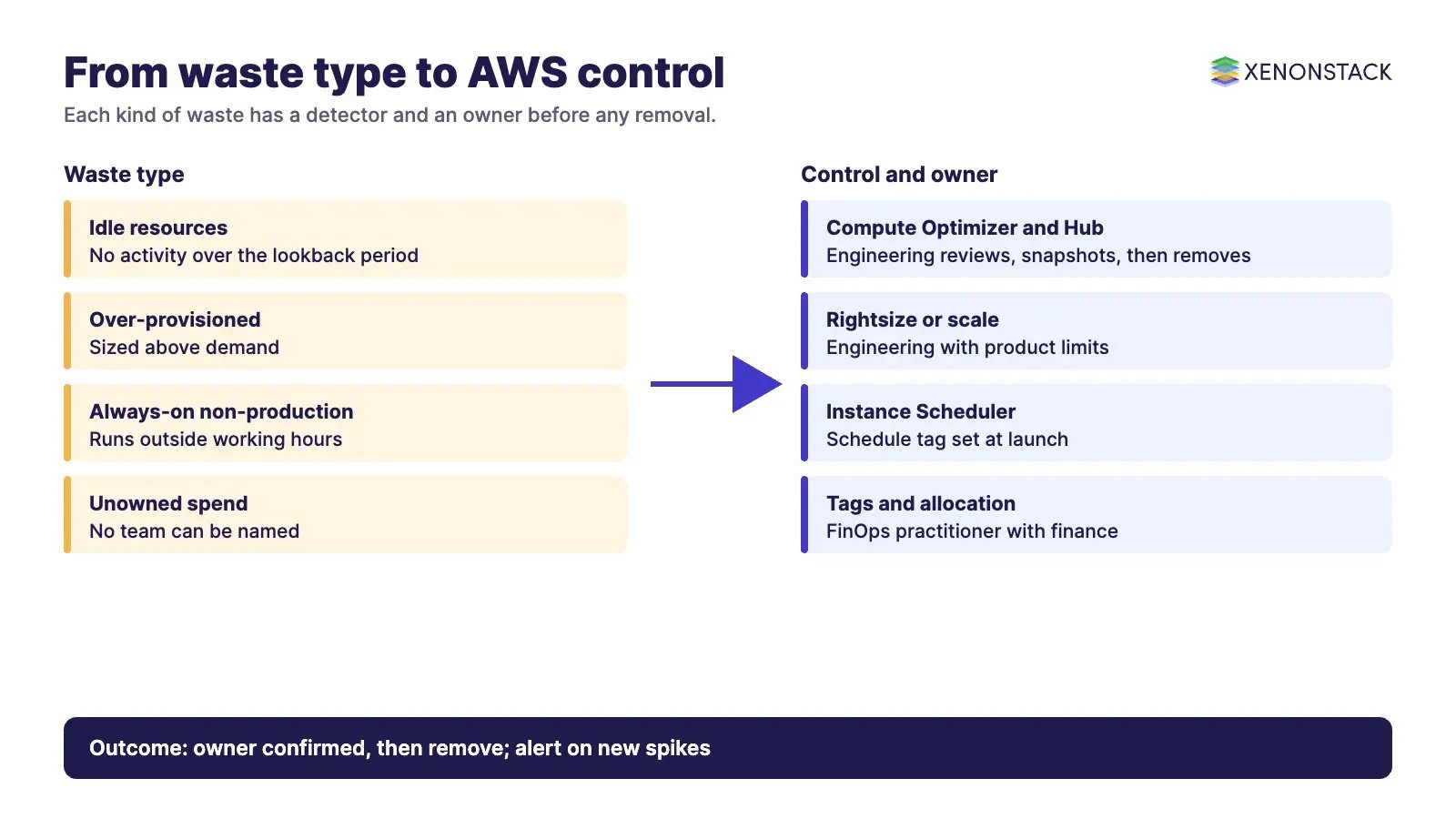
A high bill can be healthy if the workload earns more than it costs. Waste is spend with no matching need. The FinOps Foundation describes it as "removing resources and usage that were created or provisioned but are no longer needed or being used" (read 12 Nov 2026 on its Usage Optimization page). Four families cover most cases, and each needs a different fix.
| Waste type | What it looks like | Typical action | Who acts |
|---|---|---|---|
| Idle or unused | Running or provisioned resources with no activity, such as unattached storage volumes or unused database clusters | Stop, snapshot and delete after owner confirmation | Engineering |
| Over-provisioned | Resources in use but sized far above demand | Rightsize, or scale dynamically | Engineering with product |
| Always-on non-production | Development and test environments that run outside working hours | Schedule start and stop | Engineering, set at launch |
| Untracked or unowned | Spend no team can be named for | Allocate with tags and account structure, then decide | FinOps practitioner with finance |
The Foundation notes that pre-production resources are the biggest targets for scheduling, and that resources which cannot scale but run at consistently low utilisation are candidates for rightsizing.
How do you find idle resources on AWS?
AWS Compute Optimizer publishes idle-resource recommendations. According to the AWS user guide, it covers 12 resource types, including EC2 instances, EBS volumes, ECS services on Fargate, Aurora and RDS databases, NAT Gateways, DynamoDB, ElastiCache, WorkSpaces and SageMaker endpoints. AWS announced the recommendation type on 20 November 2024 (AWS announcement). The test for each type is explicit, which helps you decide how much to trust a finding. Criteria below are as stated in the AWS Compute Optimizer guide, read 12 Nov 2026.
| Resource | AWS idle test (per its guide) | Lookback |
|---|---|---|
| EC2 instance | Peak CPU below 5% and network I/O under 5 MB a day | 14 days |
| EBS volume | Fewer than 1 read or write operation a day and not a root volume; unattached volumes flagged separately | 14 days (extendable to 32); 32 days for unattached |
| ECS service on Fargate | Peak CPU and memory below 1% | 14 days (extendable to 32) |
| SageMaker endpoint | Zero invocations | 14 days |
| WorkSpaces (Always On) | No user has connected | 63 days |
Rightsizing and idle findings from Compute Optimizer can be seen across accounts and Regions in Cost Optimization Hub. AWS describes the hub as a way to "consolidate and prioritize cost optimization recommendations", and says it accounts for your commercial terms, such as Savings Plans and Reserved Instances, when estimating savings. Treat the estimate as a ranking aid and confirm it against your own bill before committing a target.
What should you check before deleting a flagged resource?
A detector sees metrics, not intent. A quiet instance can be a disaster-recovery standby, a quarter-end batch host or a licence holder. Before removal, confirm the owner, the last business use and the restore path, and take a snapshot where data is involved. Record the decision so the next review does not repeat the question.
How do you stop non-production spend running around the clock?
Scheduling is the simplest control for environments that people use only in working hours. Instance Scheduler on AWS starts and stops EC2 and RDS instances from tags on a customer-defined schedule across Regions and accounts. According to AWS, instances needed only during regular business hours, which cuts weekly running time from 168 hours to 50, "can result in up to 70% cost savings" for those instances. That figure is AWS's own upper-bound example and not a promise for your estate; the solution has its own running cost, which the AWS page estimates, so count it in the business case.
The FinOps Foundation goes one step further: it says scheduled start and stop should be required at launch for pre-production resources where feasible, which is the "shift left" idea of setting the control at design time. Put the schedule tag in your provisioning templates so waste is prevented, not only cleaned up.
Who owns waste, and how do you assign it?
Waste reports fail when no one is named. The Foundation's Allocation capability asks you to define tags, labels, naming standards and grouping structures so a cost can be traced to its owner, and to define how shared costs are identified. Without that, a list of idle resources goes to a central team that cannot judge whether they are needed. The Foundation also states that tags cannot be applied retroactively, so enforce them at creation. For the wider cost-management picture, see our guide to FinOps cost optimisation.
| Role | Responsibility in waste reduction (per the Foundation) |
|---|---|
| Engineering | Builds and procures resources in line with the usage optimisation strategy; applies rightsizing and elasticity |
| FinOps practitioner | Keeps the optimisation strategy, tracks recommendations and sets trade-off guidelines |
| Product | Defines service KPIs and performance limits, and provides demand forecasts |
| Finance | Quantifies the cost of under-utilisation and includes savings in forecasts |
| Leadership | Sets priority for optimisation against feature work |
How do you catch new waste before the invoice arrives?
AWS Cost Anomaly Detection uses machine learning to flag unusual spend. According to the AWS guide, it runs about three times a day on net unblended cost data, can take up to 24 hours to detect an anomaly after usage occurs, ranks root causes by dollar impact across service, account, Region and usage type, and sends alerts by email or an Amazon SNS topic. A new service subscription needs 10 days of history before anomalies can be detected for that service. It does not monitor most AWS Marketplace products, where AWS points to AWS Budgets instead.
This makes it a safety net for sudden spikes, such as a runaway job or a mis-set autoscaling rule. It is not a replacement for the regular idle review, because slow, steady waste does not look like an anomaly.
What should you do first, and when is waste reduction not the right move?
A sequence that fits most enterprises
Make cost visible by owner. Enforce tags and account structure so every dollar has a team.
Turn on the detectors. Enable Compute Optimizer and Cost Optimization Hub, and Cost Anomaly Detection with named recipients.
Clear the clear-cut items. Unattached volumes and long-idle resources go first, with owner sign-off and snapshots.
Schedule non-production. Add schedule tags to templates.
Rightsize, then commit. Buy discounts only on the usage that remains, as covered in our Savings Plans and capacity reservation guides.
Review monthly and track a KPI. The Foundation lists a Cost Optimization Index that scores efficiency from 0 to 100, where a higher score means less waste.
When to hold back
Do not remove resources that serve recovery, compliance retention or seasonal peaks without the owner's written agreement. Do not trade reliability for savings on customer-facing paths: the Foundation says product teams define the performance limits that any optimisation must respect. For AI workloads, see our guides on FinOps for AI engineering, and for carbon alongside cost, GreenOps KPIs. Teams running several clouds should read multi-cloud FinOps with FOCUS.
Waste decisions improve when the owner, the usage evidence and the policy sit together. The ElixirData Context OS keeps governed context, versioned policy and decision traces in one decision layer above AI agents, and AgentAnalyst lets teams ask questions of enterprise data in plain language and get real-time insights.
Watch: FinOps on AWS in practice
XenonStack's FinOps solution for AWS, an overview video.
To map one cost decision your agents should make, and the context and policy it depends on, book a Context Workshop. See what happens in the workshop.
FAQ
What is cloud waste?
Cloud waste is spend on resources that are idle, over-provisioned or running when not needed. The FinOps Foundation describes it as removing resources and usage that were created or provisioned but are no longer needed or being used.
How does AWS decide a resource is idle?
AWS Compute Optimizer applies per-resource tests. According to its guide, an EC2 instance is idle when peak CPU is below 5% and network I/O is under 5 MB a day over a 14-day lookback.
How much can scheduling save?
According to AWS, instances needed only in business hours can see up to 70% savings when weekly running time falls from 168 hours to 50. That is AWS's own example, so measure your own estate.
How quickly does AWS Cost Anomaly Detection flag a spike?
According to the AWS guide, it runs about three times a day and can take up to 24 hours to detect an anomaly after usage occurs.
Who should own waste reduction?
Engineering carries it out, with the FinOps practitioner, product, finance and leadership each holding a defined role under the FinOps Foundation Usage Optimization capability.
Should we buy Savings Plans before removing waste?
Remove and rightsize first, then commit to the usage that remains, so you do not lock in discounts on resources you later delete.
Sources: FinOps Foundation Usage Optimization capability, AWS Compute Optimizer idle recommendations, Cost Optimization Hub, Instance Scheduler on AWS, Cost Anomaly Detection. Read 12 November 2026.
Follow XenonStack on LinkedIn: XenonStack on LinkedIn for new guides on agentic AI, data and platform engineering.
Ready to put AI agents to work? Explore ElixirClaw, the agentic OS platform to build, orchestrate and govern AI agents.
Explore the XenonStack platform family: ElixirData · ElixirClaw · ElixirHub · NexaStack · MetaSecure · Neural AI · AgentGRC · AgentSRE · AgentAnalyst · AgentInstruct · AgentRAI · AgentScrum · AgentSearch · AgentForce · AI Aviator · SAIF Aviator · CohortIQ · XenonStack AI · XenonStack UAE