Key takeaway
- Intelligent automation explained for enterprise leaders: AI, BPM and RPA layers, when to use agentic workflows, key risks, controls and adoption steps.
What is intelligent automation, and how is it changing?
Intelligent automation combines process automation with AI so that work moves end to end with less manual effort. IBM describes it as using automation technologies to streamline and scale decision-making across an organisation, with AI as the decision engine, business process management (BPM) for workflow and robotic process automation (RPA) for back-office tasks. It is sometimes called cognitive automation.
For enterprise teams the practical shift is that the decision layer is moving from fixed rules and trained models towards agentic workflows, where a language model plans steps and calls tools inside limits you define. This post gives the architecture, a decision table and the controls. For the generative AI view of the same topic, see intelligent automation with agentic AI.
How do the components of intelligent automation fit together?
Three layers appear in most descriptions, and a fourth is now common. The layer you choose for a task should follow how variable the task is.
| Layer | What it does | Where it fits | Limit |
|---|---|---|---|
| Business process management | Models and runs the workflow, handoffs and approvals | Processes with known steps and owners | Does not interpret unstructured input on its own |
| Robotic process automation | Software bots perform defined screen or system actions, such as extracting data and filling forms | Stable, rule-based, high-volume tasks | Breaks when screens or rules change, and cannot judge exceptions |
| AI and machine learning | Analyses structured and unstructured data and predicts outcomes | Classification, extraction, routing, forecasts | Needs data, monitoring and review of errors |
| Agentic workflows | A model plans steps and calls tools within a defined scope and escalates to people | Variable work with exceptions and judgement | Adds latency and cost, so needs approvals and traces |
The first three rows follow IBM. For the fourth, Anthropic's guidance on building effective agents defines workflows as systems where models and tools are orchestrated through predefined code paths, and agents as systems where models dynamically direct their own processes and tool use. It advises finding the simplest solution possible and increasing complexity only when needed, and notes that agentic systems often trade latency and cost for better task performance.
When should you use RPA, AI or an agent?
Choose by the nature of the task, not by the label on the tool.
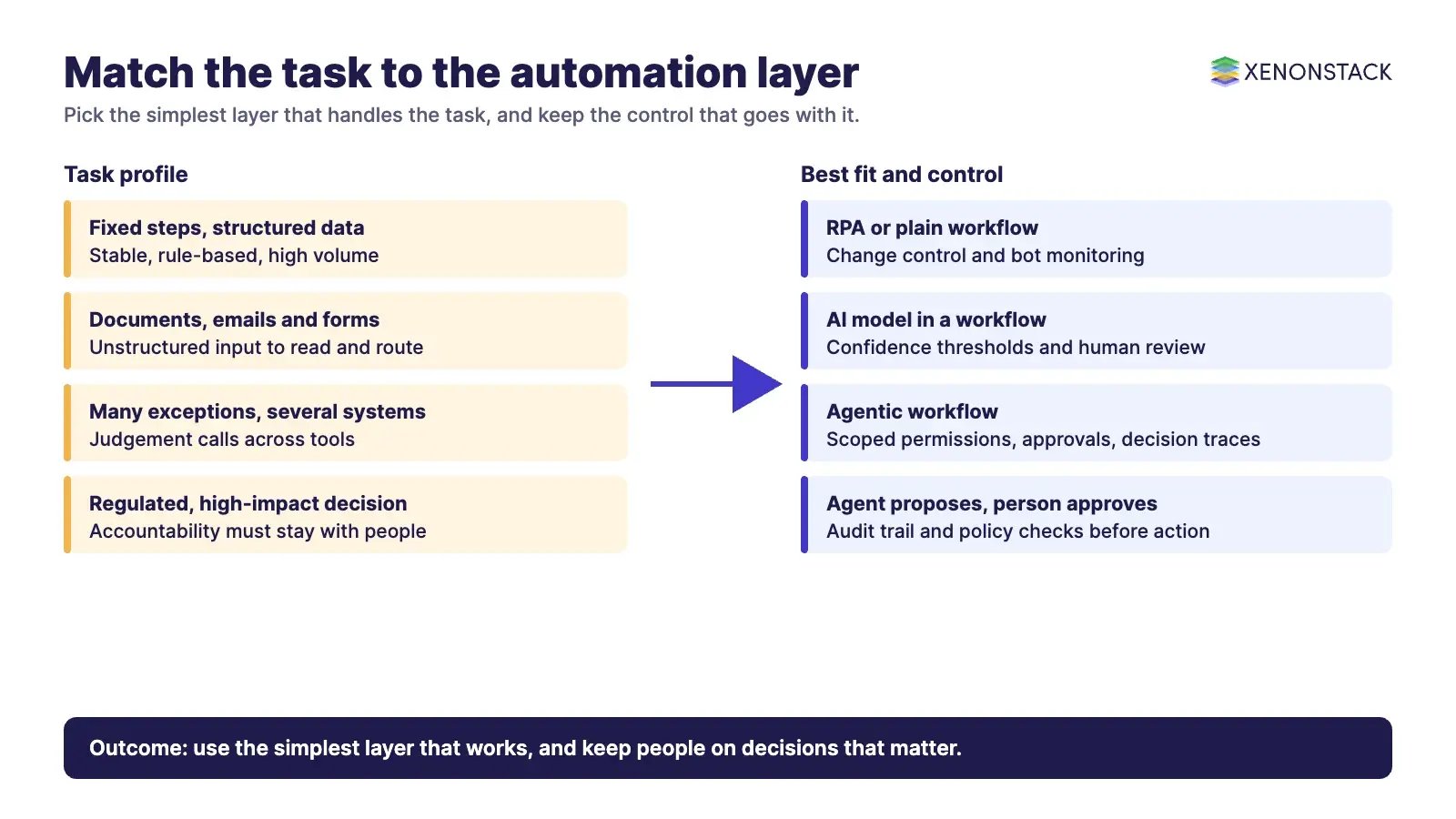
| Task profile | Best fit | Why | Control to keep |
|---|---|---|---|
| Fixed steps, structured data, rare change | RPA or plain workflow | Cheapest and easiest to audit | Change control and bot monitoring |
| Reading documents, emails or forms | AI model inside a workflow | Handles unstructured input | Confidence thresholds and human review of low scores |
| Many exceptions, several systems, judgement calls | Agentic workflow | Plans and adapts within limits | Scoped permissions, approvals and decision traces |
| Regulated or high-impact decision | Agent proposes, person approves | Accountability stays with people | Audit trail and policy checks before action |
This is the same reasoning as RPA versus cognitive automation and in agentic process automation: keep rules where rules work and add agents only where variation defeats them. A good example is complaint handling: a model can read incoming messages, route them and draft replies, while complex or sensitive cases go to a person. The Exception Handling Agent detects exceptions that need human judgement and routes them to the right decision-maker with context, according to its site.
What are the benefits of intelligent automation?
IBM lists lower costs and higher productivity through workforce augmentation, greater accuracy and consistency in repetitive tasks, a better customer experience through faster answers, and easier adherence to regulation through consistent execution. These are reasons to try it, not guarantees: measure your own baseline first (cycle time, error rate, cost per case, share of cases needing a person) and compare after a pilot.
Treat any claim that automation is error-free or needs no human involvement with caution. Models and bots both fail, so the design question is who sees the failure and how fast.
What are the challenges and risks, and how do you control them?
| Challenge | What it looks like | Control |
|---|---|---|
| Skills and workforce change | IBM notes automation will expose skills gaps and employees will need to adapt | Plan retraining and role redesign before rollout |
| Cost and maintenance | Platforms, integration, model usage and an operations team | Start with one process, track cost per case, retire automations nobody uses |
| Brittle automation | Bots fail when interfaces or rules change | Monitoring, versioned changes, fallbacks to a person |
| Agent errors and over-reach | An agent takes an action nobody intended | Least-privilege access, approval gates, logged decision traces |
| Governance and audit | No record of why an action was taken | Policy checks before action and evidence kept with each case |
For tiering agents by risk and mapping controls, see agentic AI risk management. ElixirClaw describes itself as an agentic OS platform to build, orchestrate and govern AI agents and automation workflows while keeping humans in control, and AgentGRC describes keeping autonomous agent actions inside policy with the audit trail risk teams need. ElixirData Context OS describes a decision layer above AI agents that keeps governed context, versioned policy and decision traces in one place.
How should you sequence adoption?
1. Pick one process with a measurable baseline
Choose a process with clear volume, owner and failure cost, such as complaint triage, invoice exceptions or onboarding requests.
2. Use the simplest layer that works
Start with workflow or RPA, add a model for unstructured input, and add an agent only for the exception paths.
3. Keep a person on the decision that matters
Define which actions an agent may take alone, which need approval and which it must never take.
4. Measure, then scale
Compare cycle time, error rate and cost per case with the baseline. Extend only what the numbers support.
What should you look for in intelligent automation tools?
Rather than a ranked vendor list, which would need independent evidence, assess any tool against these questions:
- Integration: does it connect to your systems of record through supported APIs, not only screen scraping?
- Document and data handling: can it extract and validate data from the formats you actually receive?
- Agent controls: can you scope permissions, require approvals and see every action taken?
- Observability: are runs, failures and costs visible per process?
- Governance: is there an audit trail you could show a regulator or internal auditor?
- Exit and cost: how are licences, usage and data portability handled?
Next step: list your three highest-volume processes, place each in the decision table above and pick one pilot.
To map one intelligent automation decision your agents should make, and the context and policy it depends on, book a Context Workshop. See what happens in the workshop.
Frequently asked questions
What is intelligent automation?
It is the use of automation technologies, typically AI, BPM and RPA, to streamline and scale decision-making across an organisation, as described by IBM.
What is the difference between RPA and intelligent automation?
RPA uses software bots for defined, rule-based tasks such as extracting data and filling forms. Intelligent automation adds AI for unstructured data and decisions, and increasingly agentic workflows for exceptions.
Where do agentic workflows fit?
Where work varies and needs judgement across several systems. Anthropic advises using the simplest solution that works and adding complexity only when needed, because agentic systems often trade latency and cost for performance.
What are the main challenges?
Workforce skills and change, cost and maintenance, brittle automation, agent over-reach and missing audit evidence. Each needs a named control, such as retraining, monitoring, scoped permissions and decision traces.
How do you start?
Pick one process with a measurable baseline, use the simplest layer that works, keep a person on high-impact decisions and compare results with the baseline before scaling.
Follow XenonStack on LinkedIn: XenonStack on LinkedIn for new guides on agentic AI, data and platform engineering.
Explore the XenonStack platform family: ElixirData · ElixirClaw · ElixirHub · NexaStack · MetaSecure · Neural AI · AgentGRC · AgentSRE · AgentAnalyst · AgentInstruct · AgentRAI · AgentScrum · AgentSearch · AgentForce · AI Aviator · SAIF Aviator · CohortIQ · XenonStack AI · XenonStack UAE